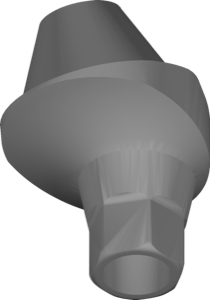
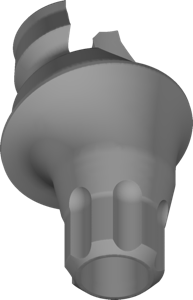
Multi-unit abutments: straight, angled and library choice
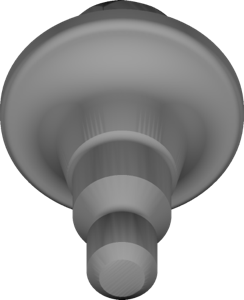
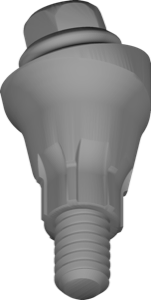
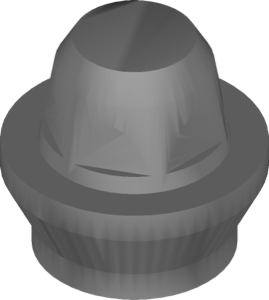
A multi-unit abutment (MU, multiunit) is an intermediate component between the implant and a screw-retained restoration: it moves the prosthetic level from the bone up to the soft-tissue level and converts the implant connection into a single straight channel for the screw. This is the level at which bridges and full arches like All-on-4/All-on-6 are designed. To model the framework correctly, the CAD system needs the matching multi unit abutment library — and in exocad this is handled by a dedicated implant module.
Below we break down how a straight MU differs from an angled one, why the multi-unit library is brand-specific and how to avoid mistakes when selecting it. All files mentioned are available in the DentalLibs catalog.
Straight vs angled multi-unit abutments: what's the difference
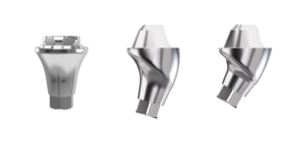
A straight MU is used when the implant axis is already close to the desired prosthetic axis — it simply raises the platform above the gingiva. An angled MU compensates for implant tilt: typical angle values are 17°, 30°, less often 45°, but always verify the exact angulation against the manufacturer's catalog.
For CAD these are two different geometric objects. For example, with Dentsply Sirona the straight and angled variants are split into separate files — the straight MultiBase EV and the angled MultiBase EV. You have to use exactly the one that matches the actual component in the mouth, otherwise the seating plane and screw exit won't line up with the model.
- straight MU — minimal tilt, simple seating, more common for single screw-retained crowns and parallel implants;
- angled MU — corrects axis divergence, redirects the screw channel toward the palatal or lingual side;
- gingival height is selected according to soft-tissue thickness — this is a separate parameter, not part of the library.
Why each brand has its own multi-unit library
Multi-unit is not a universal standard. The internal MU-to-implant connection, the shape of the seating surface for the coping, the pitch and diameter of the prosthetic screw, the anti-rotational geometry — all of this differs across Nobel, Straumann, Camlog, Osstem and the rest. Even if the abutments look similar externally, their interface for the Ti coping or framework is unique.
Hence the rule: the library is tied not just to the brand, but to the specific MU line. With Camlog these are separate files for CAMLOG and CONELOG; with Nobel Biocare it's the Brånemark Conical Abutment MU with its own conical geometry. Using a "similar" library from another system won't work — the coping simply won't seat according to the reference.
How to find a multi unit abutment library for exocad
In exocad DentalCAD the MU components live in the implant module — the same one that holds regular abutments and Ti-Base. In the DentalLibs catalog the exocad-implant section holds more than a thousand files, so it's worth filtering by system name and the multiunit (or MU) tag in the title.
Pay attention to the words in the file name: multiunit, MU, multiunit support, MU Ti Coping. Some libraries contain only the abutment geometry itself, others also include the coping/scan body (scanbody) for digitizing the MU level. To design a framework at the multi-unit level you need exactly the variant with MU geometry and a compatible coping.
- match the implant brand and line against the entry in the surgical protocol;
- choose straight or angled to match the actual component;
- make sure the set includes a coping or scanbody for your digitizing method;
- check the version: some systems have Gen1/Gen2 with different geometry.
Popular MU systems: COMFOUR, MultiBase, Multiangle
Among the most in-demand multi-unit solutions is the CAMLOG COMFOUR multiunit concept, designed for screw-retained bridges and full arches with angular correction. Dentsply Sirona covers the EV line with its MultiBase and Uni-Abutment EV, while Osstem/Hiossen offers the Multiangle family with a wide range of angles.
There's also a distinct group of tissue-level and universal solutions: Bredent copaSKY and SKY, BioHorizons with a titanium coping (Ti coping), Megagen MUA, Paltop MUA. Practically every major manufacturer has its own MU level, and there's a dedicated catalog entry for each.
If you work with Korean systems, it's worth checking the material on choosing between Osstem and Dentium — their platforms and MU interfaces are not interchangeable.
Multi-unit or Ti-Base: which to choose
Multi-unit and Ti-Base (titanium base) solve different tasks. A Ti-Base is an adhesive base for a single crown or small bridge, bonded to ceramic/zirconia, usually with a direct exit onto the implant. A multi-unit is an intermediate level for extended screw-retained restorations that relieves the crown seating from load and simplifies inserting and removing the prosthesis.
In practice: a single screw-retained crown — usually Ti-Base; a bridge of three units or more and full arches on angulated implants — almost always MU. Some systems, like Nucleoss, combine MU and Ti-Base in a single file, but geometrically these are still different interfaces.
Frequently asked questions about multi-unit libraries
Can I use one multi-unit library for different brands?
No. The MU-to-implant connection, the coping seat and the screw are unique to each system. The library is chosen strictly for the manufacturer's specific MU line.
How does a straight MU differ from an angled one in the library?
They are different geometric files. The straight one raises the platform without tilt, the angled one compensates for divergence between implant axes, for example by 17°, 30° or 45°.
Are multi-unit and Ti-Base the same thing?
No. A Ti-Base is an adhesive base for a single crown, an MU is an intermediate level for extended screw-retained bridges and full arches.
Where do I get an MU library for exocad?
In the implant module of exocad DentalCAD. Ready-made files tagged multiunit/MU for the system you need are available in the DentalLibs catalog.