All-on-X exocad Workflow: From Library to Milling
All-on-X is a protocol for fixed full-arch rehabilitation on several implants, where X stands for the number of supports (most often 4 or 6). The digital all on x exocad workflow covers the entire path: from planning positions in exoplan to designing the framework in exocad DentalCAD and exporting the STL to milling.
The link between the implant and the prosthesis is the angled multi-unit abutment (MUA). Whether the finished structure seats passively, without internal stress across a long span, depends entirely on the right CAD library.
How All-on-X Differs From All-on-4 and All-on-6
The name All-on-4 became attached to the Nobel Biocare protocol with two straight anterior and two tilted distal implants. All-on-6 adds a pair of supports for a long arch and better load distribution. All-on-X is the umbrella term: X is a variable, and the number of implants is chosen based on bone density, arch length, and antagonists.
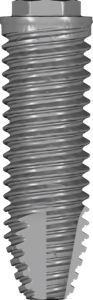
For the CAD side, the number of supports only changes the count of interfaces in the project — the workflow itself stays the same. A classic choice for tilted distal positions is NobelSpeedy Groovy with its high primary stability.
Multi-Units in exocad: Which Library to Choose
A hybrid prosthesis is not seated at the implant level but on a multi-unit — an intermediate abutment that brings the platform above the gingiva and compensates for angulation. In exocad you work with the MUA interface: the scan body captures the multi-unit position, and the library holds the geometry of the seating surface.
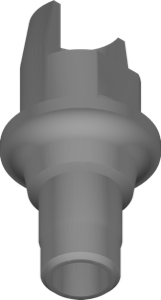
Tilted distal implants require angled multi-units (17° or 30°) — they bring the screw axis back into a prosthetically convenient zone. Angled Ti-Base geometry for such cases is provided, for example, by Nucleoss Angled TiBase. For tall custom solutions there are libraries such as Megagen MN Cust Abt at 13 mm.
- seating level — multi-unit (MUA), not the implant;
- abutment angle for tilted supports — 17° or 30°;
- gingival cuff height matched to soft-tissue thickness;
- scan body and library from the same manufacturer.
Ti-Base or Pre-Milled Blank for the All-on-X Framework
The framework attaches to the multi-units in two ways. The first is Ti-Base (titanium base): the bar or bridge is milled separately and bonded onto titanium bases. The second is a pre-milled blank: a blank with a ready-made interface is milled as one piece, without bonding, which removes the adhesive joint across a long span.
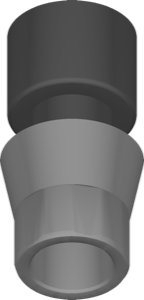
For fully milled frameworks, manufacturers provide their own blanks — for example, Atlantis pre-milled blanks for Astra Tech TX in titanium, or CoCr blanks such as Camlog CONELOG. Here the library carries not only the interface shape but also the external geometry of the blank — the mill must know the blank dimensions.
Designing the Hybrid Prosthesis in exocad DentalCAD
After importing positions from exoplan, work moves to the bridge or bar module in exocad DentalCAD. Here you set the emergence profile, framework thickness, screw channel positions, and the veneering zone. On tilted supports the channel often exits on the facial surface — this is where the angulated screw channel (ASC) helps, moving the opening into the oral zone.
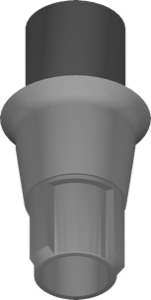
ASC geometry is carried by special Ti-Bases — for example, BioHorizons SmartShape ASCTiBase. It is important to check that the library supports the required angle correction range and matches the actual driver used for tightening.
Milling the All-on-X Framework: Titanium, CoCr or PMMA
The finished STL is exported to the mill for a specific material. Titanium is the standard for a permanent framework: light, biocompatible, and holds veneering well. CoCr is cheaper and stiffer but heavier. PMMA is used for an immediate-load temporary prosthesis and for the try-in before the final work.
The key requirement in milling is a passive fit on all multi-units. If the library, scan body, and blank come from one system, gaps at the interface are minimal. Verified exoplan and exocad libraries for All-on-X are available in the DentalLibs catalog.
Frequently Asked Questions About All-on-X in exocad
Do I need a separate library for All-on-X?
No. You use the standard library of the implant or multi-unit system; the number of supports is set by the arrangement in the plan, not by a separate file.
Ti-Base or pre-milled blank for a full arch?
For an extended framework a pre-milled blank is more often chosen: one-piece milling eliminates the adhesive joint typical of Ti-Base bonding.
What do I do if the screw channel exits on the facial side?
Use a Ti-Base with an angulated screw channel (ASC), which moves the opening into the oral zone within the library's correction range.
Which material should I mill the framework from?
Titanium for a permanent prosthesis, CoCr as a stiffer and more budget-friendly alternative, and PMMA for a temporary structure and try-in.