Screw vs Cement Retention: What to Change in CAD
The choice between screw-retained and cemented restorations is not only a clinical decision. It determines which library you load in exocad or exoplan and how you build the design in CAD. Let's look at what actually changes in the design when comparing screw-retained vs cemented and which components to look for in the catalog.
Screw vs Cement Retention: What's the Difference
Screw retention holds a crown or bridge with a screw through the access channel directly into the implant or Multi-Unit. Cement retention relies on an abutment onto which the crown is seated with cement, just like on a natural preparation.
The key difference for the technician is serviceability and the screw exit point. A screw-retained restoration is easy to remove and service, but the channel must exit in an acceptable zone. Cementation gives freedom for esthetics and passive fit, but requires control of excess cement.
What Changes in CAD Design With Screw Retention
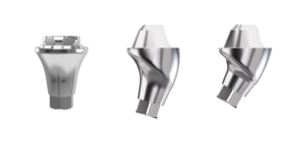
In CAD, a screw-retained restoration is built around the access channel. You define its direction, the diameter for the driver and the minimum wall thickness around the channel. With an angulated screw channel (ASC), the library must support channel tilt — that's a separate geometry, not every Ti-Base includes it.
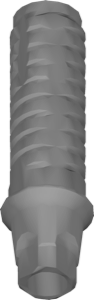
For single screw-retained crowns, a Titanium Base (Ti-Base) with anti-rotation works. For bridges and full arches, use Multi-Unit, where indexing moves to the Multi-Unit level and the restoration itself is designed as non-engaging.
- direction and exit of the access channel
- engaging or non-engaging interface
- angulated screw channel (ASC) support
- minimum wall thickness around the screw
Cement Retention: Abutment Design and Cement Gap
With cement retention, in CAD you either model a custom abutment or use ready-made cementable abutment geometry. Here the preparation height and taper, margin position and cement gap are critical — a parameter in the CAD settings, not in the library.
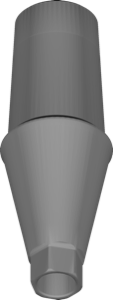
Libraries like DIO UF Sub Cemented ABT explicitly describe a cementable abutment and often allow both scenarios — cement- or screw-retained. Such universal geometries are handy when the retention type is not yet finalized.
How to Choose a Library for the Retention Type
A practical rule: first decide the level you're working at — implant, abutment or Multi-Unit level. That determines the library family.
- Single screw-retained crown — Ti-Base with anti-rotation, for example MIS AQ-TiBase.
- Cemented crown — a cementable abutment or a standard Ti-Base without crown indexing.
- Screw-retained bridge and All-on-X — Multi-Unit and bar libraries.
Multi-Unit and Screw Retention for All-on-X
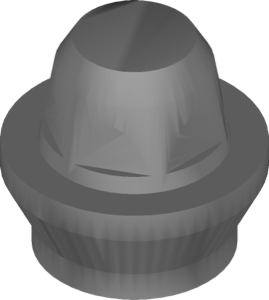
Full arches are almost always made screw-retained on Multi-Units — that's the standard for prosthesis serviceability. In CAD you work with non-engaging geometry, and the library provides the fit of the coping or bar onto the MU platform.
For All-on-4 and All-on-6 protocols, Camlog COMFOUR multiunit and Straumann Variobase Bar Bridge work for bar constructions. For the Brånemark system — conical Multi-Unit geometry. All these lines are available in the DentalLibs catalog.
Frequently Asked Questions About Screw and Cement Retention
Which is more reliable — screw or cement retention?
From a serviceability standpoint, screw retention is preferable: the restoration can be removed without destroying it. Cementation wins on esthetics and passive fit when the implant axis is awkward.
Do you need a separate library for the screw and cement variants?
Often not. Many abutment libraries, such as DIO UF Sub Cemented, support both scenarios. For Multi-Unit and the angulated channel you need specialized geometry.
What is an angulated screw channel (ASC)?
An angulated screw channel lets you route the screw shaft at an angle, keeping screw retention with an unfavorable axis. It requires library support and a compatible driver.
Where is the cement gap set — in the library or in CAD?
In the CAD settings (cement gap), not in the implant library. The library defines the interface geometry, not the parameters of the cement space.