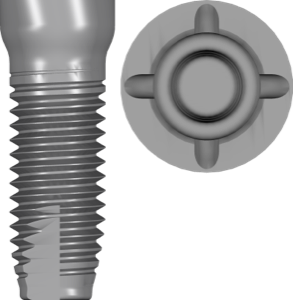
SDS Ceramic Implants in exoplan: 5 Lines & Libraries
SDS ceramic implants by Swiss Dental Solutions are one of the few zirconia brands with full support in exoplan. For anyone working with metal-free protocols and planning a zirconia implant through guided surgery, one thing matters: full-ceramic implants behave differently in planning than titanium ones. Their geometry, connection and approach to the emergence profile are all different.
The exoplan catalog currently holds 1271 implant libraries, and the SDS lines make up a notable slice of it — from SDS1.1 to SDS2.2 in several shapes. Below we break down how the SDS portfolio is built, how a zirconia implant differs from a titanium one in digital planning, and which libraries to pick for a specific case.
How the SDS zirconia implant differs from titanium
The main difference is the material. SDS makes implants from zirconium dioxide (ZrO₂) rather than a titanium alloy. Hence the white implant body, the absence of metal in the tissue, and the demand for esthetics with a thin gingival biotype, where the grayness of titanium can show through.
The second point is the design. SDS is known for its one-piece ceramic solutions, where the implant body and the transgingival portion form a single element. This changes the planning logic: the implant axis effectively sets the axis of the future restoration, and there is almost no margin for error in angulation. Some of the brand's protocols are two-piece, but the one-piece design remains its signature.
For the digital workflow this means that positioning in exoplan is more critical with SDS than with most titanium systems that use angled abutments.
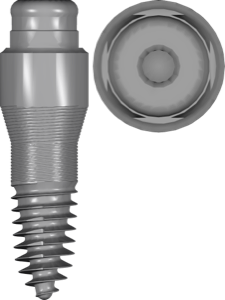
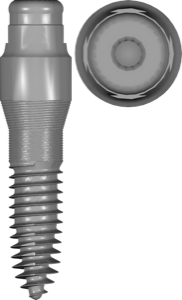
SDS lines: SDS1.1, SDS1.2, SDS2.0, SDS2.1, SDS2.2
The SDS portfolio in exoplan is built around several diameter families and special shapes. In the library names they appear as SDS 1.1, 1.2, 2.0, 2.1, 2.2, with the shape type added on.
- Standard — the base shape, the main working option for most positions;
- Balcony — a shape for managing the emergence profile and targeted soft-tissue handling;
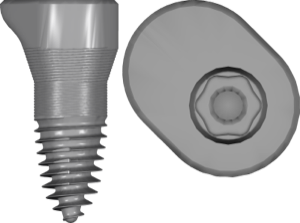
- Oval — for the central restoration of premolars in the upper and lower jaw;
- Sinus — for external sinus lift cases in the posterior maxilla;
- Short — short implants for pronounced bone loss.
So for a standard placement you take SDS1.1 standard, and for a maxillary sinus protocol SDS2.0 sinus. The Balcony and Oval shapes are not separate systems but geometry variations within the same diameter line.
SDS guided surgery in exoplan: guided surgery workflow
The workflow is standard for exoplan: you import the CBCT and STL scans, pick the library for the right SDS line, position the implant relative to bone and the planned crown, then design the surgical guide with a sleeve.
With ceramic there is a nuance. Because of the one-piece design, many SDS protocols call for their own drill sequence and a seating with no angular correction by the prosthetics. So the axis set in the guide is the final restoration axis. Check parallelism with adjacent teeth and antagonists at the planning stage, not after placement.
Planning specifics of one-piece ceramic implants
Beyond the axis, three things are worth keeping in mind with SDS. First, the emergence profile: the Balcony shape is designed precisely to form it, and choosing SDS2.2 balcony instead of standard changes the look of the cervical zone. Second, matching the diameter to the available bone volume, since ceramic is less forgiving of compromises on the walls. Third, the fda marker in the library name.
The fda tag (as in SDS1.2 standard fda) points to a file version tied to the system's registration for the US market. It does not affect the geometry itself, but it helps avoid mixing up builds when updating libraries. We covered the details of this marker in a separate catalog article.
Check the specific sizes and recommended torques against the current SDS surgical documentation — they depend on the line and bone type.
Alternatives to SDS: Z-Systems and other zirconia brands
SDS is not the only ceramic manufacturer in the catalog. For exoplan the Z-Systems Z5c library is available: this is also a Swiss zirconia implant, where the manufacturer claims 100% zirconia and Swiss Made. In planning logic the Z5c is close to SDS — the same axis and material constraints.
If your workflow runs in RealGUIDE, it features the Z-System brand (Z5) — a Swiss maker of zirconium oxide implants. RealGUIDE itself holds 187 libraries, and this is one of the few ceramic options in that system. The full SDS lines, meanwhile, stay primarily in exoplan.
So when choosing between brands the question is usually not the material, but which system you have clinically mastered and which planner you work in.
Frequently asked questions about SDS ceramic implants
Does exoplan support SDS zirconia implants?
Yes. exoplan has the SDS1.1, SDS1.2, SDS2.0, SDS2.1 and SDS2.2 lines in the standard, balcony, oval, sinus and short shapes. They are all available in the DentalLibs catalog.
How do the SDS Standard, Balcony, Oval, Sinus and Short series differ?
These are geometry variations within the diameter lines: Standard is the base, Balcony forms the emergence profile, Oval is for premolars, Sinus is for external sinus lift, Short is for bone deficiency.
Can ceramic implants be planned in RealGUIDE?
The full SDS portfolio is tied to exoplan. In RealGUIDE the Z-System (Z5) brand is available among zirconia options, and exoplan also has the Z-Systems Z5c.
What does fda mean in an SDS library name?
It is a marker for a file version tied to the system's registration for the US market. It does not affect the implant geometry and serves to distinguish builds.