Camlog vs Conelog: tube-in-tube vs cone difference
The query Camlog vs Conelog difference comes up for almost everyone selecting a library for these systems for the first time: the names look alike, the manufacturer is the same (ALTATEC GmbH, Camlog brand), yet the prosthetic connection differs. Camlog is built on a tube-in-tube connection, while Conelog uses a cone connection with indexing. This is exactly what determines which Ti-Base, abutment, and which CAD library you take into exocad and exoplan.
We'll break down the geometry of both connections, what the systems have in common, and how that affects library selection — no excess theory, tied to real catalog items.
Camlog vs Conelog: what's the main difference
Both systems use the same implant bodies and the same surfaces — the difference lives at the level of the prosthetic connection (the implant–abutment interface). In the classic Camlog this is a cylindrical tube-in-tube connection with a flat shoulder and three cams. In Conelog, a cone is added to that same cam positioning, creating a self-locking seat.
Key point for the technician: Camlog and Conelog components are not interchangeable. The Ti-Base, abutment, and multi-unit are matched strictly to the connection type placed by the surgeon.
So choosing 'Camlog or Conelog' is not a matter of lab preference. You work with the connection already in the patient's mouth, and the library must match it exactly.
The tube-in-tube connection in Camlog
The tube-in-tube connection is the historical foundation of the system. The abutment tube enters the implant tube, providing guided seating, while three cams handle anti-rotation and a fixed angular position. On top, the connection closes with a flat shoulder (butt joint).
The advantages of this design are simplicity, predictable seating, and a very broad pool of compatible components built up over decades. For CAD/CAM in exocad, this is, for example, Camlog Ti-Base for bridge frameworks on the classic connection.
Type: cylindrical tube-in-tube with a flat shoulder
Anti-rotation: three cams
Strengths: simplicity, wide component selection
A separate simplified branch of the brand — iSy with its own platform
The Conelog cone connection
Conelog keeps the cam indexing for positioning but adds a cone connection: the abutment seats into the implant cone with an interference fit. The cone provides a tight, self-locking seat, reduces the microgap at the implant–abutment interface, and offloads the screw from lateral forces.
Conelog is usually treated as a platform-switch system, which shifts the soft-tissue connection closer to the implant axis. For restoration this is the same set of tasks — single crowns, bridges, full arch — but the interface geometry is different, and it needs its own library.
If the surgeon specified CONELOG in the protocol, take a library with that word in the name. Similar-looking Camlog components will not seat correctly into the cone.
Shared lines: SCREW-LINE, PROGRESSIVE-LINE and Promote plus
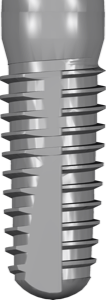
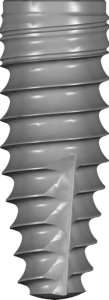
What's important not to mix up: SCREW-LINE and PROGRESSIVE-LINE are implant body lines (shape, thread, body taper), not connection types. Both Camlog and Conelog are produced in both lines, most often with the Promote plus surface.
In exoplan this is reflected right in the library names: you choose the implant line, the connection, and the guide workflow. For guided surgery, Conelog SCREW-LINE Promote plus Guided fits, while for the SnapIn method there's Conelog PROGRESSIVE-LINE Promote plus SnapIn.
The FDA marker in the name of exoplan libraries means compliance with the relevant regulator's geometry requirements — it doesn't affect the connection choice; it's a separate version marker.
Which CAD library to choose for Camlog and Conelog
The selection order is always the same: first the connection (Camlog or Conelog), then the implant line and platform, then the restoration type. The DentalLibs catalog offers both systems for exocad, exoplan, and RealGUIDE.
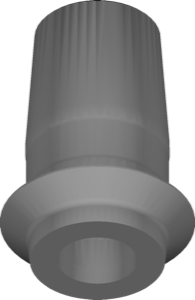
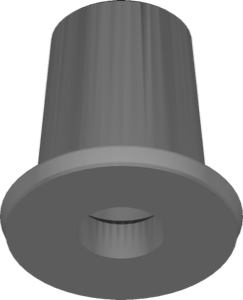
For single crowns on Conelog in exocad, the Conelog Ti-Base CADCAM crown library with 6-cam indexing is convenient. The 6-cam marker refers to the number of indexed seating positions in CAD — a single crown needs a fixed (indexed) orientation, while the free variant is used for splinted structures and bridges, where rotational freedom is exactly what's needed.
For a full arch on screw retention, multi-unit solutions are used — for example the Camlog library for RealGUIDE, covering PROGRESSIVE-LINE and SCREW-LINE in 3D planning.
Single crown on Conelog: Ti-Base CADCAM crown, indexed (6-cam)
Bridge/splinting: Ti-Base free crown or bridge variant
Full arch: CONELOG multiunit or COMFOUR multiunit
Classic Camlog: libraries with CAMLOG in the name, not CONELOG
Frequently asked questions about the Camlog vs Conelog difference
Are Camlog and Conelog components compatible?
No. These are different prosthetic connections: cylindrical tube-in-tube in Camlog and cone in Conelog. The Ti-Base, abutments, and multi-units are matched strictly to their own type.
How do I tell a Camlog library from a Conelog one in the catalog?
By the word in the name: CAMLOG is the classic tube-in-tube, CONELOG is the cone connection. Rely on the surgeon's protocol, not just the appearance.
What does 6-cam mean in an exocad library name?
It's the number of indexed seating positions in CAD. A single crown needs the fixed (indexed) version, while bridges use the free variant with rotational freedom.
Are SCREW-LINE and PROGRESSIVE-LINE about the connection?
No, they are implant body lines. Both are available in Camlog and Conelog, so the line and connection type are chosen separately.