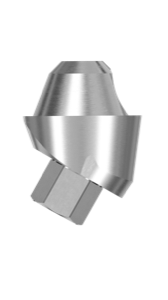
Thommen ELEMENT exocad library: match by platform
Thommen Medical is a Swiss implant manufacturer known for the precision of its conical connection. For that precision to carry through to the finished restoration, CAD needs the correct geometry file. That's why the search thommen element library exocad is so common: the dental technician is looking for a library that matches their exact product line and platform, not just "by brand."
Below we break down which Thommen libraries are available for exocad, exoplan and RealGUIDE, how the ELEMENT, CONTACT and NEVO lines differ, and how to avoid a platform mismatch when picking a file.
All the Thommen libraries listed here are gathered in the DentalLibs catalog with compatibility and FDA notes.
What is the Thommen ELEMENT library for exocad and exoplan
An implant library is a digital description of the connection: the interface, the seating dimensions and the orientation. It's what tells exocad and exoplan where the implant sits and how the abutment or Ti-Base will seat. For the ELEMENT line there is an Thommen ELEMENT library for exoplan with an FDA note — this is the version with a certified set of parts.
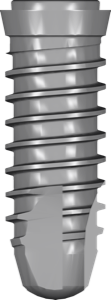
ELEMENT is a cylindrical implant, well suited to healed clinical situations and stable bone. In exoplan the library handles planning the implant position; in exocad it handles designing the restoration on the same connection geometry.
Thommen lines: ELEMENT, CONTACT and NEVO
Thommen has several implant lines, and they must not be confused — the connection and body shape differ, which means the libraries are not interchangeable.
- ELEMENT — cylindrical design, for healed sites and dense bone.
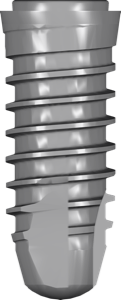
- CONTACT — a conical-cylindrical implant with a rounded apex and a self-tapping thread; holds more securely in soft bone and fresh sockets.
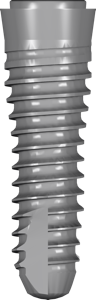
- NEVO — included in the RealGUIDE library together with ELEMENT and CONTACT.
For the conical-cylindrical line use CONTACT, not ELEMENT — the interfaces are different. If you're planning in RealGUIDE, all three systems are in the Thommen library for RealGUIDE and ready for guided surgery.
MC, LC, RC platforms and the INICELL surface
The names of Thommen libraries include the tags MC, LC and RC — these are connection platform variants. You need to take the file for the platform used on the specific order: ELEMENT MC, ELEMENT LC and ELEMENT RC are separate libraries, not one with settings.
The abbreviation INC (INICELL) refers to the implant surface. It has no effect on the connection geometry: the ELEMENT MC INC version uses the same seating as the base ELEMENT of the corresponding platform. A separate entry for INICELL is needed so that the article numbers and catalog names match exactly on the order.
Ti-Base and Thommen abutments in exocad
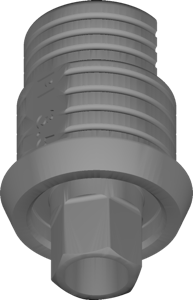
For restorations on a titanium base (Ti-Base / titanium base) Thommen offers the DyTi-Base line. The exocad catalog has variants by interface PF 3.5 and PF 5.0, in coated or PEEK versions, and with a fixed (captive) or removable screw.
The screw type is no small detail: DyTi-Base PF 3.5 with a captive screw and the removable-screw version are different files, and they must not be confused in CAD. For milled solutions there is the Milling Abutment; for screw-retained conditionally removable constructions there is the VARIOmulti multiunit (Multi-Unit, MU).
- PF 3.5 / PF 5.0 — Ti-Base interface size.
- Coated / PEEK — base version.
- Captive / Removable screw — fixing screw type.
Guided surgery: sleeves and the surgical kit
For guided surgery in exoplan there is a Thommen surgical kit library and a separate sleeve library for the VECTOdrill Pilot Drill and the fully guided protocol. If you work with the StecoGuide system, a Thommen-compatible Steco sleeve designed for this brand is available.
Frequently asked questions about Thommen libraries for exocad
How does ELEMENT differ from CONTACT?
ELEMENT is a cylindrical implant for healed sites; CONTACT is conical-cylindrical with a rounded apex and a self-tapping thread, holding better in soft bone and fresh sockets. The libraries are different.
What does INC mean in a library name?
INC refers to the INICELL surface. The connection geometry is the same as the ELEMENT or CONTACT of the corresponding platform — a separate file is needed to match the article numbers.
How do I choose between MC, LC and RC?
Go by the platform of the specific implant on the order: the library platform must match the actual one, otherwise the abutment fit will be inaccurate.
Are there Thommen libraries for RealGUIDE?
Yes, a library with the NEVO, ELEMENT and CONTACT systems is available for RealGUIDE for planning guided implant placement.