Straumann: 99 CAD Libraries for exocad, exoplan, RealGUIDE
Downloading Straumann libraries for exocad, exoplan and RealGUIDE is a task that quickly runs into the spread of product lines: Bone Level, BLX, Tissue Level, Variobase, synOcta. The DentalLibs catalog gathers 99 Straumann libraries in total across the three programs, and this is a hub page from which you can jump straight to the file you need without scrolling through the whole list.
Below is a breakdown of what to look for and where: which Straumann libraries relate to planning in exoplan and RealGUIDE, and which ones cover restoration design in exocad DentalCAD. That makes it easier not to mix up a surgical file with a prosthetic one.
Straumann libraries for exoplan: implant placement planning
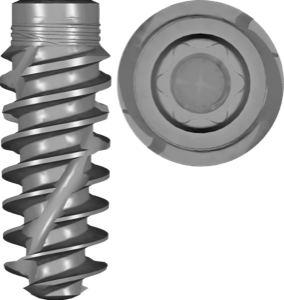
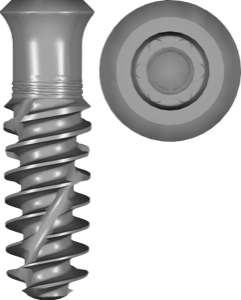
44 of the 99 Straumann libraries in the catalog are for exoplan — these are the files for positioning the implant in 3D and preparing guided surgery. Nearly all current and legacy lines are represented here: Bone Level X (BLX) in Roxolid material with the SLActive surface, Bone Level Tapered (BLT), the classic Bone Level, plus Tissue Level Standard and Standard Plus.
Within a single line, libraries differ by material (Roxolid or titanium), surface (SLA or SLActive), transfer method (Loxim) and the Guided flag for template-based placement. Most files are marked FDA, which means the manufacturer has provided validated data for clinical use.
Niche systems stand apart: the Straumann Mini Implant for retaining removable dentures and the PURE Ceramic Implant — all-ceramic implants. They are easy to miss in the overall list, so keep in mind that they are there too.
- Bone Level Tapered (BLT) — Roxolid/titanium, SLA/SLActive, Loxim, guided variants;
- Bone Level X (BLX) — Roxolid SLActive, with and without FDA;
- Bone Level — Roxolid and Titanium, SLA/SLActive;
- Tissue Level Standard and Standard Plus — SLA/SLActive, including short implants;
- Mini Implant and PURE Ceramic — separate systems for their own indications.
Straumann for exocad: Variobase, CARES and synOcta
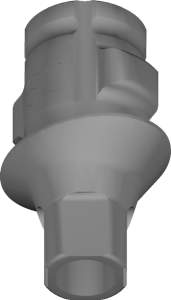
On the prosthetic side in exocad DentalCAD, Straumann libraries handle the connection geometry when designing the restoration. The key group is Variobase, titanium bases (Ti-Base) for screw-retained and cement-retained constructions. There are variants for centralized production and for local milling, as well as Variobase-XC ASC with an angulated screw channel.
Custom abutments use the CARES Abutment libraries (ELOS centralized and centralized milling), while hybrid solutions on the synOcta connection use Hybrid-Straumann SynOcta SS. Premill blanks (Premill AG STMN AHA) and compatible interfaces from Medentika (s 2gen, bs 2gen) and BilImplant (Bone Level SP) are listed separately.
Straumann in RealGUIDE: planning and the surgical guide
For RealGUIDE and RealGUIDE 5.0, Straumann is represented compactly — with two entries. The main library contains implant and abutment models for digital planning and guided surgery preparation; the second, @AlexJim, is a small separate archive. In the software itself, the Straumann library is downloaded from the cloud in the implant selection window.
If the line you need is missing from the library, 3DIEMME asks to be put in touch with the implant manufacturer's representative; until then you can plan with the built-in 3DIEMME simulated implant. The crown can be designed in RealGUIDE's own CAD module or in exocad with the Straumann prosthetic library from the section above.
How to choose the right Straumann library
Straumann names its files long and detailed, and that is a plus — you can identify the system precisely from the name without opening it. Break the name down piece by piece: first the line, then the material, surface, transfer method and the FDA/Guided flag.
- Line: Bone Level, BLT, BLX or Tissue Level (Standard/Standard Plus);
- Material: Roxolid (titanium-zirconium alloy) or pure titanium;
- Surface: SLA (classic) or SLActive (hydrophilic);
- Loxim: the transfer holder characteristic of Bone Level;
- Guided/FDA tag: for template-based placement and with validated data.
If you are unsure between Bone Level and BLX, go by the actual implant article number: they have different geometry and a different connection, so the libraries are not interchangeable.
Straumann surgical guides and sleeves for exoplan
Planning the position is half the job; to print the guide you need sleeve and surgical protocol data. In exoplan there is the Straumann kit for this, along with dedicated Guided Surgery files: the BLX protocol with the VeloDrill system, plus the BLX/TLX sleeve libraries and the legacy sleeve for compatibility with older protocols and the T-sleeve.
Combine these with the implant library from the exoplan section above: the implant sets the position, while the kit and sleeve set the guide sleeve parameters for Straumann instruments.
Frequently asked questions about Straumann libraries
How do I download Straumann libraries for exocad, exoplan and RealGUIDE?
All 99 Straumann files are available in the DentalLibs catalog. Choose the program and line you need by name, then download the file — for a full workflow you usually need separate libraries for planning and for crown design.
What is the difference between Bone Level and BLX?
These are different systems with different geometry and connection. BLX (Bone Level X) is the newer line on Roxolid SLActive; Bone Level and BLX libraries are not interchangeable, so go by the implant article number.
What does Loxim mean in the library name?
Loxim is Straumann's proprietary transfer holder for implant placement. In the name it indicates the transfer method and is characteristic of the Bone Level lines.
Do I need a separate library for the surgical guide?
Yes. Besides the implant library, in exoplan you will need the Straumann kit and sleeve files (BLX/TLX sleeve), which set the guide geometry for the Guided Surgery protocol.