Medentika exocad library: what the series letters mean
Medentika works differently from other brands in the DentalLibs catalog. Its name covers two separate things: the company's own implant system and the prosthetic parts it makes for other manufacturers' implants. That is the source of the confusion around a medentika exocad library search: you look for one library and find 27 files with cryptic letters in their names.
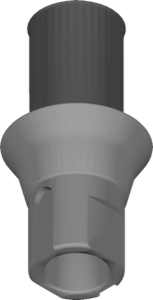
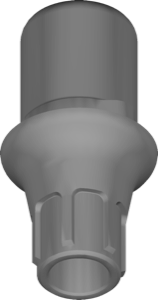
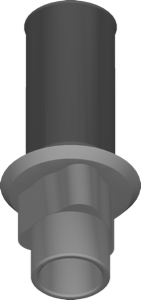
Medentika is a German company within Straumann Group. Its specialty is compatible abutments for other implant systems: Straumann, Nobel Biocare, Astra Tech, Camlog, BEGO, Bredent, Biomet 3i, MIS, Zimmer and more. Each line carries a letter, and that letter is how you pick the library.
Medentika in exocad: own system vs compatible prosthetics
Of the 27 files, ten belong to Medentika's own implants: nine exoplan libraries and one for RealGUIDE. The other 17 are compatible prosthetic series, and the catalog files them under Straumann; the reason is explained below.
These are different jobs. If the patient has a Medentika Quattrocone implant, you need the library for that system. If it is a Straumann Bone Level with a Medentika abutment, you need the L series. Mix them up and the crown will not seat on the analog.
Medentika series letters: which implant each part fits
The letter at the start of a Medentika part number tells you which implant the part fits. The manufacturer lists these series in its compatibility catalog:
- L — Straumann Bone Level and Bone Level Tapered;
- N — Straumann Tissue Level;
- E — Nobel Biocare NobelReplace, Replace Select, Nobel Speedy Replace;
- F — NobelActive, NobelReplace and NobelParallel with conical connection (CC);
- EV — Astra Tech OsseoSpeed EV by Dentsply Sirona;
- D — Conelog;
- B — Bredent SKY: narrow, blue and classic;
- BS — BEGO Semados S, SC, SCX, RS, RSX and RI;
- CX — Medentis ICX-Active and ICX-Premium;
- H — Biomet 3i Certain internal connection;
- I — Biomet 3i external hex.
That answers the common Medentika for Astra question: Astra Tech OsseoSpeed EV takes the EV series, listed as Medentika EV. There are also K, S and T series; confirm what they fit from the label on the part's packaging.
Why Medentika libraries sit under Straumann
Medentika belongs to Straumann Group, and its compatible prosthetics ship as part of the Straumann libraries. These files follow one pattern: medentika-l-2gen-centralized-straumann. Here l is the series letter, 2gen is the second generation of the set, and straumann is the library family it ships with. For example, Medentika L is Medentika prosthetics for Straumann Bone Level.
Note the word centralized. Next to these files the catalog has Straumann libraries marked local-milling. Centralized versions are made at the manufacturer's milling center; local-milling ones are for milling in your own lab. If you mill the abutment yourself, look for the local-milling version.
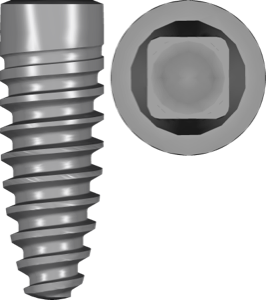
Medentika implants in exoplan: Quattrocone, Microcone, Minicone, Procone
For planning in exoplan there are nine libraries for Medentika's own lines: Quattrocone, Quattrocone30, Microcone, Minicone and Procone. Quattrocone, Microcone and Minicone each come as two files, plan and kit; the rest have plan only.
The plan file holds the implant for virtual placement, the kit describes the surgical set and drilling sequence. Guided surgery needs both. Sleeves come as a separate library, Medentika sleeve; without it exoplan cannot place the sleeve in the guide.
For RealGUIDE there is one Medentika library: Medentika for RealGUIDE.
How to choose a Medentika library
Five things to check before you download:
- whose implant the patient has: Medentika or another manufacturer;
- if another, which Medentika series matches it;
- the full series name, if the letter is shared by several systems;
- the software: exocad for prosthetics, exoplan or RealGUIDE for planning;
- where the abutment is made: at the manufacturer's center or in your own lab.
All the Medentika libraries mentioned here are available in the DentalLibs catalog.
Frequently asked questions about Medentika libraries
Which Medentika library do I need for Astra Tech?
Astra Tech OsseoSpeed EV takes the EV series. It sits under Straumann, like Medentika's other compatible series.
Why is Medentika filed under Straumann?
It is part of Straumann Group: Medentika's compatible prosthetics ship within the Straumann libraries. Medentika's own implants for exoplan and RealGUIDE are listed under its own brand.
Is the letter C Procone or Camlog?
Both. Medentika uses C for its own Procone line and for Camlog-compatible prosthetics. Tell them apart by the full series name.
What is the difference between a plan and a kit library?
Plan holds the implant for virtual placement; kit describes the surgical set and drilling sequence. A guided surgery template needs both files.