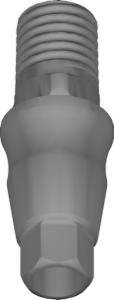
Neodent GM (Grand Morse): libraries for exocad and exoplan
Neodent GM (Grand Morse) is the single conical connection from Neodent, part of the Straumann Group. It needs its own CAD library both for surgical planning and for prosthetics. If you're picking a Neodent GM library for exocad and exoplan, it's important not to confuse it with the older Neodent connections — Cone Morse (CM) and HE. Below we break down the Grand Morse implant lines, platforms, surfaces and which libraries to use for each workflow.
What is the Neodent Grand Morse (GM) connection
Grand Morse is a conical connection with a Morse taper and internal indexing. It delivers a tight abutment fit, minimal microgap and platform switching. Unlike the earlier Cone Morse, GM was made into a single interface for the entire modern line — from narrow to wide implants.
For choosing a CAD library this is the key point: the connection geometry is one and the same, so in exocad you don't select a "connection diameter" but rather the production type and restoration level. The older Neodent systems — CM (Cone Morse) and HE (external hex) — require separate libraries and are not compatible with GM.
Grand Morse implant lines: Helix, Drive, Titamax
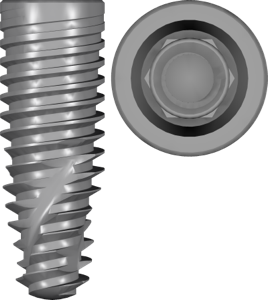
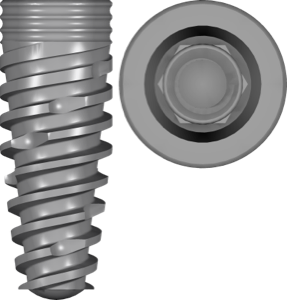
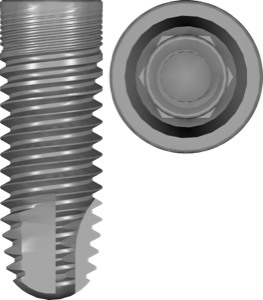
Within Grand Morse there are several implant body shapes for different clinical needs. Helix GM is a conical implant with an aggressive thread for soft bone and post-extraction sockets; for the atrophic maxilla there's a Helix GM Long version. Drive GM is a fully conical design for high primary stability, and Titamax GM is a more cylindrical option.
Two surfaces are available: the hydrophilic Acqua and NeoPoros. The surface doesn't affect library choice — the interface is identical — but in exoplan the lines are labeled by surface, so pick the one that matches your article number. For example, Helix GM Acqua and Drive GM Acqua are separate catalog entries.
- Helix GM / Helix GM Long — conical, soft bone and atrophy
- Drive GM — fully conical, primary stability
- Titamax GM — more cylindrical body shape
- Surfaces: Acqua (hydrophilic) and NeoPoros
GM platforms: Narrow and standard
By diameter, Grand Morse splits into a narrow platform (Narrow GM) and a standard one. Narrow GM is used with bone deficiency and in narrow spaces — it has its own surgical kit. Verify exact diameters against the manufacturer catalog: don't pick the platform by eye, since both the guide sleeve and the abutment seating geometry depend on it.
If you're unsure about the article number, go by the implant packaging: the platform marking is stated explicitly there, and that's more reliable than visually comparing models in the software.
Neodent GM libraries for exoplan: planning and guides
For guided implant placement in exoplan you need two groups of libraries: the implants themselves and the surgical kits with sleeves. GM implants in the exoplan catalog carry the plan fda tag — confirmation of the FDA registration for the corresponding article. For the guide you attach Grand Morse kit, and for the narrow platform the NarrowGM kit with its own sleeves.
Neodent GM libraries for exocad: prosthetics and Ti-Base
At the restoration stage exocad offers GM libraries for different production scenarios. Neodent GM inhouse suits in-house milling in the lab, and there are also local-milling and centralized options for centralized production. Separately there are Abutment Level libraries — if you're designing a restoration at the abutment level rather than the implant level.
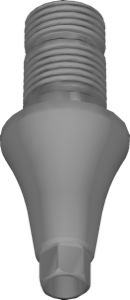
For custom abutments and screw-retained constructions on a Ti-Base (titanium base) use the matching GM geometry: it defines the fit on the conical connection and the anti-rotation. The exocad-implant catalog holds over 1000 libraries, and Neodent GM is present in all the main production modes.
GM or CM: how not to mix up Neodent connections
The most common mistake is taking a Cone Morse (CM) library instead of Grand Morse (GM). These are different connections: CM is the previous generation, GM is the current unified platform. There's also HE (external hex). Go by the packaging marking and article number, not by similar-sounding names. All the Neodent lines listed are available in the DentalLibs catalog — for both exoplan and exocad.
Frequently asked questions about Neodent GM libraries
How does Grand Morse differ from Neodent's Cone Morse?
GM is the current unified conical connection for the whole line, CM is the previous generation. The libraries are not interchangeable, so verify the article number.
Do Helix, Drive and Titamax GM need separate libraries?
They share one connection, but in exoplan the entries are labeled by line and surface. Pick the one that matches your article number.
What does plan fda mean in an exoplan library name?
It marks the FDA registration of a specific implant article, not a property of the CAD model itself.
Which library should I use for the narrow platform?
Narrow GM: the NarrowGM implant and the NarrowGM kit surgical set with its own sleeves.