Implant Direct: 13 Legacy and InterActive Libraries for exocad
Implant Direct is a budget implant system founded by Gerald Niznick, the author of the original Screw-Vent connection. Hence the brand's key trait: the Legacy and InterActive lines geometrically replicate the Zimmer and Nobel connections, which means compatible prosthetics fit them. If you are looking for an implant direct library exocad for planning and prosthetics, it is important to understand which line matches which connection and which files are in the DentalLibs catalog.
Below we break down how Legacy and InterActive differ, how their compatibility with Zimmer Screw-Vent and Nobel Active works, and which libraries for exoplan cover the entire brand portfolio.
Implant Direct lines: Legacy, InterActive and simply
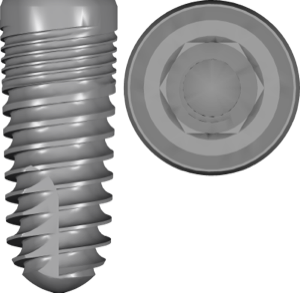
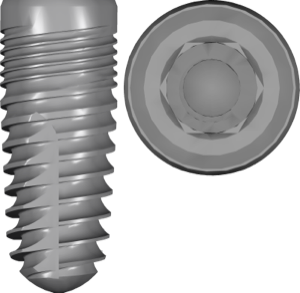
The brand's portfolio rests on two base families. Legacy (Legacy1–Legacy4) is a tapered body with an internal hex and a friction fit, a direct descendant of Screw-Vent. InterActive is a conical connection with platform switching, modeled after Nobel Active.
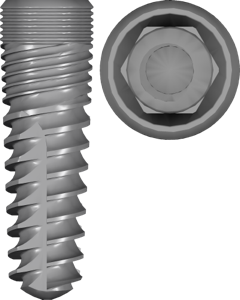
Separately there are the simplified simplyLegacy2/3 and simplyInterActive lines: the same connections in a simpler build, with their own libraries in the catalog. The surface is indicated in the name as SBM (sandblasting) or HA (hydroxyapatite coating).
- Legacy1–Legacy4 — internal hex, prosthetic compatibility with Zimmer;
- InterActive and simplyInterActive — conical connection for Nobel Active;
- simplyLegacy2/3 — simplified Legacy versions with the same internal hex;
- SBM and HA — surface variants, not different connections.
Legacy compatibility with Zimmer Screw-Vent
The Legacy connection is the same internal hex as the Zimmer Tapered Screw-Vent (TSV). In practice this means Zimmer prosthetic components seat on Legacy at the prosthetic interface level. For prosthetics in exocad DentalCAD you can rely on a compatible Zimmer library, for example Atlantis for Zimmer Screw-Vent or a Ti-Base of the same platform.
InterActive and compatibility with Nobel Active
InterActive replicates the conical connection with platform switching, like Nobel Active. That is why it is convenient to use Nobel prosthetics for restoration, for example Nobel Active pre-milled preforms in titanium or the corresponding titanium base (Ti-Base).
For the surgical stage under InterActive the catalog has its own set of sleeves, a guided surgery kit library. This eliminates the need to match third-party sleeves to the guide.
Implant Direct libraries for exoplan
In the DentalLibs catalog the entire Implant Direct portfolio is represented by planning libraries for exoplan: 13 files in total with FDA marking. This includes Legacy1–Legacy4 in SBM and HA variants, InterActive and simplyInterActive SBM, simplyLegacy2/3 SBM, and the InterActive surgical kit. For planning the most common picks are Legacy3 SBM and InterActive SBM.
There are no separate prosthetic libraries for Implant Direct under exocad DentalCAD in the catalog, and this is logical: the prosthetic side is covered by compatible Zimmer Screw-Vent prosthetics for Legacy and Nobel Active for InterActive.
How to choose an Implant Direct library
Selection follows three coordinates, and the order matters here: first the line and connection, then the platform and diameter, and only then the surface.
- Line: Legacy (internal hex) or InterActive (conical) — it determines the compatible prosthetics;
- Platform and diameter — they define the seating interface, not just the implant thickness;
- Surface (SBM/HA) — choose it for the specific item, it does not affect the CAD geometry;
- Stage: an exoplan library for planning and the guide, Zimmer/Nobel prosthetics for restoration.
Frequently asked questions about Implant Direct in exocad and exoplan
Are Implant Direct implants compatible with Zimmer and Nobel?
Legacy replicates the Zimmer Screw-Vent connection (internal hex), and InterActive replicates the Nobel Active conical connection. The prosthetics are compatible at the interface, but the platform and diameter must be checked before work.
How does SBM differ from HA in the library name?
These are implant surface variants: sandblasted SBM and hydroxyapatite-coated HA. They do not affect the planning geometry, so the library is chosen for the product actually ordered.
Are there Implant Direct libraries for exocad DentalCAD?
The DentalLibs catalog offers planning libraries for exoplan. For prosthetics in exocad DentalCAD, use compatible Zimmer Screw-Vent prosthetics (Legacy) or Nobel Active (InterActive).
What are simplyLegacy and simplyInterActive?
These are separate Implant Direct lines with the same connections. In exoplan they have their own libraries with SBM and FDA marking.