Surgical Guide Sleeves: 30+ Systems in exoplan
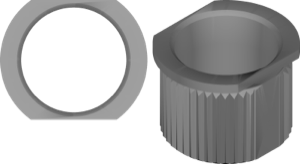
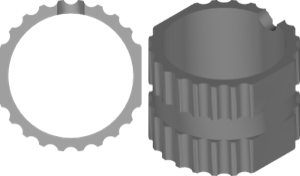
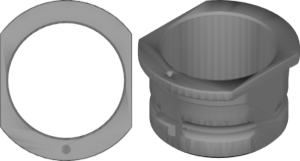
A sleeve (guide sleeve) is a metal or polymer ring fixed inside the surgical guide that directs the drill along the planned axis. Implant placement accuracy depends directly on its geometry, which is why the exoplan sleeve library is tied not to the implant brand but to a specific guided surgery protocol and the manufacturer's instrument kit.
In the exoplan catalog (1271 libraries), sleeves form a separate class — the sleeve library. There are more than thirty: from original kits like Nobel Biocare and Straumann to compatible solutions from nt-trading and Steco. Below is a reference guide to the systems and the parameters that set sleeves apart.
What is a sleeve in guided surgery
English-language documentation uses the terms guide sleeve, surgical sleeve, and simply sleeve — all the same thing: the guiding sleeve of the surgical guide. Besides the main drill sleeve, many systems include anchor pin sleeves — sleeves for the fixation pins that hold the guide in position during surgery.
A sleeve defines two things: the drilling axis and the depth. Some manufacturers use the sleeve as a rigid stop (fully guided), others only for the pilot drill (pilot). That's why you select the library not "by implant brand" but by the specific instrument kit.
exoplan sleeve library: how the catalog is organized
Each exoplan sleeve library contains 3D models of sleeves with the seating dimensions for the Guide Creator. The software subtracts the sleeve geometry from the guide body, forming a seating socket for press-fit or bonding.
The catalog holds three types of entries: original brand sleeves, compatible sleeves from third-party manufacturers, and the universal exocad Universal Sleeve for cases where the system is not tied to a specific kit.
- Original — Nobel Biocare, Straumann, Neodent, BioHorizons, Dentsply Sirona SIMPLANT
- Compatible — nt-trading, Steco StecoGuide for Nobel, Camlog, Dentsply Sirona, Zimmer
- Universal — exocad Universal Sleeve for standard metal sleeves
Sleeve parameters: inner diameter and height
A sleeve has two key parameters — inner diameter and height. The inner diameter determines which surgical key or drill passes through the sleeve; the height together with the offset sets the distance from the sleeve to the bone (sleeve offset, H-offset).
Exact diameter and height values are specific to each system and are stated in the manufacturer's protocol — they cannot be changed arbitrarily, or the depth calibration will be off. In exoplan these dimensions are already built into the library; the technician's task is to choose the correct entry.
- Inner diameter — which key or drill the sleeve is designed for
- Height — sleeve height, affecting guidance rigidity
- Offset (H) — vertical offset of the sleeve from the implant per protocol
Sleeve system catalog by brand
Major brands supply sleeves as part of their guided systems:
- Nobel Biocare — Guided Sleeve NP/RP/6.0 (WP) plus anchor pin sleeves for fixation
- Straumann — Guided Surgery and the T-sleeves line for BLX/TLX
- Dentsply Sirona — SIMPLANT Guide sleeve
- BioHorizons — TSG legacy, Neodent — EasyGuide, Alpha-Bio Tec — GSTK kit
- Korean and others — Dentis SQGuide, Shinhung, Ticare Fidelis, C-Tech C-Guide
Full lists of systems and their platform mapping are available in the DentalLibs catalog.
Original vs compatible sleeves: what's the difference
Compatible sleeves are sleeves from a third-party manufacturer that geometrically replicate the original. In exoplan these are primarily nt-trading and Steco: for example nt-trading for Nobel Biocare or StecoGuide for Camlog, Zimmer, and Dentsply Sirona.
A compatible sleeve library forms the same socket in the guide, but physically you install the sleeve of the chosen manufacturer. You cannot mix one brand's library with another's physical sleeve — the seating and offset won't match.
How to choose a sleeve for your implant system
The starting point is not the implant brand but the surgical kit you work with. First identify the guided surgery system (for example, Straumann Guided Surgery), then find the matching sleeve library, and only then the implant library itself for planning.
- Identify the guided kit and the sleeve manufacturer
- Choose the original or compatible library for that kit
- Check the protocol type: pilot or fully guided
- Match the sleeve inner diameter with the diameter of the surgical keys
Frequently asked questions about surgical guide sleeves
Which sleeve should I choose for my implant system?
Go by the surgical kit, not the implant brand. Choose the sleeve library from the manufacturer whose sleeves you will physically place in the guide.
How does inner diameter differ from sleeve height?
The inner diameter determines the instrument passing through (key, drill), while the height together with the offset sets the drilling depth. Both parameters are built into the exoplan library.
Can I use compatible nt-trading sleeves instead of originals?
Yes, if you choose the corresponding compatible library. The key point — the library and the physical sleeve must be from the same manufacturer.
Is there a universal sleeve in exoplan?
Yes, the exocad Universal Sleeve — for standard metal sleeves when the system is not tied to a specific kit.