exocad Tooth Library: How to Install Anatomy (444 Sets)
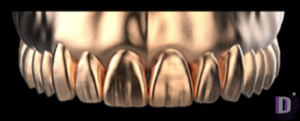
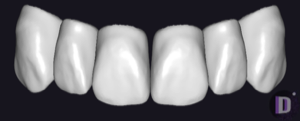
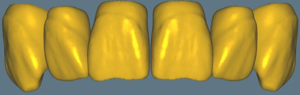
The exocad tooth library is a set of reference anatomies that DentalCAD uses as the starting shape when modeling crowns, bridges, and full-anatomy restorations. The software doesn't draw a tooth from scratch: it projects the chosen morphology onto the prepared die, and the technician refines the fissures, cusps, and contact points. Which tooth library is active shapes the character of the work, from smooth youthful anatomy to pronounced age-related relief.
The DentalLibs catalog holds 444 anatomy libraries for DentalCAD, plus a separate 23 denture teeth libraries for Full Denture. Below is what these formats are, how they differ, and how to correctly install a set into your exocad tooth database.
What Are Tooth Anatomy Libraries in exocad
A tooth anatomy library is a collection of reference shapes for each tooth: upper and lower, anterior and posterior group. The design wizard in DentalCAD loads the shape from the active library and adapts it to the neighboring teeth, the antagonist, and the scans. Switching libraries changes the source morphology entirely: relief, proportions, cusp inclination.
Libraries come as factory and author sets. The factory Expression V2 from the V series delivers universal, balanced morphology for everyday crowns. Author sets like Prometheus are more characterful, with pronounced natural texture, made for the esthetic anterior and individualization.
Anatomy vs. Denture Teeth: Which Libraries Not to Confuse
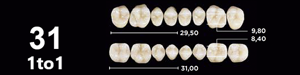
exocad has two different types of "tooth" libraries, and they're easy to mix up. The first is anatomy libraries (exocad-anatomy) for DentalCAD: morphology for crowns and bridges. The second is denture teeth libraries (denture teeth) for the Full Denture / DentureCAD modules: digital tooth molds for removable prosthetics.
Removable ones include, for example, Genios by Dentsply Sirona, BlueLine from Ivoclar, and VIONIC from VITA. They contain ready-made mold teeth tied to the smile line and setup, not reference morphology for milling a monolithic crown.
- Anatomy (exocad-anatomy) — DentalCAD, crowns/bridges, 444 sets in the catalog;
- Denture teeth (exocad-teeth) — Full Denture/DentureCAD, removable dentures, 23 sets;
- Different exocad modules — a library of one type won't load into the other's wizard.
How to Install a Tooth Library in exocad (tooth library install)
Anatomy libraries ship as an archive with a set folder. Installation comes down to placing that folder into the exocad library directory and restarting the program; after that the set appears in the tooth library dropdown in the design wizard.
- Unpack the library archive into a separate folder;
- Copy the set folder into the DentalCAD library directory (the folder where exocad stores tooth libraries);
- Fully close and reopen exocad DentalDB;
- In the modeling step, select the new set from the tooth database / tooth library list;
- Test on a sample case to confirm the morphology loads correctly.
How to Choose an Anatomy Library for a Clinical Case
Choosing a set means choosing the character of the future restoration. Universal factory libraries are good for the posterior group and routine single crowns, where predictability matters. Author sets come into their own in the anterior and in full reconstructions, when you need a recognizable natural relief.
Some libraries target the patient's gender and age: Jan Haito M7 is conceived as "male" morphology with flatter, more rugged shapes, while female sets give a soft, rounded contour. Author series like Pogarskiy Design 2.0 are handy to keep for individualization and esthetic work.
It's practical to assemble 3–4 working sets for different tasks: a universal one for the posterior group, a characterful one for the anterior, and an "age" one for restorations in elderly patients. They all live in the DentalLibs anatomy libraries section and install the same way.
Common Mistakes Installing exocad Tooth Libraries
The main reason a set is "not visible" is installing it while exocad is running, or placing the folder in the wrong directory. The second common case is module confusion: people look for an anatomy library in the Full Denture wizard, which shows only denture teeth molds.
FAQ About exocad Tooth Libraries
How does an anatomy library differ from denture teeth?
An anatomy library (exocad-anatomy) sets the reference shape for crowns and bridges in DentalCAD. Denture teeth are ready-made molds for removable dentures in the Full Denture / DentureCAD module.
How do I install a tooth library in exocad?
Unpack the archive, copy the set folder into the DentalCAD library directory, fully restart exocad, and select the set from the tooth library list in the design wizard.
Why doesn't the new library appear in the list?
Most often exocad was open during installation, the folder was placed in the wrong directory, or you're looking for the set in the wrong module. Close the program, check the path, and reopen.
How many anatomy libraries are available for exocad?
The DentalLibs catalog holds 444 anatomy libraries for DentalCAD, from universal factory sets to author series for esthetics and individualization.