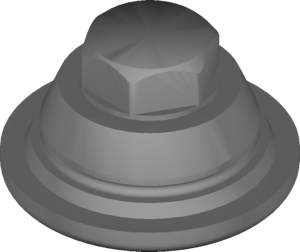
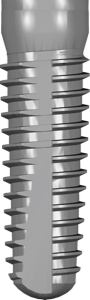
CAMLOG, CONELOG, iSy: 3 connections & Ti-Base for exocad
Camlog has three different connections — CONELOG, CAMLOG and iSy — and each needs its own Ti-Base library in exocad. Mixing them up is common: a technician downloads the CONELOG Ti-Base library while the model carries a classic CAMLOG, and the seating geometry doesn't match. Let's look at how three systems from the same company differ and how to pick the right library for CAMLOG and iSy in exocad without errors.
Three Camlog connections: CONELOG, CAMLOG and iSy
All three systems come from one company (Camlog / Altatec), but the connections are not compatible with each other. A mistake at the library selection stage is the most expensive: a crown designed on the wrong Ti-Base geometry won't seat on the patient's titanium base.
- CONELOG — a conical connection with cam-groove indexing;
- CAMLOG — a classic tube-in-tube with cam grooves;
- iSy — a simplified, more affordable system with its own titanium base.
CONELOG Ti-Base library: the conical connection
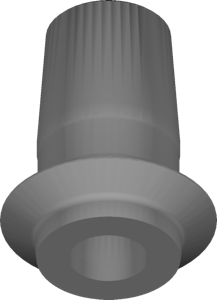
CONELOG is Camlog's most popular line in the digital protocol. It's a conical connection with cam indexing, and exocad has a large group of libraries built for it. The base option is CONELOG Ti-base CADCAM crown, which contains the Ti-Base (titanium base) geometry together with a coping for a single crown.
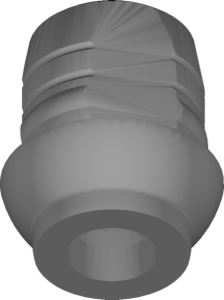
Library names carry the 6-cam marking — it indicates the number of connection indexing positions. For splinted work you take the bridge version, for cases with axis divergence you take free (free rotation, non-engaging), and SmartShape variants add parametrics for more flexible design of the gingival part and the emergence profile.
CAMLOG — the classic tube-in-tube
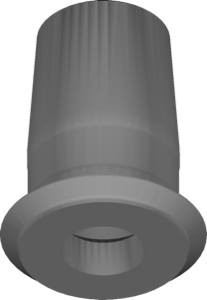
The classic CAMLOG predates CONELOG and uses a tube-in-tube connection with cam grooves. The seating geometry differs from the conical one, so it has its own library — CAMLOG Ti-base CADCAM crown for single crowns and a separate bridge version for bridges.
The logic of the variants within the system is the same: engaging and free, standard Ti-Base and Gingividual for individual shaping of the gingival contour. If the model carries a CAMLOG, it's important not to grab CONELOG by mistake — the interfaces aren't interchangeable despite the similar-looking names.
iSy: the simplified system and titanium base in exocad
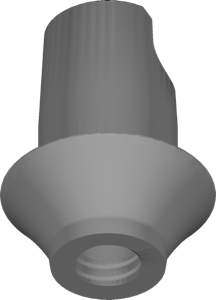
iSy is Camlog's simplified, more budget-friendly system with its own titanium base. Several libraries describe it in exocad: iSy Titanium-base CAD-CAM free crown for single restorations, multi cap implant base for multi-component solutions and scanbody libraries for registering the implant position during intraoral scanning.
Despite the shared manufacturer, the iSy titanium base has its own seating geometry — you can't confuse it with CONELOG or CAMLOG.
Ti-Base, free versions and Gingividual: what to choose for the job
Within each system, library selection is built along the same axes.
- engaging vs free — fixed rotation versus free rotation (for non-parallel implants and bridges);
- crown vs bridge — a single crown or a splinted framework;
- Ti-Base vs Gingividual — a standard base versus individual shaping of the gingival profile;
- multi-unit — for screw-retained restorations on MU abutments.
For All-on-X protocols, CONELOG offers CONELOG Multi-Unit and a COMFOUR version — you take these when the restoration rests on multi-component abutments rather than directly on the implant.
Guided surgery: CONELOG in exoplan and RealGUIDE
For guided implantation, Camlog connections are covered in exoplan and RealGUIDE. The exoplan catalog features the PROGRESSIVE-LINE and SCREW-LINE ranges in Promote plus variants with GSM and SnapIn indexing — for example, CONELOG SCREW-LINE Promote plus GSM. In RealGUIDE, Camlog is provided as a component library for 3D planning and backward planning.
Frequently asked questions about Camlog connections
How does CONELOG differ from CAMLOG?
CONELOG is a conical connection, CAMLOG is a classic tube-in-tube. The seating geometry differs, and the libraries aren't interchangeable.
Which Ti-Base library to choose for CONELOG in exocad?
For a single crown — CONELOG Ti-base CADCAM crown, for a bridge — the bridge version, the free variant — for non-parallel implants.
Is iSy compatible with CONELOG?
No. iSy is a separate system with its own titanium base, and you need to take the library specifically for iSy.
What does 6-cam in a library name mean?
The number of connection indexing positions. It determines how the crown or abutment is oriented relative to the implant.