BEGO Semados exocad: RS, RSX, S and SC Libraries
If you're looking for a BEGO Semados exocad library, you've almost certainly run into the same confusion: BEGO has many lines (RS, RSX, S, SC, SCX, RI, Mini), and file names keep showing that mysterious string SCSCXRSRSXRI. The good news is that most of these implants share a single prosthetic interface, so you need fewer libraries than it first appears.
In this article we'll break down how the BEGO Semados lines differ, what connection they use and how to match the correct library for exocad DentalCAD and exoplan to each system. All the libraries mentioned are available in the DentalLibs catalog.
BEGO Semados lines: RS, RSX, S and SC — what's the difference
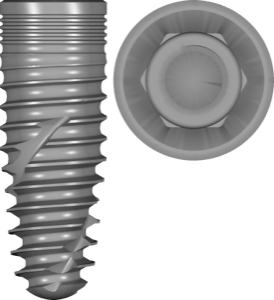
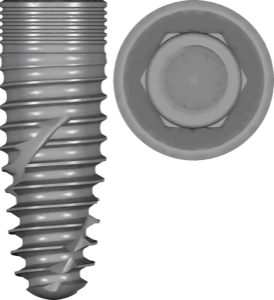
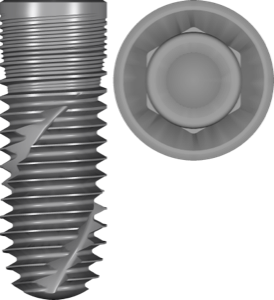
The easiest way to think about Semados is as two families. S-Line (S, SC, SCX) are the earlier cylindrical and cylindro-conical grade-4 titanium implants. RS/RSX are the modern tapered line: self-tapping implants with a microstructured shoulder and platform switching, designed for high primary stability and work in soft bone.
- RS / RS Pro — tapered self-tapping implants for a wide range of indications
- RSX — an evolution of RS with reinforced macro-geometry for immediate loading
- S / SC / SCX — S-Line, cylindrical and cylindro-conical implants
- RI — a line focused on primary and long-term stability
- Mini — narrow implants for limited bone volume
This is exactly why exocad library names show the block SCSCXRSRSXRI: it stands for SC + SCX + RS + RSX + RI. One file describes the connection geometry for all of these lines at once.
What connection does BEGO Semados use
Semados uses an internal conical connection with hexagonal anti-rotation (in BEGO catalogs this is often labeled as PS-connection) and platform switching. The cone delivers a tight fit and a sealed interface, while the hex sets the indexing for fixed single-unit restorations.
For CAD selection this means two things. First, the connection type on RS/RSX/S/SC matches in seating geometry, hence the shared libraries. Second, when picking a specific file it's important to distinguish engaging (with the hex, for single crowns) and non-engaging / non-hex (NH) versions — the latter are for bridge and bar frameworks. If you still get lost in connection types, a separate guide to conical, hex and tri-lobe platforms will help you find your bearings.
How to choose a BEGO Semados library for exocad
The exocad-implant catalog holds over a thousand libraries (1,058 entries), and BEGO is well represented in it. The selection algorithm is simple: first determine the system (RS/RSX or S/SC), then the prosthetic solution (Ti-Base, CAD/CAM abutment, pre-milled), and only then — engaging or non-hex.
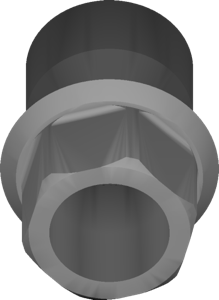
For a standard restoration on a titanium base, you take a Ti-Base library — for example BEGO CAD-CAM BegoSemados Ti Base. It contains the geometry of the bases on top of which the crown or bridge is designed. If you mill a custom abutment from a blank, you'll need a pre-milled library like BEGO Semados Pre-milled, which describes how the blank seats on the machine.
Separately, keep BEGO's prosthetic interface lines in mind: Esthetic, PS CAD/CAM, Conical, MultiPlus. They correspond to different groups of abutments and Multi-Units, but they're still tied to the same SCSCXRSRSXRI family.
- Determine the implant system: RS/RSX (tapered) or S/SC/SCX (S-Line)
- Choose the prosthetics: Ti-Base, CAD/CAM abutment, pre-milled blank or bar
- Clarify engaging / non-hex for the restoration type
- Check the platform and diameter against the actual implant reference
BEGO Semados libraries for exoplan and guided surgery
For planning and surgical guides, exoplan libraries are used — there are more than 1,200 in the catalog. Here the split-by-line logic holds: for the tapered series BEGO Semados RSX fits, for the base tapered one BEGO Semados RS, and for the S-Line there are separate Semados S, SC and SCX files.
It's important to distinguish two types of entries. plan libraries describe the implant itself for 3D positioning, while kit libraries (for example BEGO Semados RS RSX kit or Semados S kit) handle the sleeves and the BEGO Guide surgical protocol for fully guided placement. A correct guide needs both parts: the implant geometry and the sleeve parameters for the specific drilling system.
For those planning in RealGUIDE, a shared BEGO Implant Systems component is available for the guided workflow and BEGO Guide.
Ti-Base, pre-milled and BEGO Semados prosthetics
At the prosthetic stage the library choice is determined not by the implant, but by what you mill or bond. Ti-Base (titanium base) is the base for hybrid crowns and bridges from zirconia or lithium disilicate; the library sets the height and profile of the base. A pre-milled blank is needed when the abutment is machined entirely from a titanium or CoCr blank — for BEGO there are also compatible Dentsply Sirona blanks.
For bar and removable constructions BEGO offers the CADBar and CADAbut lines — these are ready proto-geometries for designing frameworks and abutments right in the exocad implant module. If you're unsure about the base height, a separate breakdown on the Ti-Base and how it differs from an abutment will help you avoid mistakes at the design stage.
Frequently asked questions about BEGO Semados libraries
Why does the library name say SCSCXRSRSXRI?
It's a list of BEGO lines with a common prosthetic connection: SC, SCX, RS, RSX and RI. One file describes the interface for all of these systems at once.
Will an RS library fit an RSX implant?
For planning it's better to take the file for the specific system (RS or RSX): their body and thread differ. The prosthetic interface is shared, so Ti-Base and abutment libraries are more often unified.
What's the difference between engaging and non-hex versions?
Engaging (with the hex) is for single crowns with anti-rotation. Non-hex / non-engaging is for bridges, bars and Multi-Unit frameworks, where indexing isn't needed.
Where can I download BEGO Semados libraries for exocad and exoplan?
All the RS/RSX/S/SC lines, Ti-Base, pre-milled and surgical kit libraries are collected in the DentalLibs catalog, split by exocad, exoplan and RealGUIDE.