Straumann in RealGUIDE: 2 Libraries vs Nearly 30 in exoplan
If you're searching for a Straumann library for RealGUIDE, the scale will surprise you: the catalog holds only two entries under RealGUIDE, while under exoplan there are nearly three dozen separate Straumann libraries. The difference isn't in data quality but in how each system stores and serves the manufacturer's geometries. Let's break down what each option actually covers and how it affects guided implant placement.
Straumann library in RealGUIDE: what's included
In RealGUIDE, the manufacturer library is a single package. The main Straumann library for RealGUIDE contains implant and abutment models for digital planning, surgical guide preparation and work with prosthetic components. Alongside it sits the community build Straumann @AlexJim — an alternative set of the same components that technicians turn to when the standard package lacks a needed position.
RealGUIDE's logic is simple: one entry = one manufacturer, and the specific implant is chosen inside the library from a list of systems and platforms. So "few entries" here isn't about poor coverage — under the hood there can be plenty of geometries.
How many Straumann libraries are in exoplan
exoplan takes a different route and splits the catalog into narrow libraries. One entry describes not the whole manufacturer but a specific combination: system plus material plus surface plus transfer type plus a guided flag. Hence the nearly three dozen Straumann positions.
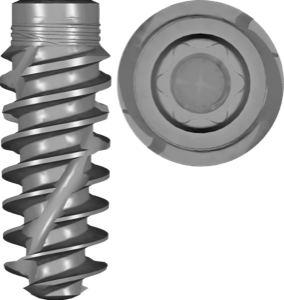
- Bone Level and Bone Level Tapered (BLT) — in Roxolid and titanium, with SLA and SLActive surfaces, with the Loxim transfer
- Bone Level X (BLX) — Roxolid SLActive, including FDA-marked versions
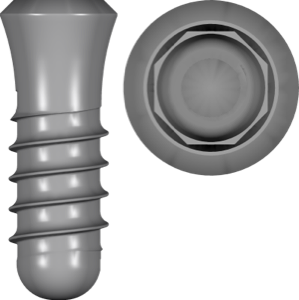
- Tissue Level: Standard, Standard Plus and Standard Plus Short
- Mini Implant and PURE Ceramic Implant — separate lines
- surgical kits and sleeves: Straumann kit, BLX/TLX sleeve, BLX protocol
Most files in exoplan are marked fda and built for the guided protocol — handy when you need to match the original Straumann Guided Surgery drilling exactly.
Why RealGUIDE has fewer libraries than exoplan
It's about architecture, not completeness. exoplan (the exocad engine) stores each system as a separate file — giving maximum detail and precise control over guided parameters, but multiplying entries into the dozens. RealGUIDE groups everything into a single manufacturer manifest and reveals the variants in the selection interface.
Practical takeaway: look not at the number of files but at the list of supported systems and platforms inside them.
What each system covers: Bone Level, BLX, Tissue Level
On the exoplan side it's convenient to pull in exactly the line you need. For tapered geometry with an aggressive thread, take Bone Level X Roxolid SLActive — that's BLX with a conical connection. For tissue level and a one-stage protocol, Standard Plus Roxolid SLActive Loxim fits.
To narrow the library down to the Straumann system in hand, focus on five parameters:
- level: bone (Bone Level/BLX) or tissue (Tissue Level Standard/Standard Plus)
- material: Roxolid or pure titanium
- surface: SLA or SLActive
- transfer: presence of Loxim
- platform and diameter by package code
Straumann for prosthetics: Variobase, CARES and synOcta
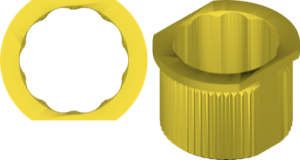
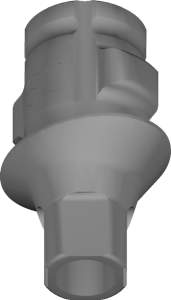
Planning is only half the chain. For restorations in exocad DentalCAD there are separate libraries: Variobase as a Ti-Base (titanium base) for centralized manufacturing, Variobase-XC ASC for the angulated screw channel, CARES abutments and the hybrid synOcta interface. This is no longer about the surgical guide but about designing a crown or bridge on the chosen connection.
When moving from planning to prosthetics, make sure the connection matches: BLX and Bone Level use a conical connection, while the Tissue Level line has its own.
How to choose the Straumann library for your system
Start with the implant label: it unambiguously indicates the system, platform and diameter. From there it depends on the software. In RealGUIDE it's enough to load the single Straumann package and pick the model inside. In exoplan you need to select the exact file for material, surface and guided protocol.
All the listed Straumann libraries for RealGUIDE, exoplan and exocad are available in the DentalLibs catalog.
Frequently asked questions about the Straumann library in RealGUIDE
Why is there only one Straumann library in RealGUIDE?
RealGUIDE groups all the manufacturer's models into a single package, and the specific implant is chosen inside. exoplan stores each system as a separate file, so there are far more entries there.
Is BLX in the Straumann library for RealGUIDE?
BLX is a current Straumann line. In exoplan there's a separate Bone Level X Roxolid SLActive entry for it. In RealGUIDE, whether a specific system is present depends on the package version, so check the list of models inside.
How does the Straumann library in exoplan differ from RealGUIDE?
In exoplan it's dozens of narrow files by system, material and surface with fda marking; in RealGUIDE it's a single manufacturer package. The geometries are essentially the same, only the storage method differs.
Which Straumann library should I use for guided surgery?
In exoplan — a file with the fda and guided flag plus a compatible sleeve, such as BLX/TLX sleeve. In RealGUIDE — the standard Straumann package with protocol settings inside.