SIN Strong SW in exoplan: 25 libraries and how to choose
S.I.N. Implant System (Sistema de Implante Nacional) is Brazil's largest implant manufacturer, and its flagship Strong SW range is well known to implant surgeons across Latin America and increasingly found in European clinics. If you plan surgery in exoplan on implants from this brand, you'll need the correct SIN library (sin implant library) for the specific connection and platform.
The DentalLibs catalog for exoplan holds around 25 SIN libraries, from the base Strong SW to Strong SW Plus with the HAnano surface, including surgical kits and sleeves. Let's break down how they differ and how not to mix up the file during planning.
What is SIN Strong SW and why it's a Brazilian classic
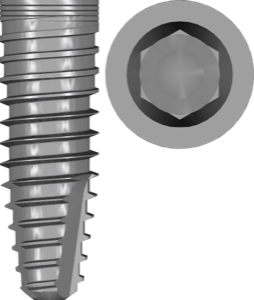
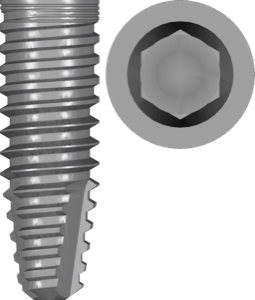
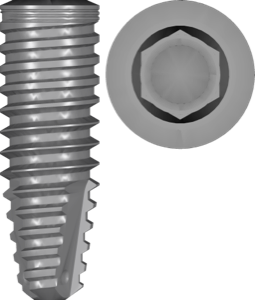
Strong SW is S.I.N.'s core implant range with hybrid macrogeometry: an aggressive thread for primary stability in the apical region and cervical micro-threads in the crestal zone. The HAnano® surface is a thin hydroxyapatite-based nanocoating that the manufacturer links to accelerated osseointegration.
For digital planning, something else matters: the implant body geometry in the library must exactly match the actual screw, otherwise positioning in guided surgery will drift.
SIN connections: HE, HI and Cone Morse (CM16 / CM115)
Within the Strong SW range, S.I.N. offers several connection types, and it's the connection that determines which library you choose:
- HE (External Hex) — external hexagon, familiar from Multi-Unit structures and All-on-X protocols;
- HI (Internal Hex) — internal hexagon with anti-rotation geometry for single restorations;
- CM16 (Cone Morse 16°) — conical connection with a 16° cone angle and a tight conical contact;
- CM115 / SWC (Cone Morse 11.5°) — a shallower 11.5° cone, set apart in the dedicated Strong SWC series.
In the catalog these variants are split into separate files. For example, Strong SW HE and Strong SW CM16 are different connections, and they aren't interchangeable even within the same diameter.
Strong SW Plus: how it differs from the base range
The Strong SW Plus series is an updated macrogeometry on top of the same connection types. In the catalog it's also split by connection:
- Strong SW Plus CM16 — Cone Morse 16° with the HAnano surface;
- Strong SW Plus HE — external hexagon of the Plus range;
- Strong SW Plus HI — internal hexagon of the Plus range.
The key point when matching: Plus and regular Strong SW are not the same, even when the connection type matches. Go by the Plus marking in the article number, or you risk picking a file with different macrogeometry.
How to choose a SIN implant library in exoplan (sin implant library)
The workflow for matching a sin strong sw in exoplan is simple if you go step by step:
- identify the range — Strong SW or Strong SW Plus;
- confirm the connection — HE, HI, CM16 or CM115;
- cross-check the platform and diameter against the implant packaging;
- make sure the file is marked as plan (or plan fda) — meaning it's intended for planning.
The fda tag in the name, for example Strong SWC CM115 plan fda, means the system is listed as FDA cleared in exocad/exoplan. It's a handy reference for selection, but not a substitute for your clinical responsibility.
SIN surgical guides: kit and sleeves (sleeve)
For guided implantation, the implant library alone isn't enough — you need the surgical kit and sleeve data. For SIN that's SIN StrongSW kit (Guide Creator System for the Strong SW range) and a separate SIN sleeve library with the sleeve geometry.
The implant + kit + sleeve combination lets exoplan correctly calculate seating depth and offset when generating the surgical guide. Without a matching kit, the system can't tie the protocol to the selected implant.
All the SIN libraries listed are available in the DentalLibs catalog for exoplan.
FAQ about SIN libraries for exoplan
What connection do SIN Strong SW implants use?
The range comes in four variants: external hexagon HE, internal hexagon HI, and conical Cone Morse — CM16 (16°) and CM115 (11.5°, the SWC series). Each connection has its own library.
How does Strong SW Plus differ from Strong SW?
Strong SW Plus is an updated macrogeometry with the HAnano surface on the same connection types. These are separate files, not interchangeable with the base Strong SW.
What does the fda tag in a SIN library name mean?
It indicates the system is listed as FDA cleared among the connections supported by exocad/exoplan. It's a reference for selection, not a clinical recommendation.
Which SIN libraries do I need for guided surgery?
Besides the implant library you'll need SIN StrongSW kit and SIN sleeve — they define the surgical kit and sleeve geometry for guide generation.