exocad Scan Body Library: 5 Reasons for Mismatch
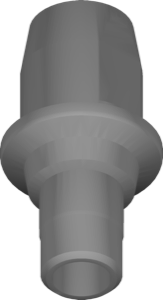
A scan body (scanbody, scan marker) is a calibration element that screws into the implant and transfers its position and angulation into the digital project. But a scanned scan body on its own is useless to a CAD system: for exocad to understand exactly where the implant axis is and how the connection is oriented, you need a dedicated exocad scan body library. That library holds the reference 3D geometry of the marker and data on the platform it's tied to.
Below we break down why scan bodies get their own separate libraries, how engaging and non-engaging variants differ, and what to do when the scan body in your project doesn't match the scanned surface.
What a Scan Body Is and Why It Needs Its Own Library
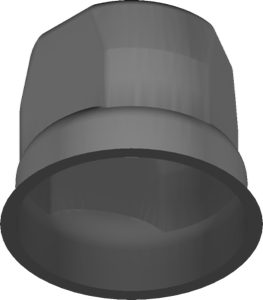
During an intraoral or lab scan, the CAD only sees the outer surface of the scan body — a cylinder with cuts, facets, or marker bevels. To turn that surface into an implant axis, the software overlays a reference model from the library onto it (this is called best-fit alignment). Once the shapes match, exocad knows the exact depth, angle, and connection indexing.
Manufacturers make scan bodies for a specific platform and product line, so no single universal geometry exists. In the DentalLibs catalog, the exocad-implant section holds 1058 libraries, and a large share of them are scan bodies and "scanbody + Ti-Base" combos for different systems.
- marks the implant axis and seating depth;
- transfers the connection indexing (anti-rotation);
- ties the project to a specific NP/RP/WP platform;
- sets the starting geometry for a Ti-Base or Multi-Unit.
Engaging vs Non-Engaging: How to Pick the Right Geometry
The key split among scan body libraries is engaging (anti-rotational, indexed) and non-engaging (no indexing, for multi-unit restorations). This is often coded into library names with abbreviations: for example, in the Osstem/Hiossen TS line it's marked as SBO with suffixes. The Osstem/Hiossen TS SBO AN variant is an engaging geometry with anti-rotation for single crowns, while Osstem/Hiossen TS NE SBO CU is non-engaging (NE) for bridges and screw-retained restorations.
If you mix up engaging with non-engaging, at try-in the crown either won't seat to the index or will pick up parasitic rotation. For bridges on multiple implants it's the opposite — you specifically need non-engaging, otherwise the framework won't seat due to angle divergence.
Scan Bodies for Multi-Unit, Ti-Base, and One-Stage Abutments
A separate class is scan bodies for Multi-Unit and titanium bases. For a bar-supported prosthesis you use a multi-unit scan body, for example Osstem TS MultiSB MuTi: it reads the position not of the implant itself, but of the seated multi-unit abutment.
"Scanbody + Ti-Base" combos are handy because a single library holds both the scanning marker and the titanium base geometry for the final crown. That's how the Camlog sets work: Camlog iSy scanbody titanium base for the iSy line, plus solutions from other brands like Nucleoss TiBase Short Scanbody with a shortened marker for limited interocclusal height.
In some systems (Camlog iSy) the scan body is combined with a one-stage abutment — the library then contains both the marker and the abutment geometry from a CoCr or Ti blank.
Why the Scan Body Library Doesn't Match the Scan
A mismatch (best-fit fails, the marker "floats" or seats with an error) is almost always tied to a desync between the physical scan body and the chosen library. The main causes:
- a library for the wrong platform or diameter is selected (NP instead of RP);
- engaging and non-engaging versions are swapped;
- the scan body version (V1/V2) doesn't match the marker in hand;
- an incomplete or noisy scan — the facets and bevels weren't captured;
- a third-party scan body (Elos, MedentiKA) is used without the matching library.
Third-party markers deserve a separate check: for example, for Glidewell/Hahn and BioHorizons systems the catalog has libraries with Elos and IOSSA geometry — those are the ones to load if you physically used that kind of scan body rather than the original.
What to Do on a Mismatch: Checklist
Before you touch the scan itself, work through the data source — in 90% of cases the problem is library selection, not scanning.
- match the physical scan body part number against the library name (brand, platform, version);
- confirm engaging/non-engaging for the type of work;
- check that the scan covers all anti-rotational facets of the marker;
- reinstall the library if it landed in the wrong exocad folder;
- for a third-party marker, look for a library matching its geometry, not the implant.
Frequently Asked Questions About exocad Scan Body Libraries
Why doesn't the scan body match the library in exocad?
Usually the wrong platform or version was selected, or engaging/non-engaging got swapped. Less often it's an incomplete scan of the marker facets. Match the scan body part number against the library name.
What's the difference between engaging and non-engaging scan bodies?
Engaging locks the connection indexing (anti-rotation) — for single crowns. Non-engaging (NE) has no indexing — for bridges and screw-retained restorations on multiple implants.
Do I need a separate library for the scan body and Ti-Base?
They often come in one set with both the marker and the titanium base geometry. But the combo is always tied to a specific platform, so it's chosen to match your system.
Will one brand's scan body work on another brand's implant?
Only if it's a compatible third-party marker (Elos, IOSSA) and a matching library exists for it. The library reads the geometry, not the implant itself, so that's what you need to load.