Platform Switching in a CAD Library: What to Know
Platform switching is one of the most discussed terms in implantology, yet it regularly causes confusion when selecting a CAD library. Let's break down what platform switching is, how it's reflected in an implant CAD library, and why you don't need to hunt the catalog for a separate "library with platform switching."
The short answer: platform switching is built into the system geometry itself. A CAD library doesn't "enable" this feature — it simply reproduces the connection interface exactly as the manufacturer already designed it around a shifted platform.
What Platform Switching Means in Plain Terms
Platform switching (also platform shifting) is a concept in which the diameter of the abutment's prosthetic part is smaller than the diameter of the implant platform. A horizontal ledge forms at the connection level: the abutment is effectively "set back" inward from the implant edge.
The idea is to move the microgap between implant and abutment closer to the axis and further away from crestal bone. Manufacturers associate this with better marginal bone preservation and a more stable soft-tissue contour, especially in the esthetic zone.
Is Platform Switching Reflected in the CAD Library
A CAD library encodes the connection geometry: the implant seating platform, the interface type (conical, internal hex, external hex), and the prosthetic components — the titanium base (Ti-Base), scan abutment, straight or angled abutment, Multi-Unit (MUA).
If a system provides platform switching, it's already "baked into" that geometry: the diameter of the prosthetic part in the library is smaller than the implant platform diameter. There is no separate "platform switching" toggle in exoplan or exocad, nor should there be.
Practical takeaway: you don't select platform switching as a parameter. You select the correct line and platform (NP/RP/WP or the proprietary designation), and the library reproduces the correct ledge on its own — provided it's genuine, accurately modeled geometry.
Which Platform Switching Systems Are in the exoplan Catalog
exoplan has many such lines — platform switching has long become the norm for conical and bone-level systems. A few examples from the DentalLibs catalog where the manufacturer explicitly states platform switching:
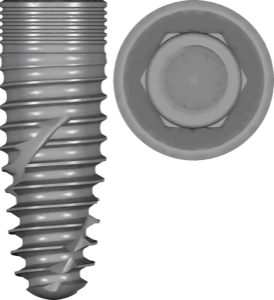
- BEGO Semados RS/RSX — conical self-tapping implants with a microstructured shoulder and platform switching.
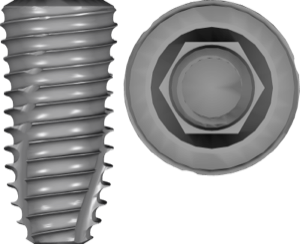
- Dentium SuperLine — SLA surface, internal conical hex, platform switching.
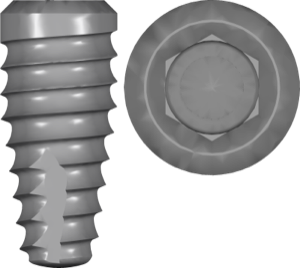
- BioHorizons Tapered Plus — conical body, laser-treated Laser-Lok edge, and a shifted platform.
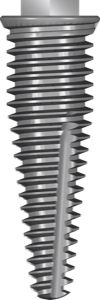
- Southern Implants External Hex Platform Switch — a line where platform switching is stated right in the system name.
- Intra-Lock Fusion / Implant Direct InterActive — bone-level conical systems with platform switching.
Finding the right library is easy by brand and line: for example, BEGO Semados RSX or Dentium SuperLine. For systems that explicitly name platform switching, there's Southern Implants External Hex Platform Switch.
How to Choose a CAD Library for an Implant with Platform Switching
Selection is no different from any other system — platform switching doesn't add a separate step. Focus on four points of alignment:
- The exact line and platform name — SuperLine, RSX, Tapered Plus, etc., not just the brand.
- Connection type — conical, internal hex, external hex; the entire fit depends on it.
- Prosthetic component — the Ti-Base/titanium base, scan abutment, or MUA must match your specific system.
- FDA version when needed — if you work under US market regulatory requirements, choose a library marked fda.
For esthetic conical systems with platform switching, BioHorizons Tapered Plus is a good fit, for instance. The key is that the chosen library matches the physical implant and the original prosthetic components you're holding in your hands.
Frequently Asked Questions About Platform Switching
Do you need a separate CAD library for platform switching?
No. Platform switching is built into the system geometry. Choose the correct line and platform, and the library reproduces the ledge automatically.
How can I tell whether a system has platform switching?
Check the manufacturer's and line's description. In the DentalLibs catalog it's stated in the library description — for example, for BEGO Semados RSX or Dentium SuperLine.
Are platform switching and platform shifting the same thing?
Yes, they're synonyms. In some languages people also write "platform shift" or "platform displacement."
Does platform switching affect the choice of Ti-Base?
Indirectly. What matters is that the titanium base matches the system's platform and connection. The platform shift itself is already accounted for in the original component geometry.