Locators and Overdentures: 6 exocad Attachment Libraries
Overdenture attachment libraries are what a digital removable implant-supported denture workflow simply cannot start without. If you're looking for a locator library for exocad or exoplan, or any other overdenture attachment CAD geometry, keep this in mind: an attachment is its own coordinate system with its own components, and the library must match the specific implant connection precisely.
Let's look at which attachment systems come up most often, how Zest locators differ from Dockloc and OT Equator, and exactly where in the catalog to find the file you need — in exoplan for planning or in exocad for restoration design.
What is a locator overdenture and why you need a separate library
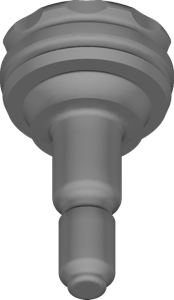
An overdenture (removable or overlay denture) is retained on 2–4 implants through attachments — miniature retentive elements that hold the denture in place but let the patient remove it for hygiene. The classic option is the Locator (Zest Dental Solutions): a low-profile male on the implant and a nylon female with varying retention strength inside the denture.
In the CAD workflow the library is needed at two stages. During planning in exoplan it sets the correct attachment height and position relative to the soft tissue so the males end up on a shared axis. During bar or framework design in exocad it provides the seating geometry for the females. An error in this file means axis divergence and overload of individual implants.
Locator library for exocad and exoplan: Zest libraries
The main supplier of the LOCATOR system is Zest Dental Solutions. For planning the placement under an overlay denture, use the Zest Locator library for exoplan, and for guided surgery a separate LOCATOR Kit with sleeves and sleeve components. Zest also offers a LOCATOR FIXED variant for fixed solutions — that's a different line, don't confuse it with the classic removable attachment.
If you work in RealGUIDE, look for the Zest Dental Solutions library in the corresponding catalog section — it covers planning the LOCATOR implant positions under the same guided protocol.
- LOCATOR (Zest) — the most common removable attachment, planning version in exoplan;
- LOCATOR Kit — a set for guided surgery with sleeves;
- LOCATOR FIXED — a fixed solution, a separate library;
- RealGUIDE Zest — the equivalent for planning in RealGUIDE.
Dockloc, TISISNAP and OT Equator attachments in exocad
LOCATOR isn't the only system. In exocad DentalCAD the Bredent attachments are popular: SKY Dockloc and SKY TISISNAP, along with their versions for the copaSKY line (copaSKY Dockloc, copaSKY TISISNAP). Dockloc is a direct competitor to Locator with the same "male + replaceable female" logic, while TISISNAP is a fast snap-in fixation.
Italian company Rhein83 offers its own low-profile system, OT Equator — one of the flattest attachments on the market, handy when interarch height is limited. In the catalog it's available in the Rhein83 library for RealGUIDE, where OT Equator comes together with the OT Bridge solution for fixed restorations.
Mini-implants with an integrated attachment
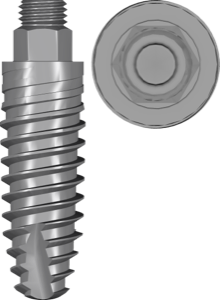
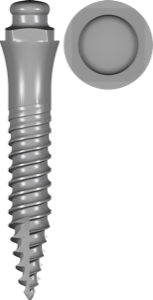
A separate class is one-piece mini-implants, where the attachment is already integrated into the fixture body. Here the implant and attachment library is a single file. Examples: Straumann Mini Implant, Anthogyr Mini Implant with a fixed Optiloc retentive part, Dentium SlimLine Mini Ball with a spherical head, and AB Dental I6b OnePieceBall.
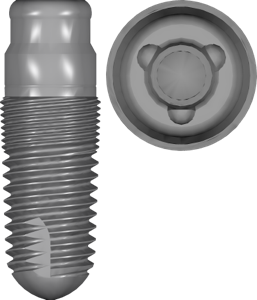
For cases with a one-piece tissue-level solution under a removable denture, Implant Direct GoDirect also works — a one-piece fixture designed from the start for overdenture. Such systems simplify the protocol: you don't need to separately connect an attachment library, but you also can no longer change the fixation type without reinstalling the implant.
exoplan, exocad or RealGUIDE: where to select the library
The logic is simple: exoplan is for planning implant and attachment positions and for guided surgery (planning and kit versions, often marked FDA); exocad DentalCAD is for designing the framework, bar or base on top of the attachment (stock and multiunit geometries); RealGUIDE is an alternative planner with its own set of libraries.
The DentalLibs catalog is noticeably skewed toward exoplan (over 1200 items) and exocad-implant (more than 1000), so you'll find most attachments right there. The main rule is a match of manufacturer, implant platform and attachment type across all programs in the chain.
How to choose an attachment library: a checklist
Before loading the file, verify a few parameters, otherwise the attachment won't seat on the platform or will drift off axis.
- manufacturer and exact system name (Locator, Dockloc, TISISNAP, OT Equator);
- implant platform and diameter — the attachment is selected for the specific connection;
- program: planning version for exoplan, stock/multiunit for exocad;
- guided or freehand workflow — for guided you need a kit with sleeves;
- attachment profile for the available interarch height.
If exact figures on height or divergence angle aren't in the library description, don't fill them in "by eye" — check with the attachment manufacturer's protocol.
Frequently asked questions about locator and overdenture libraries
Where can I get a locator library for exocad?
LOCATOR libraries from Zest Dental Solutions are available in the DentalLibs catalog: a planning version for exoplan and a guided kit with sleeves. For restoration design, use compatible stock geometries in exocad.
How does Locator differ from Dockloc and OT Equator?
All three are low-profile removable attachments with a male and a replaceable female. Dockloc (Bredent) and OT Equator (Rhein83) usually have a lower profile, which is handy when interarch height is limited.
Do mini-implants need a separate attachment library?
No. In one-piece mini-implants (Straumann Mini, Anthogyr, Dentium SlimLine Mini Ball) the attachment is integrated into the body, so a single implant library is used.
Does one library work in both exoplan and exocad?
No. The exoplan version handles position planning, while the exocad version handles restoration design. You need compatible files from the same system for each program.