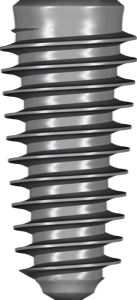
Megagen AnyRidge: precise exocad library for Knife Thread
Megagen AnyRidge and AnyOne are among the most in-demand Korean systems in the digital workflow, and the DentalLibs catalog holds 39 items under the Megagen brand. But choosing a Megagen AnyRidge library for exocad is trickier than for a classic implant: the system is built on the aggressive Knife Thread and classifies fixtures by core diameter (Core) rather than the usual nominal diameter. If you grab a "close enough" library, the connection geometry won't match the real fixture and a gap will show up at the abutment margin.
Below we break down how AnyRidge differs from AnyOne, how to read the Core and Thread markings, and which libraries you need separately for planning in exoplan and for prosthetics in exocad DentalCAD.
What is Knife Thread and why you can't choose by diameter
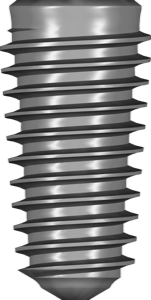
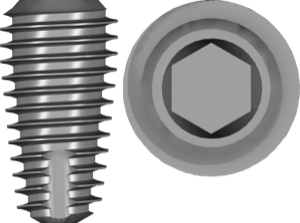
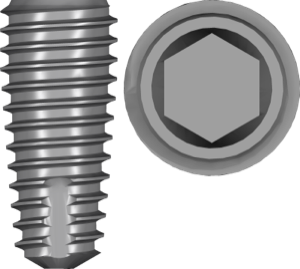
AnyRidge is an implant with a thin core and a wide, sharp thread. This Knife Thread geometry condenses bone during insertion and delivers high primary stability, which is especially valuable in soft bone and immediate loading. Hence the main selection rule: fixtures are classified not by outer diameter but by core diameter — Core28, Core33, Core40 (that is, a core of 2.8, 3.3 and 4.0 mm).
This means two implants with the same "outer" size can have a different core and a different library. For planning in exoplan, pick the item that matches your Core exactly — for example AnyRidge Internal Core40 or the version for 3.3. All of these libraries carry the FDA tag, meaning they are based on the manufacturer's officially registered geometry.
AnyOne Internal: DeepThread or RegularThread by bone type
AnyOne is a more versatile line with an internal connection (Internal), and here the choice comes down to thread type by bone density. DeepThread is a deep thread for soft bone and better primary fixation, AnyOne Internal DeepThread. RegularThread is a standard thread for medium- and high-density bone, AnyOne Internal RegularThread. There is also a Special variant for specific clinical situations.
The logic is the same as with the BLUEDIAMOND line and its KnifeThread and RegularThread versions: the thread type determines both the surgical protocol and the specific library. When planning a case, check against the implant's actual packaging rather than picking a variant "from memory" — DeepThread and RegularThread have different body geometry.
AnyRidge connection: Octa1, SHA and abutments in exocad DentalCAD
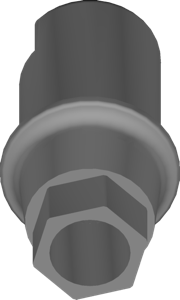
When you move to the prosthetic stage, geometry is now handled by exocad DentalCAD, and the second group of libraries comes into play — for the connection and abutment. AnyRidge comes in Octa1 NC and Octa1 RC variants (narrow/regular connection), plus the SHA interface. For custom abutments, libraries are split by blank height — 9 mm and 13 mm blocks — and by gingival height (H Height 4/5/7 mm).
For custom milled work, choose the matching version, for example AnyRidge Custom Abutment 13 mm. If you plan screw-retained restorations on a titanium base (Ti-Base), make sure the chosen geometry matches the real platform — NC and RC are not interchangeable.
- Octa1 NC / RC — AnyRidge octagonal connection, narrow and regular platform
- SHA — interface with fixed gingival height (4/5/7 mm)
- AY (AnyOne) — separate abutment libraries, including External S/W
- MUA (Multi-Unit) — for bar and bridge constructions on multiple implants
Planning and surgery: exoplan and R2GATE
The full Megagen digital cycle splits into two data sets. For planning the implant position in exoplan you need the FDA fixture library (the Core or Thread variant). For guided surgery, you add the sleeve and surgical kit library — for Megagen this is R2GATE, for example R2GATE Full Surgical Kit for AnyRidge and the matching kit for AnyOne.
Keep these entities distinct on purpose: the fixture library handles the implant's position and geometry in the plan, while the surgical kit handles sleeve offsets, depth and compatibility with the guide's sleeves. Skipping either set breaks the accuracy of the guided protocol.
Common mistakes when choosing a Megagen library
Most fit and gap problems arise at the file selection stage, not at milling. Here's what people most often confuse:
- Choosing AnyRidge by outer diameter instead of Core28/33/40
- Mixing DeepThread and RegularThread on AnyOne — different body geometry
- Confusing Octa1 NC and RC when choosing an abutment
- Using the fixture library instead of the R2GATE surgical kit (and vice versa)
- Wrong abutment blank height (9 mm instead of 13 mm) for the required profile
The easiest way to check all of this is against the implant label and the Megagen documentation before importing the library — it saves rework and material.
Frequently asked questions about Megagen AnyRidge and AnyOne libraries
How does the AnyRidge library differ from AnyOne?
AnyRidge is chosen by core diameter (Core28/33/40) and the Knife Thread, while AnyOne Internal is chosen by thread type — DeepThread or RegularThread — based on bone density. The connections and abutments of the two lines are also different.
What do Core28, Core33 and Core40 mean?
That's the core diameter of the AnyRidge fixture — 2.8, 3.3 and 4.0 mm. The library is chosen by Core, not by the outer thread diameter.
Does one exocad library work for both planning and prosthetics?
No. In exoplan you need the fixture library (plus the R2GATE kit for guided surgery), while in exocad DentalCAD you need a separate abutment library for the Octa1 or SHA connection.
How do I choose DeepThread or RegularThread on AnyOne?
DeepThread is for soft bone and better primary stability, RegularThread is for dense bone. Confirm the type against the specific implant's packaging.