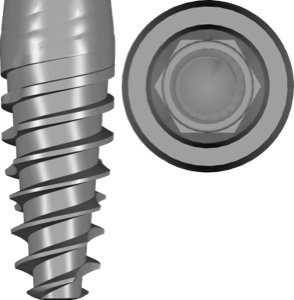
JDentalCare in exoplan: 17 JD Evolution and JDIcon Libraries
If you're planning guided implant surgery on systems from this Italian manufacturer, one thing matters: the JDentalCare library for exoplan isn't a single file, it's a whole set. The DentalLibs catalog holds around 17 JDentalCare items for exoplan, covering different implant lines and components for surgical guides.
JDentalCare (J Dental Care) is a company based in Modena, Italy. It produces two-piece implants in the JD Evolution and JDIcon lines. Below we'll break down which libraries cover these systems, how the plan and plan fda variants differ, and how to avoid picking the wrong file for a specific implant.
JD Evolution libraries for exoplan
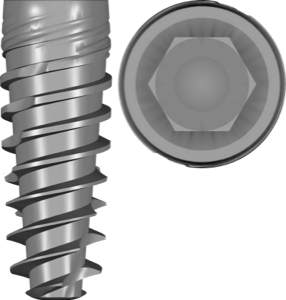
The JD Evolution line is a bone-level system that the manufacturer positions for high primary stability. In exoplan it appears as several libraries, and these aren't duplicates but separate modifications of the system.
- JDEvolution — the base line, JD Evolution plan;
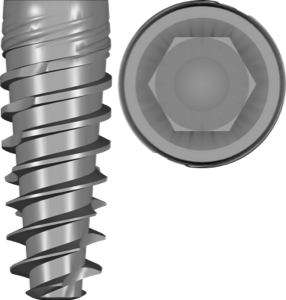
- JDEvolution Plus — a bone-level version for enhanced primary stability, JD Evolution Plus plan;
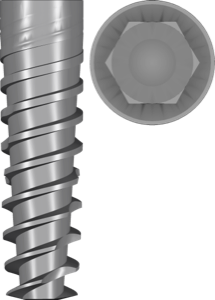
- JDEvolution S — a two-piece implant for narrow spaces in the esthetic zone;
- JDEvolutionSLA — the SLA surface designation in the file name.
Key point: the Evolution and Evolution S lines differ in geometry and indications (S is for limited bone volume), so you need to pick the library exactly by the implant marking, not by the series name in general.
JDIcon and JDIcon Plus: conical connections
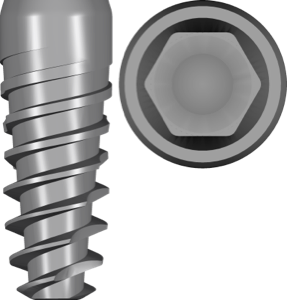
The second large group is JDIcon. It's a system with a 12° internal conical connection, available in a fully treated version and with a 1.5 mm machined section. The fully treated version appears in the catalog as JDIcon plan and JDIcon F.
JDIcon Plus stands apart — an implant with a 5° Morse taper connection, including an anodised variant: JDIcon Plus plan. And for very narrow gaps there's JDIcon Ultra S — a small-diameter two-piece implant.
The difference in cone angle (12° on JDIcon and 5° Morse taper on JDIcon Plus) isn't cosmetic: it determines the prosthetic interface and compatibility with abutments and Ti-Base (titanium bases). Choosing the wrong line here leads to a connection mismatch.
How the plan and plan fda variants differ
Many JDentalCare libraries come in pairs — a standard one and one with the fda suffix. The suffix indicates a link to items present in FDA listings, meaning configurations cleared for sale on the US market.
The practical meaning is simple: if you work in a jurisdiction where FDA registration matters, take the plan fda version. If there's no such requirement, the standard plan version of the same system will do. The connection geometry is identical.
Likewise, the SLA designation in the file name (JDEvolutionSLA) describes the implant surface type, not a separate connection. For planning in exoplan it's a hint when searching for the right file, not a distinct prosthetic platform.
Guided surgery: kit, sleeves, and sleeve
For computer-guided surgery an implant library alone isn't enough — you need surgical guide components. For this, JDentalCare in exoplan has three separate libraries:
- kit — based on the JD Guided Surgery Kit, a set for guided surgery;
- sleeve — the sleeve library for guide design;
- fixation — guide fixation elements.
The sleeve and surgical kit must match each other and the implant system — it's the "implant + kit + sleeve" combination that sets the correct depths and offsets in the guide. If you work in RealGUIDE or JD-igital Guide, JDentalCare has a separate component library for that environment.
How to choose the right JDentalCare library
The selection order is the same as for any brand: system first, then connection, then platform and diameter. Take the package or work order and verify the exact name — Evolution, Evolution Plus, Evolution S, JDIcon, JDIcon Plus, or Ultra S.
Next, check whether you need the FDA version, and confirm the surface type if it's spelled out in the file name (SLA, anodised). Only then download the library. All the listed JDentalCare items for exoplan are in the DentalLibs catalog.
Don't try to substitute one line for another "because they look similar" — within the JDentalCare brand, bone-level (Evolution) and a Morse taper conical connection (JDIcon Plus) coexist, and they aren't interchangeable at the prosthetic level.
Frequently asked questions about JDentalCare libraries for exoplan
Is there a JDentalCare library for exoplan?
Yes. The DentalLibs catalog offers around 17 JDentalCare items for exoplan — the JD Evolution and JDIcon lines plus components for surgical guides (kit, sleeve, fixation).
How does JD Evolution differ from JDIcon?
JD Evolution is a bone-level system for high primary stability. JDIcon uses an internal conical connection (12°), and JDIcon Plus uses a 5° Morse taper. The connections are different and not interchangeable.
What does the fda suffix in the library name mean?
It indicates configurations matching FDA listings for the US market. The connection geometry is identical to the standard plan version; choose fda if it's a requirement of your jurisdiction.
Does a single JDentalCare library work for both the implant and the guide?
No. The implant library (plan) handles positioning, while the guide needs separate kit, sleeve, and fixation from the same system.