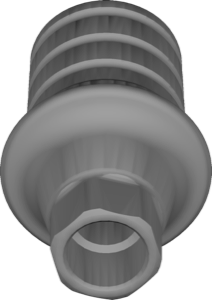
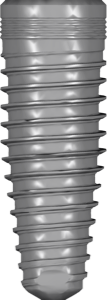
NP/RP/WP Platforms: Implant Diameter Chart by Brand
An implant platform — NP, RP, or WP — is one of the first things to nail down before choosing a CAD library. Get it wrong and the geometry of the prosthetic interface won't match, forcing you to redo the whole case. Below we break down how narrow, regular, and wide platform actually differ in practice, and give a reference chart of designations across catalog brands so you can find the right library faster.
The tricky part is there's no single standard: what one manufacturer calls RP may be labeled differently and have a different diameter at another. So the platform chart works not as a universal ruler, but as a map of correspondences between brands.
What is an implant platform: NP, RP, and WP
A platform (prosthetic platform, platform connection) is the diameter of the seating surface at the top of the implant where the abutment, Ti-Base, or Multi-Unit is screwed on. The abbreviations describe the size of exactly this seating surface:
- NP — Narrow Platform (anterior region, limited bone volume, thin ridge).
- RP — Regular Platform (a universal option for most positions).
- WP — Wide Platform (molars, higher load).
Some systems add intermediate steps — SP (standard), 6.0, or Mini. The logic still holds: the wider the platform, the larger the diameter of the prosthetic interface and the emergence profile.
The platform is not the implant diameter: a common mix-up
The implant body diameter and the platform diameter are different things. In many systems, the same implant with a 4.0 and 4.5 mm body may share a single regular platform. And the reverse: an implant with a 5.0 mm body is sometimes placed on RP rather than WP thanks to platform switching.
For choosing a library, only the prosthetic platform matters — the surface that physically mates with the abutment. You set the body diameter and placement depth separately when planning in exoplan. Mix up these parameters and the interface geometry in your project won't match the actual implant.
NP/RP/WP platform chart by implant brand
A summary of designations across systems in the catalog. The names of the steps differ, but they can be mapped on a "narrow → regular → wide" basis.
- Straumann: Tissue Level — NN / RN / WN (Narrow, Regular, Wide Neck); Bone Level and BLX — NC / RC (Narrow- and RegularCrossFit).
- Nobel Biocare: unified NP / RP / WP logic (plus 6.0) for NobelReplace, NobelActive, and NobelParallel.
- Osstem / Hiossen: the TSIII line splits into NP and RP by platform diameter.
- MIS: the C1 system — NP / SP / WP.
- Adin, Dentium, Bredent: Adin CloseFit — RP/WP; Dentium NR Line — Regular/Wide; Bredent Quattro — NP/RP.
In practice, the link to libraries looks like this. For the narrow TSIII platform, use Osstem TSIII NP, and for the regular one, TSIII RP. For MIS, the narrow interface is covered by MIS C1 NP. There are also combined files: Adin CloseFit RP-WP contains geometry for both platforms at once.
The exact platform diameters in millimeters are specific to each system, so there's no single numerical chart "for all brands" — verify the values against the manufacturer catalog and the library description.
How the platform affects the choice of CAD library and Ti-Base
Every library is tied to a specific platform. An RP file won't work for an NP implant of the same brand: the seating diameter, screw thread pitch, and anti-rotation profile all change. This applies to abutments too, and to titanium bases (Ti-Base) — they have their own platform-dependent geometry.
With hybrid solutions a second coordinate appears — the platform of the prosthetic interface, which can differ from the platform of the implant itself. That's why library descriptions often list both the implant system and the abutment line.
- Identify the implant brand and system (from the passport or label).
- Confirm the platform: NP / RP / WP or its brand equivalent (NC/RC, RN/WN, etc.).
- Choose the restoration type: crown on Ti-Base, custom abutment, or Multi-Unit.
- Download the library that matches exactly this platform — not a "similar" one.
How to find the right platform in the DentalLibs catalog
The DentalLibs catalog holds 1058 implant libraries for exocad DentalCAD and 1271 for exoplan, plus 187 for RealGUIDE. With that volume, it's easier to filter by the "brand + platform" pair than to scroll through the full list.
For guided surgery planning, take a library from the exoplan section; for designing crowns and abutments, from the exocad-implant section. If a brand offers several platforms, the file name usually states NP, RP, WP or a brand code directly — that's your reference point.
Frequently asked questions about implant NP/RP/WP platforms
Are NP, RP, and WP the implant diameter?
No. It's the diameter of the prosthetic platform (the seating surface under the abutment), not the implant body or the drill. One body diameter can mate with different platforms.
Why are Straumann RP and Nobel RP different?
Because there's no single diameter standard. Each manufacturer sets its own millimeters under the same letter label, so libraries aren't interchangeable between brands.
How do I identify the platform if the package doesn't show NP/RP/WP?
Look at the brand codes: for Straumann it's NN/RN/WN or NC/RC, and Korean systems use color and letter markings. Match it against the library description.
Can I use a WP library on an RP implant?
No. The seating and screw geometry won't match and the connection won't seat correctly. You need a library that fits exactly the platform of the specific implant.