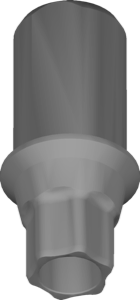
Hahn implant library exocad: all 24 Glidewell options
Glidewell is one of the largest American manufacturers of dental solutions, and its Hahn Tapered Implant System has long been a fixture in digital labs worldwide. If you're looking for a hahn implant library for exocad, the DentalLibs catalog holds all 24 Glidewell/Hahn connection options for exocad DentalCAD — from the basic TAPERED to Multi-Unit and hybrid bars.
Below we'll break down how these libraries differ from one another, how to read their names (NB-RP, NB-AC, EV, IOSSA) and which one to choose for a specific clinical case — a crown, a bridge or a full denture on multi-units.
What is the Hahn Tapered Implant System by Glidewell
The Hahn Tapered Implant System is an implant system from the American company Glidewell, named after Dr. Jack Hahn, one of the pioneers of tapered implant geometry. Its key feature is a tapered body, which delivers strong primary stability in soft bone and suits immediate placement.
Inside is an internal connection with a conical seat, typical of the American prosthetic workflow: a single platform, predictable abutment seating and a broad set of prosthetic components. In the DentalLibs catalog the system is labeled Glidewell/Hahn, since exocad combines the manufacturer and the implant line under one name.
Hahn implant library in exocad: all 24 options
In the catalog's exocad-implant section (1058 libraries in total), the Glidewell/Hahn system accounts for 24 separate libraries. These aren't 24 different implants but 24 geometry options for different prosthetic scenarios and connection types.
The basic option for designing restorations on the implant itself is Glidewell/Hahn TAPERED. Then come the interfaces for specific platforms and prosthetics:
- NB series: NB-AC, NB-RP, NB-BM — connection options for different platforms and components;
- Multi-Unit: NB-RP Multi and MU — for angled multi-unit abutments;
- Hybrid constructions: NB-RP Hybrid Bar — for bar-retained dentures;
- Scan bodies IOSSA / IOSDP: for intraoral scan bodies and digital impressions;
- Other interfaces: EV LABDP, ZI, NEO, STR, STR-SYN, AS, INC, ANK, iii-CE, HIO, MG-AR, CL, PR-CNX.
NB-RP, NB-AC, EV: how to read the connection names
Names like NB-RP or NB-AC are internal exocad codes for a specific combination of connection, platform and component type. Some abbreviations point to the platform (RP most often means Regular Platform), others to the library's purpose (AC, BM, EV).
The practical takeaway is simple: the library Glidewell/Hahn NB-RP and its neighbors describe the same connection for different prosthetic components. So don't try to guess the option from the name — check against the article number of the abutment, scan body or Ti-Base actually used in the case.
Ti-Base, Multi-Unit and Hahn hybrid bars
For single crowns and bridges at the implant level, cement-retained or screw-retained constructions on a titanium base (Ti-Base) are most common. The corresponding geometry is built into the NB libraries, while scan body seating is handled by the options marked IOSSA / IOSDP (intraoral scanbody for digital impression).
When it comes to a full arch — All-on-4/All-on-6 or a conditionally removable denture — the work happens not at the implant level but at the multi-unit abutment (Multi-Unit) level. Here Glidewell/Hahn NB-RP Multi comes in handy, and for bar solutions the Hybrid Bar option.
This separation saves time: there's no need to manually adjust height and profile for each component — the correct library already contains the correct mating geometry.
Hahn in RealGUIDE: planning and surgical guide
If exocad DentalCAD handles the prosthetics, then planning and guided surgery often run in exoplan or RealGUIDE. For the latter there's a separate Hahn library for RealGUIDE, which contains Hahn Tapered implant models for positioning and designing the surgical guide.
This end-to-end workflow — surgical planning in RealGUIDE, prosthetics in exocad — is typical of American systems: the manufacturer supplies matched component sets, and the libraries reproduce their geometry at every stage.
How to choose the right Hahn library
The selection algorithm comes down to a few steps that eliminate almost all errors at the placement stage.
- Determine the stage: implant level (crown/bridge) or Multi-Unit level (full arch).
- Verify the platform and diameter by the component's article number, not "by eye."
- Check the prosthetic type: Ti-Base, scan body (IOSSA), bar (Hybrid Bar).
- Download the library that matches exactly this combination — TAPERED, NB-RP, NB-RP Multi, etc.
- Check the exocad DentalCAD version and the correct unpacking into the library folder.
If you're unsure between the NB-series options, go by the component you're holding: the scan body library and the Ti-Base library on the same platform are different files, even though the connection is shared.
Frequently asked questions about Hahn libraries for exocad
Is there a separate Hahn library for exocad?
Yes. The catalog has 24 Glidewell/Hahn options for exocad DentalCAD — from the basic TAPERED to Multi-Unit, hybrid bars and IOSSA scan bodies.
Are Hahn and Glidewell the same thing?
The Hahn Tapered Implant System is manufactured by Glidewell, so in exocad and in the catalog the system is labeled Glidewell/Hahn.
Which library should I use for a full denture on multi-units?
Work at the Multi-Unit level: the NB-RP Multi or MU option fits, and for bar constructions use Hybrid Bar.
Is the Hahn library suitable for RealGUIDE?
Yes, for RealGUIDE there's a separate Hahn library with implant models for planning and designing the surgical guide.