10 Free exocad Libraries: Where to Start as a Beginner
Just getting started with exocad and not sure which files to install first? Free exocad libraries cover most of a dental technician's everyday tasks: from implant connection geometry to natural tooth shapes. The DentalLibs catalog holds over a thousand implant libraries and hundreds of anatomy sets, and it's easy for a beginner to get lost in them.
Below are ten items worth starting with. They cover the most common implant systems, titanium bases (Ti-Base) and basic tooth libraries for crown design. The goal of this list is to give you a working minimum so you can handle most cases without buying anything extra.
Why you need free exocad libraries
In exocad the term "library" covers several different things, and it's worth not mixing them up. What you actually install determines which module the file will work in.
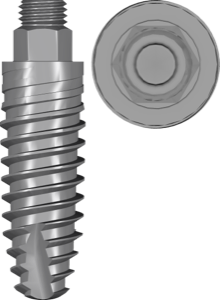
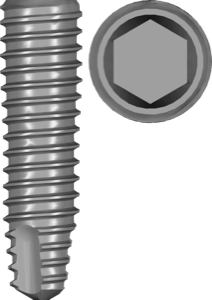
- Implant libraries — connection geometry, Ti-Base and scan bodies for implant-supported restorations.
- Tooth libraries — crown shapes for DentalCAD.
- Anatomy libraries — natural morphology references for morphing.
- Libraries for exoplan and RealGUIDE — the same implants, but for planning and surgical guides.
For reference: the catalog has roughly 1058 implant libraries for exocad, 444 anatomy sets and 23 basic tooth libraries, plus 1271 items for exoplan and 187 for RealGUIDE for guided surgery. A beginner doesn't need that many: it's enough to cover the systems you actually see in your cases.
10 free exocad libraries to start with
This set is built on the principle of "maximum tasks with minimum files." It includes the most common implant systems plus basic libraries for crown design.
- Straumann BLX / Bone Level — conical connection, one of the most common systems in clinics.
- Nobel Biocare NobelActive — conical connection with an internal hex, seen everywhere.
- DIO UF II — an extensive line, often shipped with ready-made Ti-Base.
- Osstem TS — a popular Korean system with plenty of routine cases.
- Dentium SuperLine / Implantium — another widely used Korean platform.
- MegaGen AnyRidge / AnyOne — knife-thread geometry, common in implantology.
- Dentsply Sirona Astra EV — conical connection, a frequent guest in restorative work.
- NT-Trading Ti-Base — multi-brand titanium bases for various systems.
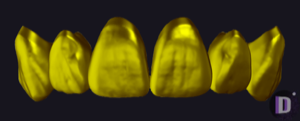
- exocad Tooth Library — the basic set of tooth shapes shipped with DentalCAD.
- Anatomy Library (natural) — natural morphology for morphing crowns and veneers.
Implant libraries: which brands to start with
First cover the systems your clinics place. For implant-supported restorations, three parameters matter: the brand, the connection type (conical, internal hex, tri-lobe) and the platform (NP/RP/WP) with diameter.
If you also work with guided surgery, remember: planning and the surgical guide need a separate library for exoplan or RealGUIDE — it contains data on drills and sleeves that the restorative version doesn't have. Make sure you download the exact version your module needs.
Ti-Base and tooth libraries: what to install first
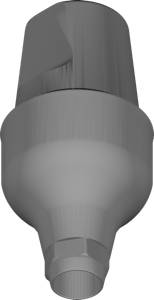
Ti-Base (titanium base) is the part the crown or bridge sits on when working on implants. Many brands provide libraries with pre-defined base geometries, but Ti-Base height and seating differ between lines — cross-check against the base actually sitting on your shelf.
For crown design, the starter minimum is the basic tooth library from DentalCAD and one anatomy library with natural morphology. That covers most single restorations and bridges; more specialized sets are worth adding for a specific working style.
How to install and update a free library
Installation comes down to putting the files in the right exocad folder and refreshing the database. Mistakes at this step are a common reason a library is "not visible" in the program.
- Download the library for your system from the DentalLibs catalog.
- Unzip the archive into the implant libraries folder of your exocad version.
- Restart the module and refresh the library list.
- Check the brand, platform and Ti-Base height before the first case.
FAQ about free exocad libraries
Where can I download free exocad libraries?
Implant libraries, Ti-Base and tooth libraries are available in the DentalLibs catalog. Search by brand and connection type to land straight on the right version for restorations or exoplan.
How does a library for exocad differ from one for exoplan?
A restorative library contains the connection geometry and Ti-Base for crown design. An exoplan library describes implants, drills and sleeves for planning and the surgical guide. These are different files for different modules.
What should I do if exocad doesn't see an installed library?
Check that the files are in the library folder of your exact version, restart the module and refresh the list. Most often the issue is a wrong path after a program update.
How many libraries does a beginner need?
It's enough to cover the implant systems in your cases plus one basic tooth and anatomy library. Everything else you add as new systems appear.