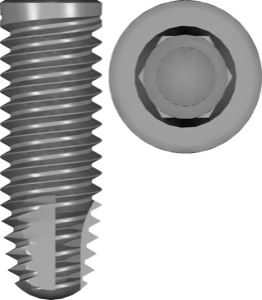
What "FDA" Means in an exoplan Library and Why It Matters
In the exoplan catalog, many implant libraries end in "plan fda" — for example, Zimmer Biomet ExtHex 3iT3 plan fda or MegaGen AnyRidge Internal Core40 plan fda. Of exoplan's 1271 libraries, 472 carry the fda tag. This isn't a rare exception but a whole layer of files that regularly causes confusion.
Let's clarify what FDA means in an exoplan library name, why this tag refers to the regulatory status of the implant system rather than the quality of the 3D model, and how to account for it when picking a CAD library for guided surgery.
What the FDA tag means in an exoplan library name
FDA stands for the Food and Drug Administration, the regulator of the medical device market in the United States. When exocad adds the fda suffix to a library name, it flags a component set that matches an implant system cleared for the U.S. market. Put simply, fda isn't a property of the file but an indicator of the region and regulatory status of the implant system itself.
The second part of the suffix, plan, describes the file's purpose: it's a planning library (planning / direct-to-plan) inside exoplan — that is, for positioning the implant, calculating the guide and the sleeve. So the full "plan fda" combination reads as: the planning library for the FDA-cleared version of the system. These libraries are available in the DentalLibs catalog as standalone items alongside the standard variants.
FDA cleared implant library: clearance, not approval
A term worth keeping in mind is FDA cleared, not FDA approved. The vast majority of dental implants enter the U.S. market through the 510(k) pathway: the manufacturer demonstrates that the device is substantially equivalent to an already cleared analog (predicate device). That is clearance — permission to sell. Approval (PMA) is a stricter process applied to high-risk devices, and routine implants generally don't fall under it.
For us the practical takeaway is simple: the fda tag in exoplan signals that this line and its prosthetic components are officially marketed in the U.S. In catalog descriptions you'll see phrasings like FDA-cleared implant line for Zimmer Biomet 3i T3 or FDA-cleared variant for the U.S. market for CAMLOG iSy. It's a regional marker, not a sign that the library is "better" or "more accurate" than an analog without the tag.
Why one system exists both with and without the fda tag
The same system is often represented in exoplan in two variants — with and without the fda suffix. The reason is that the set of available components, platform diameters and prosthetic solutions can differ from market to market. The manufacturer registers a specific list of items under FDA, and exocad builds a separate library around it so you don't plan a case around a component that isn't available in your region.
A telling example is the Zimmer Biomet line: the catalog holds ExtHex 3iT3 plan fda, Tapered Screw-Vent MTX plan fda, Certain OSSEOTITE ParallelWalledNavigator plan fda and a Certain PREVAIL variant without the fda tag side by side. The difference isn't the brand but which component set is assembled for which market. So you should choose not by a "nice" name but by which physical components you actually have on hand.
What the FDA tag doesn't affect: geometry and workflow
The fda tag doesn't change the implant's 3D geometry and doesn't make planning more accurate. The connection type (conical, internal hex, external hex), platform position, Ti-Base seating and drilling protocol are defined by the implant system, not by a regulatory marker. Libraries with and without the tag describe the same physical implant, just from different registration sets.
The workflow in exoplan also stays the same: importing STL and DICOM, alignment, implant positioning, sleeve selection and surgical guide generation. The fda tag complicates nothing here — it simply helps you avoid mixing up the regional component set. If you work outside the U.S. and hold your market's components in hand, the non-fda variant may suit you just as well.
How to choose: do you need the FDA version of a library
Focus on two factors: your practice region and the components you physically use. If you work in the U.S. or source implants and abutments through a U.S. distributor, the fda-tagged version is the right choice: it guarantees the set matches the registered items. This applies to lines such as BioHorizons TaperedInternal plan fda, Osstem MS Narrow Ridge GH40 plan fda or Neodent Titamax CM NeoPoros plan fda.
If you're outside the U.S., don't check the tag but the component part numbers on the packaging: the platform (NP/RP/WP), the diameter and the prosthetic interface. Load the library for the system whose parts you're holding, and verify the fit on an analog before printing the guide. All the variants listed — both with and without the fda tag — are in the DentalLibs catalog, so you can find an exact match for your clinical situation.
FDA Tag FAQ
Do you have to install the FDA-tagged library?
No. The fda tag is needed if your work is tied to the U.S. market or to U.S.-registered components. Outside that context, the standard version of the same system will do — the implant geometry is identical.
Does planning in exoplan differ for an fda library?
No. The workflow, sleeve selection and guide generation are identical; only the set of available components for a specific market changes.
Are FDA cleared and FDA approved the same thing?
No. Implants usually receive clearance via the 510(k) pathway, not approval (PMA). In exoplan names the fda tag means specifically the cleared status of the line.
How do I tell whether my system has an fda version?
Find the system in the DentalLibs catalog and check whether a variant with the plan fda suffix appears in the list next to the standard one — if so, choose by region and your own components.