exocad scanbody mismatch error: causes and how to fix it
The scanbody mismatch error in exocad shows up at the worst possible moment: the scan is done, the library is loaded, but the software refuses to align the scan body with the reference geometry and throws a red warning. In most cases this isn't a software bug, it's a signal that the actual scan marker and the CAD library you picked don't match. Below we cover exactly what exocad checks, which causes trigger mismatch most often, and how to get your case moving again.
What scanbody mismatch means in exocad
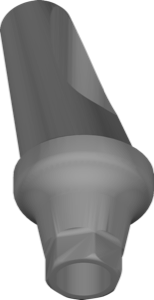
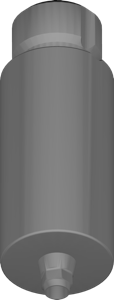
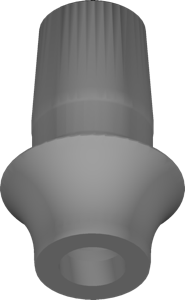
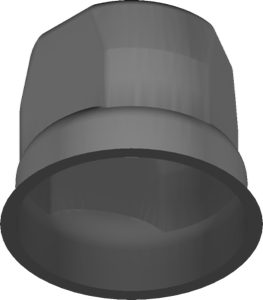
During the Match Scanbody (Align Scanbody) step, exocad overlays the scanned geometry of the scan body — also called a scan flag, scan post, or scan marker — onto the reference surface from the loaded library. The software measures the deviation between the two surfaces. If it exceeds the internal tolerance, the alignment is considered unreliable and you see mismatch.
Key point: exocad compares shape, not the name. Even a correctly named library will fail if its geometry differs from what's actually on the model or in the mouth.
Cause #1: the wrong scan body library is selected
The most common cause is a library that doesn't match the implant system. Within a single brand there can be several platforms (NP/RP/WP), connection types, and scan body variants, each with its own geometry. It's easy to mix up the engaging (anti-rotational) and non-engaging variant: with Osstem, for example, there's TS SBO AN with anti-rotation indexing and TS NE SBO CU for non-indexed restorations. The markers look alike, but the seating geometry differs, which triggers mismatch.
- implant brand and line (TS, iSy, BLX, etc.)
- platform and diameter (NP/RP/WP)
- engaging or non-engaging scan body
- single crown, bridge, or Multi-Unit
Scan body version: why matching the revision is critical
Manufacturers periodically change scan body geometry and release new revisions. If a newer marker is on the model but an older library is loaded in the case (or vice versa), exocad will see a surface mismatch.
Some systems have different scan bodies for specific tasks and sizes. Camlog iSy, for example, has separate sets for the titanium base (Ti-Base), while BEGO distinguishes variants by size (20big and 20small). Pick exactly the one physically used in the case.
Scan and geometry errors that cause mismatch
Even with the right library, mismatch can come from the scan itself. A scan body is a shiny part, and it's sensitive to reflections and moisture.
- the scan body is under-tightened or seated with a gap, so the geometry is offset
- glare, saliva, or blood on the marker distorted the surface
- a damaged or worn scan body
- a fragmentary, hole-filled scan of the marker's upper part
- swapped positions with multiple implants
Separately, make sure the scan body is captured completely and free of artifacts, especially its top face and anti-rotation flat: these are what exocad locks onto for geometry.
How to fix mismatch: a checklist
Work from simple to complex, without reinstalling the software right away.
- match the physical scan body's part number against the library name
- confirm the correct platform and type (engaging/non-engaging)
- check the library revision/version against your marker
- rescan the marker, removing glare and moisture and tightening it fully
- reassign positions in multi-implant cases
Frequently asked questions about scanbody mismatch in exocad
Why does exocad report scanbody mismatch?
The scanned scan body geometry doesn't match the reference from the library. Most often it's the wrong library, a different marker revision, or a distorted scan.
Is mismatch a program error?
No, it's a warning about a geometry discrepancy. Reinstalling exocad won't help, check the scan body ↔ library pairing.
How do I know whether I need an engaging or non-engaging scan body?
It depends on the restoration: an indexed crown with anti-rotation needs engaging; non-engaging is for bridges and Multi-Unit without indexing.
Can I ignore mismatch and continue?
You shouldn't. An unreliable alignment gives an inaccurate implant position and risks a non-seating restoration. Fix the cause first.