exocad Library Compatibility: Galway, Rijeka, Elefsina
Updated exocad from Galway to Rijeka or Elefsina and some implant libraries stopped showing up in the list? This is one of the most common support cases after an update. Let's look at how exocad library compatibility works across versions and what to do so your CAD libraries don't disappear when you move to a new release.
What Galway, Rijeka and Elefsina mean in exocad
The exocad DentalCAD release names are "European Capitals of Culture" cities, not separate products. In release order: Galway (DentalCAD 3.0), then Rijeka (3.1), and the newest of the three, Elefsina (3.2). Each new release includes the engine of the previous one and opens projects created earlier.
- Galway — DentalCAD 3.0, the oldest release of the three;
- Rijeka — DentalCAD 3.1, the intermediate one;
- Elefsina — DentalCAD 3.2, the newest.
The same principle applies to exoplan: the planning module ships alongside a DentalCAD version, so it changes together with it during an update.
exocad library compatibility: the version compatibility rule
The key principle of version compatibility in exocad is forward compatibility from older to newer. A library installed under Galway works as expected in Rijeka and Elefsina: the description format for implants and Ti-Base abutments (constructioninfo) stays stable across releases. The problem appears in the opposite direction — a project or library saved by a newer version may not open in an older one.
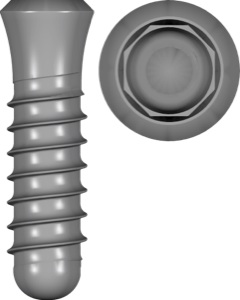
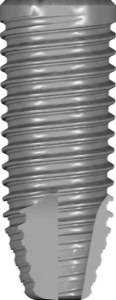
That's why libraries in the DentalLibs catalog are labeled for exoplan or exocad DentalCAD rather than for a specific city release: the very same library, for example Straumann Standard SLA, slots equally into both Galway and Elefsina.
Are old libraries compatible with the new exocad version
Yes, but with a caveat about paths. During an update, exocad installs a new copy of the application, while the libraries physically sit in the library subfolder inside the installation directory. If the installer didn't move them automatically, the list will be empty in the new version — the files are intact, but the program doesn't see them.
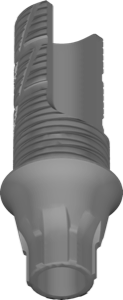
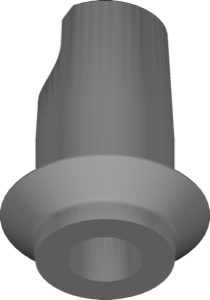
This applies to both abutment libraries and Ti-Base abutments: for example, the Astra EV titanium base must either be copied to the new folder or reinstalled after the update. The file itself stays the same — no format conversion is required.
exoplan and DentalCAD libraries: why versions are counted separately
It's important not to confuse the two library types. exoplan uses planning libraries for implants and sleeves for guided surgery, while DentalCAD uses libraries of abutments, Ti-Base and pre-milled blanks for prosthetics. These are different files even for the same brand and connection.
For example, NobelParallel CC for exoplan handles the implant position during planning, while the prosthetic part on the same conical connection is covered by a separate DentalCAD library. When migrating to a new version, check both sets, not just one module.
How to migrate libraries when updating exocad
The sequence for moving to a new release is simple, but skipping any step is exactly what leads to "missing" libraries.
- Back up the library folder before the update;
- Install the new version (Rijeka or Elefsina) in a separate directory;
- Copy or reinstall the libraries into the library folder of the new version;
- Check that they show up in the implant editor and in the list when selecting an abutment;
- For FDA versions, make sure not to mix them with the standard ones.
If the manufacturer provides a version-specific installer, run it under the target release. Libraries like Camlog CONELOG Ti-base in the DentalLibs catalog come in ready format and simply drop into the right folder without being tied to a specific city release.
FAQ about exocad library compatibility
Do Galway libraries work in Elefsina?
Yes. Compatibility is forward — a library installed under Galway opens as expected in Rijeka and Elefsina, because the implant description format is stable across releases.
Where did the libraries go after updating exocad?
Most often it's a path issue: the files weren't moved to the library folder of the new installation. Copy them there manually or reinstall — no conversion needed.
Are exoplan and DentalCAD libraries compatible with each other?
No. They are different types: exoplan uses planning libraries, DentalCAD uses prosthetic ones (abutments, Ti-Base). You need both sets for the full workflow.
Can I open an Elefsina project in an old Galway?
Reliably — no. Backward compatibility isn't guaranteed; newer versions save data in a more recent format. Back up before a downgrade.