Emergence Profile in CAD: What It Is and How Libraries Matter
The emergence profile is the shape with which a restoration emerges from beneath the gingiva toward the visible crown margin. It governs soft-tissue contour, hygiene, and esthetics in the smile zone. In CAD design (emergence profile cad design) this transition is modeled by the technician, but the starting boundaries are set by the chosen implant library, Ti-Base, or abutment — so that choice directly shapes the final profile.
What Is an Emergence Profile in Simple Terms
The emergence profile is the section of the restoration running from the implant platform or abutment shoulder to the gingival margin. This subgingival zone shapes how the tissue "hugs" the crown and how naturally it rises toward the gingiva.
Unlike a crown on a natural tooth, where the profile follows the anatomic neck, with implants the platform diameter is almost always smaller than the neck diameter of a natural tooth. So the technician has to "open up" the profile — smoothly widening the restoration from the narrow platform to the broad gingival contour.
Emergence Profile CAD Design: How the Library Affects the Profile
The implant library is more than just connection geometry. It defines the platform diameter and height, the shoulder position, the anti-rotation zone, and the minimum walls below which material cannot be cut. All of this limits how steeply or gently the technician can bring out the profile.
When you start a project in exocad, the program pulls the base geometry from the library: the seat, the axis, and the emergence diameter at the platform level. From there you model the shape by hand, but the lower boundary of the profile is rigidly tied to what the library describes. Pick the wrong platform (NP instead of RP) and the whole profile shifts.
The DentalLibs catalog sorts components by purpose: some libraries carry only the connection for a Ti-Base, others carry ready-made custom-abutment geometry with a preset gingival section.
Ti-Base vs. Custom Abutment: Who Shapes the Profile
Here it is important to understand the difference between two scenarios.
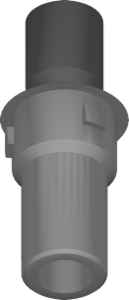
When working on a Ti-Base (titanium base), the lower, metal part of the profile is fixed — its diameter and height are set by the manufacturer. The technician models only the ceramic or zirconia superstructure over the titanium base. For example, Camlog Ti-Base provides a standard collar height, and the profile below its edge cannot be changed.
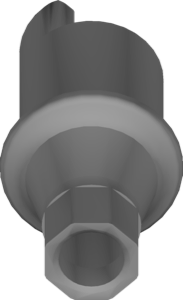
With a custom abutment, there is more freedom: libraries such as Camlog Gingividual or Megagen Custom Abutment let you model the gingival section itself, including the gingival height and the undercut shape. This is the key tool when you need to bring the profile down onto deep gingiva or adjust the angulation.
- Ti-Base — the superstructure profile is free, the gingival collar is fixed;
- custom abutment — the entire subgingival zone is modeled;
- one-piece abutment — the profile is cut entirely, maximum control;
- stock abutment — the profile is standard, the technician has almost no influence.
Implants and Components Built for the Emergence Profile
Some systems are designed from the outset for soft-tissue management, and this is reflected in their libraries.
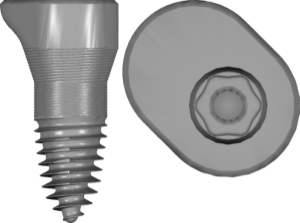
The Astra Tech EV Profile line from Dentsply Sirona has a sloped platform that follows the bone contour and makes it easier to form a natural profile in the esthetic zone.
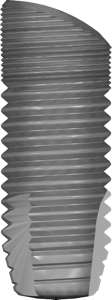
The manufacturer describes the ceramic SDS Balcony implants as a solution for enhancing the emergence profile — the SDS20 Balcony library carries this geometry for planning in exoplan.
In the RealGUIDE ecosystem, tissue shaping is handled by the iPhysio components — Profile Designer blanks that stabilize and shape the gingiva as early as the provisional restoration stage.
How to Model an Emergence Profile in exocad Without Errors
A few practical rules that save reprints.
- check the library platform and diameter before starting — they set the lower boundary of the profile;
- keep the transition from platform to crown smooth, without sharp steps;
- in the esthetic zone use a slightly concave profile to make room for the papilla;
- for deeply seated implants use custom-abutment libraries rather than a Ti-Base;
- match the gingival height against the patient's actual gingival depth.
Frequently Asked Questions About the Emergence Profile
How does the emergence profile differ from the eruption profile?
They are the same thing. Emergence profile means the "eruption profile" or "emergence profile" — the shape of the transition of the restoration from the platform to the gingival margin.
Can the profile be changed when working on a Ti-Base?
Only above the edge of the titanium base. The diameter and height of the Ti-Base collar itself are set by the manufacturer; below it the geometry is fixed.
Which library gives more control over the profile?
Custom-abutment and one-piece libraries — in them the entire subgingival zone is modeled, including the gingival collar.
Does the platform choice (NP/RP/WP) affect the profile?
Yes. The platform sets the starting emergence diameter. An error in the platform shifts the whole profile and requires reworking the project.