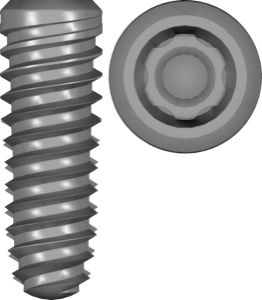
bredent SKY & copaSKY in exocad: from implant to multi-unit
The bredent SKY system and its successor copaSKY are among those ecosystems where the manufacturer covers the whole path: from guided surgery to full screw-retained prosthetics. That's convenient for the digital workflow, but choosing the right exocad library for bredent SKY and sorting out copaSKY multiunit isn't always simple: there are many lines, and the component names (Ti-Base, MU, support, Legacy, stock) are easy to confuse.
Below we break down which library handles each stage — planning in exoplan, a single crown on a titanium base, and a screw-retained bridge on Multi-Unit (MU). All the lines mentioned are in the DentalLibs catalog.
What copaSKY and bredent SKY are: connection and product lines
bredent medical (Germany) makes a family of implants under the shared SKY umbrella. Within it, the blueSKY, classicSKY, narrowSKY and whiteSKY lines have developed historically, while the newer branch is copaSKY with a conical platform-to-abutment connection.
It's the conical geometry of the connection that determines which CAD library to use: copaSKY and the "classic" SKY are incompatible at the interface, so in exocad and exoplan they appear as separate files. The copaSKY line also has branches for specific clinical situations:
- copaSKY — the base line with a conical connection;
- copaSKY 3.0 — narrow diameter for width-deficient bone;
- copaSKY UltraShort — short implants for reduced bone height;
- copaSKY Legacy — compatibility with the older interface of previously placed implants.
bredent libraries for planning in exoplan
At the guided surgery stage, the exoplan library handles the implant geometry in the 3D plan. The main one is copaSKY plan; for cases with height-related bone atrophy there's a separate copaSKY UltraShort plan. These are two different libraries and can't substitute for each other: short implants have a different body profile and seating depth.
The exoplan catalog now holds more than 1,200 libraries, and bredent is represented in it precisely for each line. The practical takeaway: before printing the surgical guide, make sure you've selected the plan version and not the prosthetic one — they aren't interchangeable, even though they're often searched for under the same query.
copaSKY single restorations and titanium bases
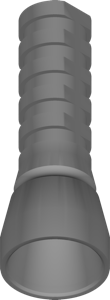
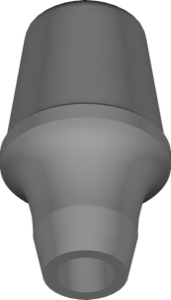
For a single crown in exocad DentalCAD you use the prosthetic library of the copaSKY interface. If the work is on a Ti-Base (titanium base), copaSKY esthetic BnB Titaniumabutments stock comes in handy — a set with esthetic BnB titanium abutments and seating geometry for a cement-retained or screw-retained crown.
Separate options cover removable prosthetics: copaSKY Dockloc stock — for Dockloc ball-locator attachments for overdentures, and copaSKY TISISNAP stock — for TISISNAP snap retention. For repair or reloading of older restorations there's copaSKY Legacy.
Note the word stock in the name: it points to factory (stock) components with fixed geometry, as opposed to individually milled bases.
copaSKY multiunit: libraries for screw-retained bridges and All-on-X
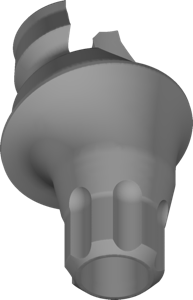
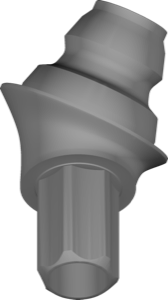
When it comes to a full arch with screw retention, crowns and the bridge don't seat on the implant itself but on an intermediate Multi-Unit (MU) abutment. Here the key and most popular catalog item is copaSKY multiunit: it contains the MU platform geometry for designing screw-retained bridges and All-on-4 / All-on-6 bars.
Alongside it you often need copaSKY multiunit support — an auxiliary library that adds support reference geometry for the same MU interface. For the "classic" SKY branch there are analogs — SKY multiunit and SKY multiunit support.
If you work with photogrammetry (registering implant positions with optical markers), you'll need Bredent Multiunit PhotoGrammetry — a library with MU geometry prepared for the photogrammetric workflow.
bredent copaSKY in RealGUIDE
If you plan in RealGUIDE rather than exoplan, bredent has its own set — bredent for RealGUIDE. A single library covers the whole family at once: narrowSKY, blueSKY, classicSKY, copaSKY, copaSKY UltraShort, copaSKY 3.0 and whiteSKY, which simplifies selection within one brand.
The selection logic stays the same as in exoplan: first you determine the implant line and diameter, then check the platform. The only difference is that in RealGUIDE the lines are grouped more compactly, whereas in the exocad catalog (more than 1,000 implant libraries) each copaSKY branch is broken out into a separate file.
Common questions about bredent SKY and copaSKY libraries
What's the difference between copaSKY multiunit and copaSKY multiunit support?
The main multiunit library contains the MU abutment geometry for designing the bridge. Support adds auxiliary reference geometry for the same interface and is added on top of, not instead of, the main one.
Do I need a separate library for copaSKY UltraShort?
Yes. Short implants have a different body profile, so exoplan has a separate copaSKY UltraShort plan for them — you can't substitute it with the regular copaSKY plan.
What does esthetic BnB mean in the library name?
It's a copaSKY set with esthetic BnB titanium abutments (Ti-Base / titanium base) for single restorations in exocad DentalCAD.
Are copaSKY libraries suitable for RealGUIDE?
Yes, bredent has a separate library for RealGUIDE that covers copaSKY together with blueSKY, classicSKY, narrowSKY and whiteSKY in one set.