BioHorizons Tapered Internal: 48 exocad Libraries
The BioHorizons Tapered Internal system is one of the most sought-after in digital implantology, and the catalog shows it: biohorizons exocad library is the No. 1 search in the exocad-implant section, while the brand as a whole offers 48 libraries for planning and prosthetics. In this article we break down how the files for exoplan and exocad DentalCAD differ, how Ti-Base (titanium bases) work in the Vulcan and Laser-Lok versions, and what to use for full-arch multi-unit protocols.
Confusion with BioHorizons libraries is common: the brand runs several implant lines on one connection, with more than a dozen base variants tied to it. Below is a guide through that mass without unnecessary theory.
What is BioHorizons Tapered Internal and why you need a library
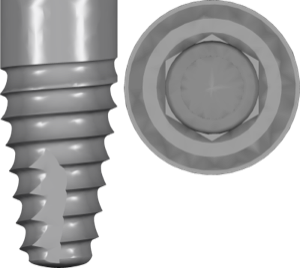
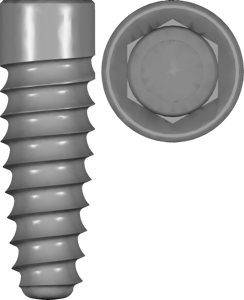
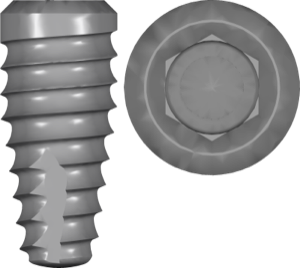
Tapered Internal is the flagship BioHorizons line with a tapered implant body and an internal hex connection (internal hex with a conical seat). The manufacturer emphasizes primary stability through aggressive threading and the Laser-Lok treatment of the crestal zone. It is the connection geometry that determines which CAD library fits you: it sets the seating dimensions, hex orientation and platform.
A library in exocad and exoplan is not a project "decoration" but a precise description of the implant-base interface. If the file does not match the actual connection, the crown or multi-unit simply will not seat on the analog, and the screw channel will miss the shaft.
Tapered Internal libraries for exoplan: planning and guided surgery
For planning in exoplan the base file is Tapered Internal for exoplan with FDA marking. It describes the implant geometry for positioning within the bone volume and interfaces with the BioHorizons surgical kits.
If you work with mount-free delivery, you will need a separate version — Mount-Free Tapered Internal. It accounts for a different implant delivery height, which matters for the correct depth calculation via the guide.
For guided surgery the catalog offers sleeve and kit libraries: the CGS4000 system (color-coded single-kit guide) and the Tapered Short Guided kit. They are added on top of the implant library — one handles the implant position, the other the sleeve geometry and drilling offsets.
- Tapered Internal plan fda — a universal start for most cases;
- Mount-Free Tapered Internal — for the mount-free protocol;
- Tapered Plus / Tapered Pro — different body geometry on the same connection;
- Tapered Tissue Level — tissue level with a transmucosal collar;
- Tapered PTG — for the full arch in cases of severe maxillary resorption.
BioHorizons Ti-Base in exocad: Vulcan, Laser-Lok and Cuttable
At the prosthetic stage in exocad DentalCAD the choice is built around the Ti-Base (titanium base). BioHorizons has several versions in the catalog, and they are not interchangeable. The classic option is Ti-Base Vulcan, supplied in Engaging and Non-Engaging versions (with and without hex fixation).
Separately there is Laser-Lok Vulcan — bases with the Laser-Lok microtexture in the crestal zone, and the Cuttable Ti-Base — cuttable bases with an adjustable gingival portion height. There is also a BioHorizons CAD-CAM interface library and an angulated correction version (Ang Correct) for an angled screw channel.
All these BioHorizons bases and Ti-Base kits are available in the DentalLibs catalog — when selecting, rely on the exact version name, not just the brand.
Multi-units and full-arch prosthetics on BioHorizons
For fixed full-arch work (All-on-4, All-on-6) on BioHorizons, multi-unit abutments are used, and here the library logic is different: the structure is modeled at the multi-unit level, not at the implant level. In exocad you select Non-Engaging bases and the corresponding interface geometries for this.
For milled bars and custom abutments the catalog has solutions on the BioHorizons Internal connection from Dentsply Sirona — Atlantis abutments and pre-milled blanks (preforms) made of titanium. They let you cover cases with angled screw channels and complex geometry that a standard Ti-Base does not.
For the full-arch implants themselves in cases of bone deficiency, look at the Tapered Pro (immediate loading protocol) and Tapered PTG lines — they are planned in exoplan with their own separate libraries.
How to choose the right BioHorizons library
An error at the file selection stage is costly: replanning or reworking the framework. To avoid missing, follow the chain from system to platform and task.
- Identify the implant line: Tapered Internal, Plus, Pro, PTG, Tissue Level;
- Confirm the platform and connection diameter from the surgical protocol;
- For prosthetics choose the Ti-Base type: Vulcan, Laser-Lok, Cuttable or CAD-CAM;
- Determine Engaging or Non-Engaging by the type of structure;
- Check the FDA marking and the compatibility of the library version with your exocad/exoplan.
If you are unsure between lines with the same connection, go by what is written in the surgical protocol and on the implant packaging — the system name is stated there precisely.
FAQ about BioHorizons Tapered Internal libraries
Which library do I need for BioHorizons Tapered Internal in exocad?
For prosthetics — the BioHorizons Ti-Base in the required version (Vulcan, Laser-Lok or Cuttable); for planning in exoplan — Tapered Internal plan fda.
How does a Ti-Base differ from an abutment at BioHorizons?
A Ti-Base is a titanium base onto which a ceramic or disilicate superstructure is bonded. An abutment is a solid support for a crown. Their libraries are different.
Does one library fit all BioHorizons platforms?
No. Even with the same connection, platforms and diameters differ, so the library is selected for the specific implant platform.
What does Mount-Free mean in a library name?
It is the version for mount-free implant placement. It has a different delivery height, which must be taken into account in guided surgery.