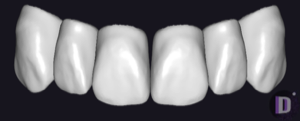
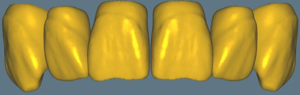
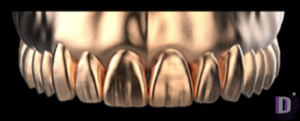
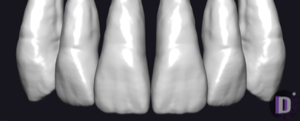
Top 10 exocad anatomy libraries: anterior and posterior
exocad anatomy libraries are sets of reference tooth morphology that DentalCAD uses as a starting shape when building crowns, bridges and full-contour restorations. The DentalLibs catalog already holds 444 such anatomy libraries: from factory molds to custom technician designs. Below are the best exocad tooth libraries split into anterior and posterior groups, so matching one to a specific case takes seconds instead of half an hour of trial and error.
How an anatomy library (tooth anatomy / morphology) works in exocad
When you pick a library in the design wizard, DentalCAD inserts its morphology as the initial contour of the future restoration, and from there you adapt the shape to the antagonist, adjacent teeth and occlusion. Different tooth anatomy libraries vary not in 'quality' but in character: the same tooth 26 will show a different fissure relief, width and surface texture across two sets.
What the choice of set actually affects:
- contour and proportions (length-to-width ratio);
- occlusal relief — fissure depth, cusp shape;
- surface texture and micro-relief (important for the anterior);
- 'character' — from a smooth youthful look to a pronounced aged one;
- the presence of separate upper and lower segments.
Best exocad libraries for the anterior group
In the anterior zone esthetics is decisive: proportions, surface character and natural texture. Here expressive custom sets win out.
1. Prometheus — natural, character-driven morphology with a lively surface that fits individual esthetic cases well. 2. Jan Haito M7 — a pronounced 'masculine' character; for softer shapes the same series offers Jan Haito F26. 3. George Zacusai PRADIP — a heavily textured, expressive set for cases where surface texture matters. 4. Pogarskiy Design 2.0 — a second-generation custom line with reworked anterior geometry.
5. The PhonarES family: zirkonzahn_phonares_bold_universal (a bold mold variant), Phonar S72_VS and VITA Physiodents-T6S/T7M — a recognizable factory shape, handy when you need to match a specific artificial-tooth mold.
Best exocad libraries for the posterior group
In the posterior group function comes first: predictable occlusal relief, stable cusps and fissures ready for articulation. Here balanced, 'workhorse' sets are prized.
6. PDL CatBack1 — one of the most sought-after series for posterior teeth; versions from 2.0 to 5.0 progressively rework the relief, and the current 5.0 is the latest generation. 7. Expression V2 from the V series — a universal reference morphology that is highly predictable on molars.
8. FOBOS-Pallada — a neat set of shapes for crowns and bridges. 9. Gebdi Tribos L3 — a distinctive Tribos set with recognizable relief. 10. Grin Design 9 / KS and DTLab.25 — balanced sets for full-contour posterior restorations.
How to choose and install an anatomy library
The practical order is simple: first define the zone (anterior or posterior), then the surface character to suit the patient's age and wishes, and only then the specific set. For the anterior choose expressive custom lines, for the posterior functional series such as CatBack1 or Expression.
Technically, anatomy libraries are unpacked into the folder that holds exocad's morphology sets, after which they appear in the selection list in the design wizard. A set can be assigned per case, so keeping 3–4 trusted libraries on hand for different tasks is more convenient than a single universal one. All the sets listed are available in the DentalLibs catalog.
Frequently asked questions about exocad anatomy libraries
Which exocad anatomy library is the best?
There is no universally 'best' one: for the anterior, expressive custom sets (Prometheus, Jan Haito, PhonarES) are used, and for the posterior, functional series such as PDL CatBack1 and Expression V2.
How does an anatomy library differ from an artificial-tooth library?
An anatomy library defines the donor shape for CAD modeling of crowns and bridges. An artificial-tooth library (Full Denture) contains ready-made teeth for arrangement in a removable denture.
Can I use a single set for both the anterior and posterior groups?
Yes, many series are universal. But for better anterior esthetics and correct posterior occlusion, two different sets are more often assigned per segment.
How do I install an anatomy library in exocad?
Unpack the set into DentalCAD's morphology folder — after a restart it will appear in the selection list in the design wizard.