Angulated Screw Channel in exocad: 6 Design Steps
Angulated Screw Channel (ASC) is an angled screw channel that lets you route the screw access not strictly along the implant axis, but at an angle, into a zone that works better for esthetics and biomechanics. For a dental technician it's a way to keep screw retention where the implant axis exits on the facial surface or the incisal edge. Designing an angled screw channel in exocad starts with picking the right ASC library — without it the software won't build correct channel geometry for the screwdriver.
Below we break down how ASC differs from a straight channel and a Multi-Unit, how to set the angle in exocad DentalCAD and which libraries you need for it.
What is an angulated screw channel (ASC) and why you need it
Classic screw retention routes the channel strictly along the implant axis. If the implant is tilted facially, the screw access exits on the visible crown surface or the incisal edge — you have to either switch to cement retention or place an angled Multi-Unit. ASC solves this differently: the screw enters the implant at its own angle, while the crown channel is deflected toward the palatal or lingual zone.
An angled channel combines the upsides of screw retention — serviceability and no residual cement — with the esthetics of cemented restorations. It works thanks to a screw with a spherical head and a special screwdriver (Omnigrip at Nobel Biocare) that transmits torque at an angle.
The correction angle range depends on the system and component type, so always verify it against the manufacturer's documentation before milling.
How to choose an ASC library for exocad
ASC isn't a checkbox in settings, it's a separate component geometry. It's baked into a specific library that describes both the implant interface and the shape of the angled channel. That's why the choice starts with the implant system.
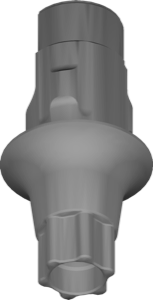
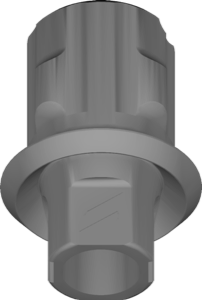
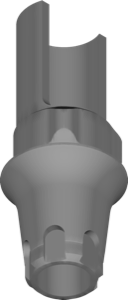
For Nobel Biocare that's NobelProcera Ti ASC Abutment — Nobel's base ASC line. At Straumann the angled channel is implemented through Variobase-XC ASC for local milling, while for simpler cases Variobase ASC will do. MIS has a separate MIS C1 STD ASC library.
- Check that the library is labeled ASC or Angled Screw Channel, not just angled abutment;
- Whether the platform (NP/RP/WP) and connection diameter match your implant;
- Local-milling or centralized — a library for in-house milling or for a milling center;
- For custom solutions there are options with an angled Ti-Base, for example MIS C1 Custom-TiBase-Angled.
All the ASC libraries listed are available in the DentalLibs catalog with brand and platform indicated.
How to set up an angled screw channel in exocad DentalCAD
Once the right library is installed, the workflow in exocad DentalCAD differs little from a regular screw-retained crown — the key difference is in controlling the channel axis.
- Select the ASC library and the matching titanium base (Ti-Base) when creating the project in Implant Editor;
- Scan the scanbody and define the implant axis — the software measures the angle from it;
- In the restoration parameters, enable the angled channel and set the exit direction — usually toward the palatal or lingual side;
- Check that the channel doesn't break through the crown wall and that a minimum material thickness remains around the access;
- Make sure the channel diameter matches the screw head and the ASC screwdriver.
exocad shows the channel axis and the implant axis separately, so it's easy to visually assess whether the screwdriver falls within the allowable angle.
ASC or Multi-Unit: which to choose
An angled channel and an angled Multi-Unit solve the same problem — an awkward screw axis — but suit different situations. ASC works at the restoration level and is great for single crowns and short bridges at the implant level. Multi-Unit (MU) shifts retention to the abutment level and is indispensable for full arches.
For All-on-4/All-on-6, where overall parallelism and serviceability matter, Multi-Unit geometries are more common — for example Camlog COMFOUR multiunit or angled MUs from other systems. ASC remains a tool for spot correction.
If axis divergence is large or there are many implants, that's Multi-Unit territory. If you need to save the esthetics of a single screw-retained crown, that's ASC.
Angle limits and screwdriver compatibility
The main ASC limitation is the maximum correction angle set by the manufacturer and the library geometry. You can't exceed it in CAD: either the channel won't build, or the screwdriver physically won't fit.
The second point is screw and screwdriver compatibility. An angled channel requires a screw with a spherical or polygonal head and a special ASC screwdriver. A regular straight screw won't seat in such a channel, so you can't mix components from different systems.
There are also correction Ti-Bases with an angle — for example Biomet3i Ti-Base Ang Correct, which set the angle through the base itself. That's a separate approach, distinct from classic ASC at the crown level.
Frequently asked questions about angulated screw channel in exocad
What is ASC in dentistry?
ASC (Angulated Screw Channel) is an angled screw channel that routes the screw access at an angle to the implant axis into a convenient crown zone while preserving screw retention.
How far can a screw channel be angled?
The range depends on the system and component and is limited by the library geometry and the screwdriver. Check the exact maximum in the manufacturer's documentation.
Do you need a special screwdriver for ASC?
Yes. An angled channel works with a spherical-head screw and a proprietary ASC screwdriver, such as Omnigrip at Nobel Biocare. A straight screw won't work.
How does ASC differ from an angled Multi-Unit?
ASC corrects the axis at the single-restoration level, the Multi-Unit at the abutment level and suits full arches. For All-on-4 you usually choose an MU.