Dentsply Sirona · exocad DentalCAD — Implants Implants 86 Free PRO

Dentsply Sirona Pre-milled blanks Astra Tech Implant System TX CoCr AtlantisIO-FLO

Dentsply_Sirona_Pre-milled_blanks_Astra_Tech_Implant_System_TX_CoCr_AtlantisIO-FLO.zip · 1.3 МБ
Register to downloadDownload (PRO)DownloadGet PRO Quick sign-up in 30 secondsThis library can be downloaded with a PRO subscription.The download will start automatically.This library can be downloaded with a PRO subscription.
Included in PRO
  • Access to all popular brands
  • Help with choosing and installing libraries
  • Updates and catalog additions
Component typePre-milled blank

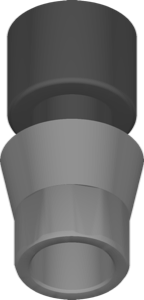
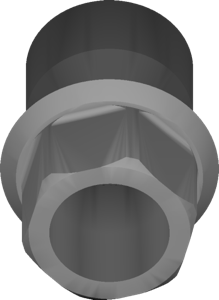
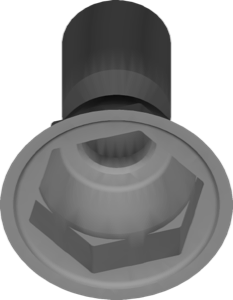
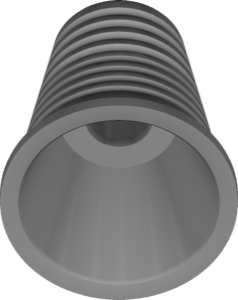
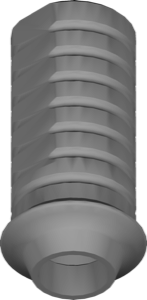
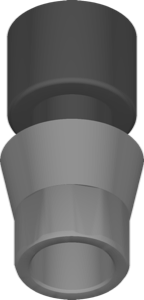
This Dentsply Sirona pre-milled blank library covers the Astra Tech Implant System TX in CoCr in the AtlantisIO-FLO variant, prepared for use inside exocad DentalCAD. The library describes the blank that the software references when constructing custom restorations on the Atlantis interface, ensuring the milled part matches the prefabricated geometry.

It fits naturally into the implant design workflow, from interface selection to final restoration shape. The library can be downloaded and used in the exocad environment without additional purchase. It is aimed at dental technicians and CAD designers producing CoCr suprastructures in-house.

Together with proper CAM strategies, it supports reliable fabrication of single crowns and short-span bridges. A practical choice for laboratories standardised around Astra Tech TX.
Dentsply Sirona Pre-milled blanks Astra Tech Implant System TX CoCr AtlantisIO-FLO
Report an error
PRO

Unlock PRO access

All popular brands and every catalog update. Pay by card, SBP or crypto.

$50 $30 · 30 days −40%
МИР СБП Secure payment: MIR card, SBP or crypto
Pay after installation

We install any version of digital dentistry software

exocad, exoplan, exocad DentalCAD, RealGUIDE and more — installed and configured on your computer. Pay after installation.

FAQ

How do I install the Dentsply Sirona Pre-milled blanks Astra Tech Implant System TX CoCr AtlantisIO-FLO library in exocad DentalCAD — Implants?
Download the archive with the Download button, unzip it and place the library folder into DentalCADApp\library\implant inside your exocad folder, then restart the program. exocad is portable, so the path is relative to its folder.
What is inside the Dentsply_Sirona_Pre-milled_blanks_Astra_Tech_Implant_System_TX_CoCr_AtlantisIO-FLO.zip archive?
The Dentsply_Sirona_Pre-milled_blanks_Astra_Tech_Implant_System_TX_CoCr_AtlantisIO-FLO.zip archive (1.3 МБ) contains the Dentsply Sirona Pre-milled blanks Astra Tech Implant System TX CoCr AtlantisIO-FLO library files for exocad DentalCAD — Implants.
What is this library used for?
Dentsply Sirona Astra Tech Implant System TX CoCr AtlantisIO-FLO pre-milled blank library for exocad DentalCAD, used for designing custom implant restorations.
Is the download paid?
Most libraries in the catalog are free after signing in. Some popular libraries are part of the PRO subscription — the current status is shown on the download button.

Similar libraries