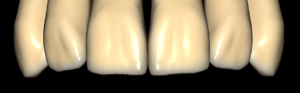
ZRS exocad anatomy library
64 libraries · exocad DentalCAD — Tooth Anatomy
ZRS — 64 libraries for exocad DentalCAD — Tooth Anatomy in the catalog.
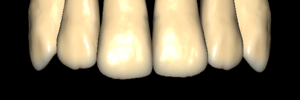
The ZRS anatomy collection is the largest tooth-morphology hub in the catalog, with 64 libraries available for exocad DentalCAD. It covers a broad range of reference shapes for anterior and posterior restorations, including lines such as Anteriores-ZRS-F8, ZRS 00 and ZRS 01.
Loaded as a reference inside DentalCAD, these morphologies help technicians build crowns, bridges and full-anatomy designs with consistent, reproducible forms across diverse clinical cases.
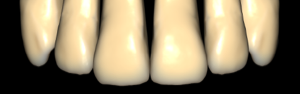
ZRS
zrs08
Tooth anatomy library for exocad: reference morphologies for crowns, bridges, full restorations.
ZRS
zrs29 ua F19 + 02 up-L
Tooth anatomy library for exocad: reference morphology for crowns, bridges, restorations.
ZRS
zrs41 ua F31 + 53 up-L
Tooth anatomy library for exocad DentalCAD; reference morphology for upper-left segment crowns.
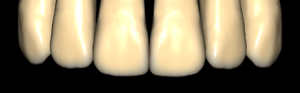
ZRS
zrs02
Anatomical tooth library for exocad DentalCAD with reference crown and bridge morphologies.
ZRS
zrs18 ua F08 + 57 up-L
Tooth anatomy library for exocad: frontal F08 and occlusal 57, upper left.
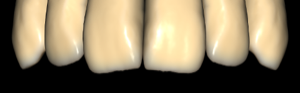
ZRS
zrs55
Tooth anatomy library for exocad DentalCAD: modeling crowns, bridges, full-contour restorations.
ZRS
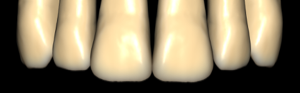
zrs26 ua F16 + 07 up-L
Tooth anatomy library for exocad, reference morphology of upper-left segment, crowns and bridges
ZRS
zrs35 ua F25 + 10 up-L
Tooth anatomy library for exocad: upper left second premolar, reference morphology.
ZRS
zrs40 ua F30 + 04 up-L
Anatomy library for exocad: upper left tooth morphology, reference for crowns and bridges.
ZRS
zrs44 ua M02 + 02 up-L
Anatomical tooth library for exocad, upper-left jaw morphology, reference for crowns and restorations.
ZRS
zrs46 ua M04 + 04 up-L
Anatomical tooth library, symmetric M04+04 morphology, upper-left jaw, crown reference for exocad.
ZRS
zrs25 ua F15 + 56 up-L
Upper-left tooth anatomy library for crown and bridge modeling in exocad.
ZRS
zrs32 ua F22 + 08 up-L
Upper left lateral incisor anatomy, reference form for anterior crowns in exocad.
ZRS
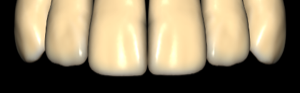
zrs05
Anatomical tooth library for exocad; morphological variant base for crowns, bridges, restorations.
ZRS
zrs13 ua F03 + 05 up-L
Tooth anatomy library, upper-jaw morphology reference for crowns and bridges in exocad.
ZRS
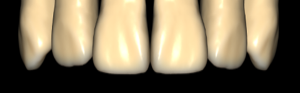
zrs12 ua F02 + 53 up-L
Tooth anatomy library, upper jaw morphology, crown and restoration reference for exocad.
ZRS
zrs21 ua F11 + 05 up-L
Upper-left tooth anatomy library, F11+05 combination, crown modeling reference in exocad.
ZRS
zrs34 ua F24 + 53 up-L
Upper left first premolar anatomy for exocad; F24 profile, palatal scheme 53.
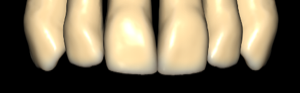
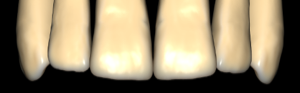
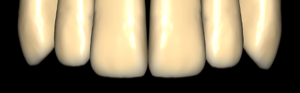
ZRS
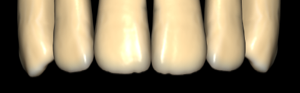
zrs06
Anatomical tooth library for exocad: morphological variant defining crown, bridge, restoration shapes.
ZRS
zrs15 ua F05 + 07 up-L
Tooth anatomy library for exocad: frontal F05 and posterior 07, upper left jaw, crowns and bridges.
ZRS
zrs23 ua F13 + 05 up-L
Tooth anatomy library, upper-left morphology, reference for crown modeling in exocad.
ZRS
zrs38 ua F28 + 09 up-L
Upper left tooth F28+09 anatomy library for exocad; crowns, bridges, full-anatomic work.
ZRS
zrs11 ua F01 + 07 up-L
Upper jaw tooth anatomy library F01+07 up-L for exocad crowns, restorations.
ZRS
zrs51 ua M09 + 09 up-L
Tooth anatomy library, matched upper-lower morphology pair, reference forms for crowns in exocad.
ZRS
zrs36 ua F26 + 09 up-L
Upper left first molar anatomy library for exocad, reference occlusal form.
ZRS
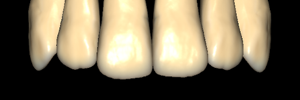
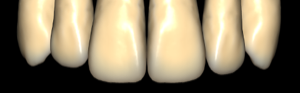
Anteriores-ZRS-F8
Anterior teeth anatomy library for exocad; reference for modeling crowns and bridges.
ZRS
zrs07
Anatomical tooth library for exocad: base morphology for crowns, bridges, full-anatomical restorations.
ZRS
zrs27 ua F17 + 04 up-L
Tooth anatomy set, upper F17 morphology, variant 04 left, reference for crowns and bridges in exocad.
ZRS
zrs48 ua M06 + 55 up-L
Anatomical tooth library, M06 morphology with shape 55, upper-left maxilla, exocad DentalCAD
ZRS
zrs17 ua F07 + 09 up-L
exocad anatomy library: form F07 plus occlusal morphology 09, upper left.
ZRS
zrs20 ua F10 + 04 up-L
Upper-left tooth anatomy library, F10+04 morphology, crown and restoration reference for exocad.
ZRS
zrs16 ua F06 + 06 up-L
Tooth anatomy library: frontal morphology F06, occlusal form 06, upper-left, exocad.
ZRS
zrs22 ua F12 + 53 up-L
Tooth anatomy library, upper-left morphologies, reference for crown modeling in exocad.
ZRS
zrs45 ua M03 + 07 up-L
Anatomical tooth library, morphologies M03+07, upper left, crown modeling reference for exocad DentalCAD.
ZRS
zrs39 ua F29 + 53 up-L
Upper-left tooth anatomy library, reference for crowns and restorations in exocad.
ZRS
zrs24 ua F14 + 04 up-L
Upper left tooth anatomy, F14+04 combination, reference for restorations in exocad.
ZRS
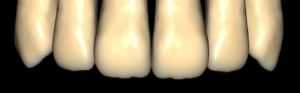
zrs58
Tooth anatomy library for exocad DentalCAD: reference morphologies for crowns, bridges, full-anatomical restorations.
ZRS
zrs30 ua F20 + 54 up-L
Reference tooth morphology, upper F20 anatomy, variant 54 left, base for crowns and restorations in exocad.
ZRS
zrs52 ua M10 + 56 up-L
Tooth anatomy library for exocad: reference shapes for crowns, bridges, full-contour restorations.
ZRS
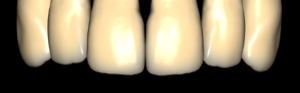
zrs60
Tooth anatomy library for exocad with morphologies for crowns, bridges, full-anatomical restorations.
ZRS
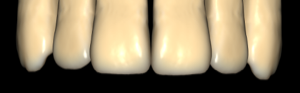
zrs54
Tooth anatomy library for exocad: reference morphologies for crowns, bridges, full-anatomical restorations.
ZRS
zrs42 ua F32 + 04 up-L
Anatomical tooth library for upper left segment, reference shapes for exocad DentalCAD.
ZRS
zrs49 ua M07 + 08 up-L
Anatomical tooth library M07/08, upper left jaw, crown modeling reference for exocad.
ZRS
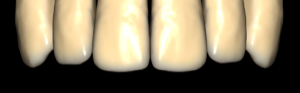
zrs53
Tooth anatomy library for exocad DentalCAD: reference shapes for crowns, bridges, full-anatomy restorations.
ZRS
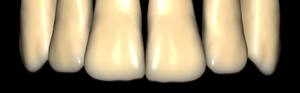
zrs47 ua M05 + 58 up-L
Anatomical tooth library for exocad: M05 morphology, form 58, upper left.
ZRS
zrs28 ua F18 + 54 up-L
Reference tooth anatomy, upper F18 morphology, variant 54 left, for exocad.
ZRS
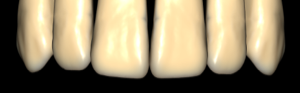
zrs57
Tooth anatomy library for exocad DentalCAD, morphological reference for crowns, bridges, restorations.
ZRS
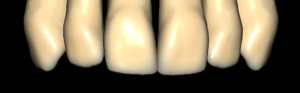
ZRS 01
Tooth anatomy library for exocad, characteristic morphology for crowns, bridges, restorations.
Nothing found
FAQ — ZRS
How do I install a ZRS library in exocad DentalCAD?
After signing in, click the Download button to receive the file directly. Unzip the archive and place the library folder into the exocad DentalCAD tooth library directory, or add it through exocad Library Manager, then restart the program so the ZRS morphology appears in the available tooth libraries.
How many ZRS libraries are in the catalog?
The catalog contains 64 ZRS libraries, including lines such as Anteriores-ZRS-F8, ZRS 00 and ZRS 01, covering a wide selection of anterior and posterior reference morphologies.
What are ZRS libraries used for in the DentalCAD workflow?
They supply reference tooth shapes that act as a starting morphology for crowns, bridges and full-anatomy restorations in DentalCAD. With 64 variants available, the technician can select a form matched to the case and then refine individual anatomy within the standard design workflow.
What format do ZRS libraries come in and are they compatible with exocad?
ZRS libraries are delivered as a ZIP archive containing exocad DentalCAD tooth library files. They are installed into the DentalCAD tooth library folder and are compatible with the standard exocad DentalCAD workflow.