Zimmer Biomet
CAD-CAM Biomet3i Cuttable Ti Base
Cuttable titanium base library for implant-supported restorations in exocad.
16 libraries · exocad DentalCAD — Implants
Zimmer Biomet — 16 libraries for exocad DentalCAD — Implants in the catalog.
The Zimmer Biomet hub collects exocad DentalCAD implant libraries for the Zimmer Biomet system and its legacy 3i and Zimmer platforms. The catalog currently offers 16 products, among them Zimmer Biomet Hybrid-3i Certain BC, Zimmer Biomet Hybrid-Zimmer TSV ZS, and the Zimmer Biomet CAD-CAM Biomet3i Cuttable Ti Base.
The libraries provide titanium bases and abutment geometries for designing implant-supported restorations in DentalCAD.
Cuttable titanium base library for implant-supported restorations in exocad.
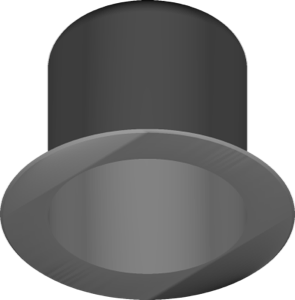
Ti-Base library for designing implant-supported crowns and bridges in exocad.
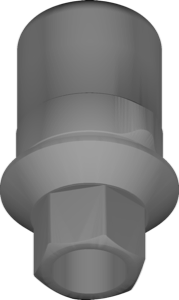
Ti-Base geometry for TSV interface, aligning restoration with titanium base in exocad.
Implant library for exocad with prosthetic geometry for Zimmer Biomet platform.
Implant library for exocad: geometry for positioning prosthetic restorations.
Implant library for exocad, Certain interface, for designing implant-supported restorations.
Implant library, TSV ZS interface, for implant-supported restorations in exocad.
Ti-Base library for designing implant-supported restorations on Zimmer implants in exocad.
Cuttable titanium base geometry for implant-supported restorations in exocad DentalCAD.
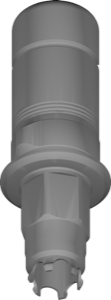
Ti-Base implant library for exocad: modeling crowns and small bridges.
Implant library with Osseotite BO connection for restoration design in exocad.
Ti-Base library for designing restorations on Biomet3i connection in exocad.
Implant library for exocad with prosthetic geometry for full-arch multi-implant restorations.
Ti-Base library with angulated screw channel correction for exocad DentalCAD
Implant library for exocad with prosthetic geometry for modeling implant-supported restorations.
Ti-Base library with angulated screw channel correction for exocad implants
This library is part of PRO. Access opens downloads for all 2,983 libraries.