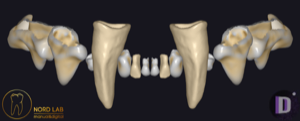
ZOO exocad anatomy library
3 libraries · exocad DentalCAD — Tooth Anatomy
ZOO — 3 libraries for exocad DentalCAD — Tooth Anatomy in the catalog.
The ZOO collection brings three tooth-anatomy libraries into exocad DentalCAD, offering distinctive reference morphologies for crown, bridge and full-anatomy design work. The catalog includes ZOO Cat, ZOO Crocodile and ZOO Dog, each delivering a unique set of tooth shapes that dental technicians can load as a reference when building individual restorations inside the DentalCAD environment.
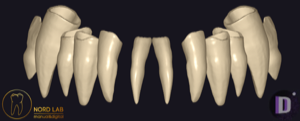
ZOO
ZOO Crocodile
Tooth anatomy library for exocad, reptile-inspired reference shapes for crowns and bridges.
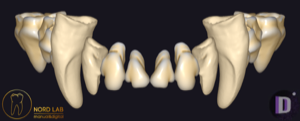
ZOO
ZOO Dog
Dog-inspired tooth anatomy library for exocad, reference shapes for crowns, bridges, full-anatomy restorations.
Nothing found
FAQ — ZOO
How do I install a ZOO library in exocad DentalCAD?
After signing in, the Download button delivers the file directly. Unzip the archive and place the library folder into the exocad DentalCAD tooth library directory, or add it through exocad Library Manager, then restart DentalCAD.
How many ZOO libraries are in the catalog?
The catalog contains three ZOO tooth-anatomy libraries, including ZOO Cat, ZOO Crocodile and ZOO Dog.
What are ZOO libraries used for in the DentalCAD workflow?
They supply reference tooth morphologies that DentalCAD loads as a starting shape when designing crowns, bridges and full-anatomy restorations, helping technicians keep consistent anatomy across cases.
What format do ZOO libraries come in?
Each library is delivered as a ZIP archive ready to import into exocad DentalCAD.