Smeiga
Smeiga 06
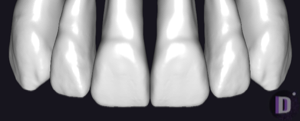
Tooth anatomy library for exocad: reference morphologies, starting shape for crowns and bridges.
12 libraries · exocad DentalCAD — Tooth Anatomy
Smeiga — 12 libraries for exocad DentalCAD — Tooth Anatomy in the catalog.
Smeiga is a tooth anatomy library collection for exocad DentalCAD, providing reference morphologies for designing crowns, bridges and full-anatomy restorations. The catalog holds 12 Smeiga libraries, including Smeiga 01, Smeiga 02, Smeiga 03 and Smeiga 04.
Each numbered set defines its own tooth morphology, so technicians can select the reference shape that best matches the clinical case and load it directly as a reference tooth within the DentalCAD design workflow.
Tooth anatomy library for exocad: reference morphologies, starting shape for crowns and bridges.
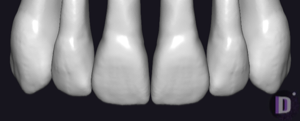
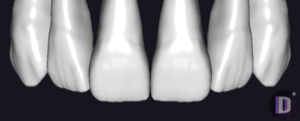
Tooth anatomy library for exocad DentalCAD, reference morphologies for prosthetic modeling.
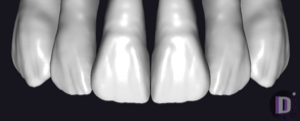
Tooth anatomy library — reference morphologies for modeling crowns and bridges in exocad.
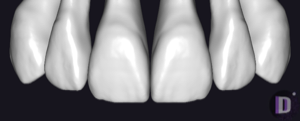
Tooth anatomy library: morphologies for crowns, bridges and full-contour restorations in exocad.
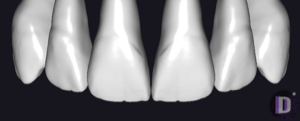
Tooth anatomy library for exocad DentalCAD: full-arch morphologies as reference for crowns and bridges.
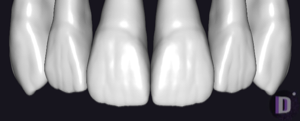
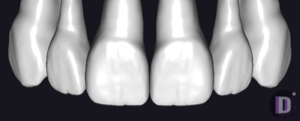
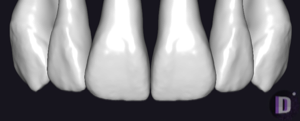
Tooth anatomy library: reference morphologies for crowns, bridges, full-anatomy restorations in exocad.
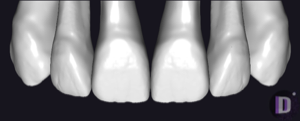
Anatomical tooth-form library for exocad DentalCAD: crowns, bridges, full-anatomy restorations.
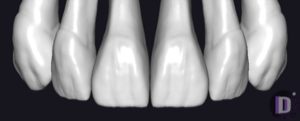
Tooth anatomy morphology library, reference for crowns, bridges and full-contour restorations in exocad.
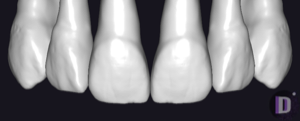
Anatomical tooth-shape library for modeling crowns, bridges and restorations in exocad.
This library is part of PRO. Access opens downloads for all 2,983 libraries.