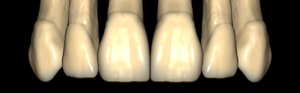
robtoly
robtoly-unique
Tooth anatomy library with expressive, individually crafted morphologies for exocad DentalCAD.
4 libraries · exocad DentalCAD — Tooth Anatomy
robtoly — 4 libraries for exocad DentalCAD — Tooth Anatomy in the catalog.
The robtoly anatomy library brings a structured morphological system to exocad DentalCAD, offering four tooth-form families tailored to different patient archetypes. Designed as a reference shape set, it covers oval, square, triangular and unique variants, letting technicians match restoration morphology to facial type and aesthetic intent.
The catalog includes 4 lines — robtoly-oval, robtoly-square, robtoly-triangular and robtoly-unique — each usable as a starting form for crowns, bridges and full-anatomy designs.
Tooth anatomy library with expressive, individually crafted morphologies for exocad DentalCAD.
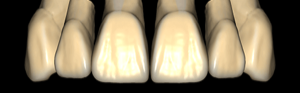
Triangular-contour tooth anatomy library for crown and bridge design in exocad.
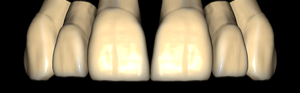
Square-shaped tooth anatomy library with parallel walls, crown reference for exocad.
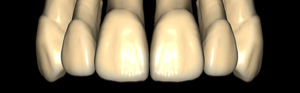
Tooth anatomy library with oval contour, reference morphology for crowns and bridges in exocad.
This library is part of PRO. Access opens downloads for all 2,983 libraries.