Pritidenta
Priti T
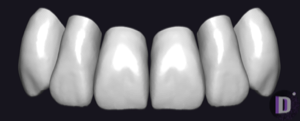
Tooth anatomy library for exocad, balanced natural forms for crowns, bridges, restorations.
6 libraries · exocad DentalCAD — Tooth Anatomy
Pritidenta — 6 libraries for exocad DentalCAD — Tooth Anatomy in the catalog.
The Pritidenta hub gathers tooth anatomy libraries for exocad DentalCAD built around the Priti morphology family, including the Priti Q, Priti R and Priti T lines. Each set supplies reference tooth shapes that a technician loads as a starting morphology when designing crowns, bridges and full-anatomy restorations in DentalCAD.
The catalog currently holds 6 Pritidenta libraries, covering the main Priti variants and their case-specific sub-sets.
Tooth anatomy library for exocad, balanced natural forms for crowns, bridges, restorations.
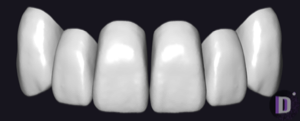
Tooth anatomy library for exocad: reference morphologies for crowns, bridges, restorations.
Tooth anatomy library for exocad: reference morphologies for crowns, bridges, full-contour restorations.
Tooth anatomy library for exocad: reference morphologies for crowns, bridges, full-anatomic restorations.
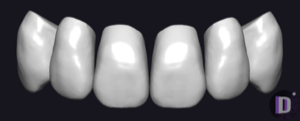
Tooth anatomy library for exocad DentalCAD: reference forms modeling crowns, bridges, restorations.
This library is part of PRO. Access opens downloads for all 2,983 libraries.