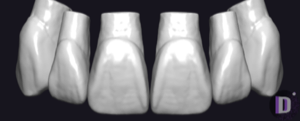
Peak
Peak Point - Triangular
Triangular tooth anatomy library, reference morphology for crowns and restorations in exocad.
4 libraries · exocad DentalCAD — Tooth Anatomy
Peak — 4 libraries for exocad DentalCAD — Tooth Anatomy in the catalog.
The Peak hub gathers the Peak Point tooth morphology family for exocad DentalCAD, comprising four shape variants — Peak Point - Oval, Peak Point - Square, Peak Point - Triangular and Peak Point - Unique — that give technicians distinct reference anatomies for full-anatomy crowns, bridges and monolithic restorations. Each variant supplies a different surface and contour character inside DentalCAD, making it easy to match morphology to patient type or aesthetic preference. The catalog lists four Peak libraries.
Triangular tooth anatomy library, reference morphology for crowns and restorations in exocad.
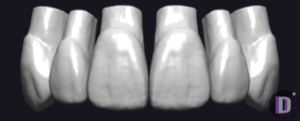
Oval-shaped tooth anatomy library, reference for crowns and bridges in exocad.
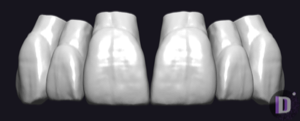
Tooth anatomy library with square-shaped morphology, reference for crowns and bridges in exocad.
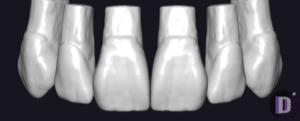
Tooth anatomy library for exocad with distinctive morphology for crowns and bridges.
This library is part of PRO. Access opens downloads for all 2,983 libraries.