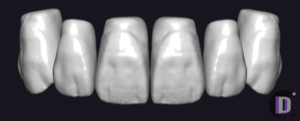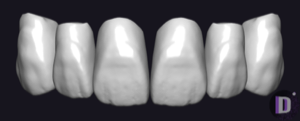
HZL — exocad DentalCAD — Tooth Anatomy

2 libraries

HZL — 2 libraries for exocad DentalCAD — Tooth Anatomy in the catalog.

The HZL collection in our exocad DentalCAD catalog brings together two tooth-anatomy reference libraries — HZL 1 and HZL 2 — used as morphology templates when designing crowns, bridges and full-anatomy restorations. Each set provides a consistent tooth-form vocabulary that CAD technicians load as a starting shape inside DentalCAD and then adapt to the clinical case.

With two HZL lines gathered in one place, designers can compare morphologies and choose the reference that best matches the patient's dentition.

Nothing found

FAQ — HZL

How do I install an HZL library in exocad DentalCAD?
After signing in, click the Download button to receive the file directly. Unzip the archive and place the library folder into the exocad DentalCAD tooth library directory, or add it through exocad Library Manager, then restart DentalCAD so the new morphology set appears in the tooth selection.
How many HZL libraries are in the catalog?
The catalog contains two HZL tooth-anatomy lines: HZL 1 and HZL 2. Both are gathered in this hub for direct download and use as reference morphologies in DentalCAD.
What are HZL libraries used for in the DentalCAD workflow?
HZL libraries provide reference tooth shapes that DentalCAD loads as a starting morphology when you design crowns, bridges and full-anatomy restorations. You pick the HZL set as the tooth library, then adapt individual anatomy to the clinical case instead of sculpting every tooth from scratch.
What format do HZL libraries come in?
Each HZL library is delivered as a ZIP archive containing the tooth morphology files for exocad DentalCAD. After extracting the archive, the library folder is placed in the DentalCAD tooth library directory or imported through exocad Library Manager.