Grin
Grin Design KS
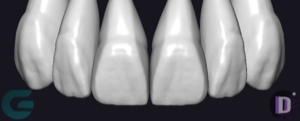
Tooth anatomy library, KS-style morphologies as reference shapes for crowns and bridges, exocad DentalCAD.
16 libraries · exocad DentalCAD — Tooth Anatomy
Grin — 16 libraries for exocad DentalCAD — Tooth Anatomy in the catalog.
The Grin hub collects tooth anatomy libraries for exocad DentalCAD built around the Grin Design morphology series. With lines such as Grin Design 1, Grin Design 2 and Grin Design 3, the set gives CAD designers a consistent family of reference shapes for crowns, bridges and full-anatomy restorations.
The catalog currently includes 16 Grin libraries, each offering a defined morphology variant that can be loaded into DentalCAD as a reference tooth form during digital design.
Tooth anatomy library, KS-style morphologies as reference shapes for crowns and bridges, exocad DentalCAD.
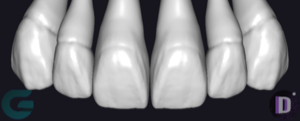
Authorial tooth anatomy: reference morphologies for crowns, bridges, monolithic restorations in exocad.
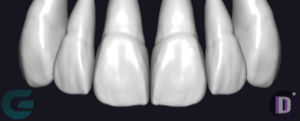
Tooth anatomy library for exocad: reference morphologies for crowns, bridges, full-anatomy restorations.
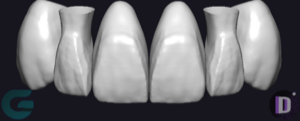
Tooth anatomy library for exocad, reference morphology for crowns, bridges, full-anatomy restorations.
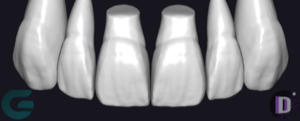
Tooth anatomy library for exocad DentalCAD: reference morphologies for crowns, bridges, monolithic restorations.
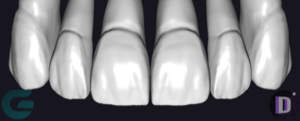
MS-style tooth anatomy: reference shapes for crowns, bridges, restorations in exocad DentalCAD.
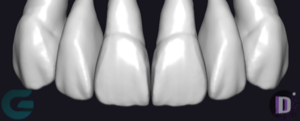
Authored themed tooth anatomy for exocad, morphology reference for crowns, bridges, full-contour work.
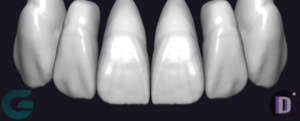
Tooth anatomy library for exocad DentalCAD: reference morphology for crowns, bridges, full-anatomy restorations
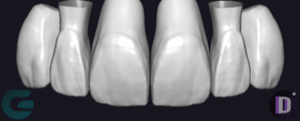
Tooth anatomy library for exocad DentalCAD, reference morphologies for crowns, bridges, full-contour restorations.
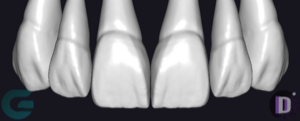
Tooth anatomy library for exocad DentalCAD, reference shapes for crowns, bridges, full-anatomic restorations.
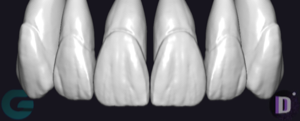
Tooth anatomy library for exocad DentalCAD, reference morphology for crowns, bridges, full-anatomical restorations.
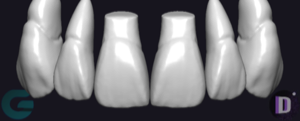
Tooth anatomy library for exocad DentalCAD: reference morphologies for crowns, bridges, full-anatomy restorations.
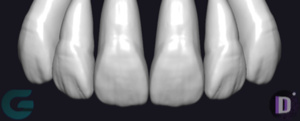
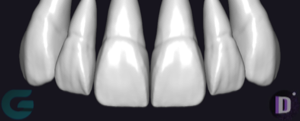
Tooth anatomy library with reference shapes for modeling crowns and full-anatomy restorations in exocad.
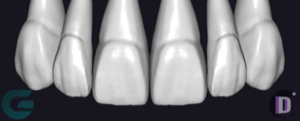
Tooth anatomy library for exocad: reference morphologies for modeling crowns and bridges.
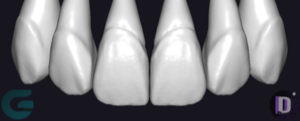
JS-style tooth anatomy library: reference shape for crowns and bridges in exocad.
This library is part of PRO. Access opens downloads for all 2,983 libraries.