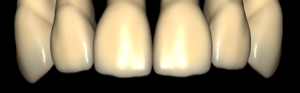
generic
generic
Tooth anatomy library for exocad DentalCAD: reference morphologies for crowns, bridges, full-anatomy restorations.
2 libraries · exocad DentalCAD — Tooth Anatomy
generic — 2 libraries for exocad DentalCAD — Tooth Anatomy in the catalog.
A curated collection of tooth-anatomy libraries assembled in one place for exocad DentalCAD users. It gathers morphology sets from various authors and designs, giving CAD technicians a ready reference for shaping crowns, bridges and full-anatomy restorations.
The catalog currently lists 2 lines, including the base generic set and the generic-smooth variant, each offering a distinct surface character for everyday monolithic and layered workflows.
Tooth anatomy library for exocad DentalCAD: reference morphologies for crowns, bridges, full-anatomy restorations.
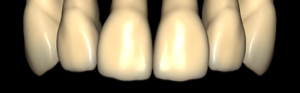
Tooth anatomy library for exocad with smoothed morphologies for crowns and bridges.
This library is part of PRO. Access opens downloads for all 2,983 libraries.