geller
geller
Tooth anatomy library for exocad DentalCAD: crowns, bridges, full-anatomical restorations.
2 libraries · exocad DentalCAD — Tooth Anatomy
geller — 2 libraries for exocad DentalCAD — Tooth Anatomy in the catalog.
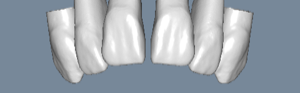
The geller hub collects tooth-anatomy libraries for exocad DentalCAD built around the morphology associated with Willi Geller, the influential Swiss dental technician known for his naturalistic anterior aesthetics. Two lines are offered — geller and geller_1 — providing reference tooth shapes with soft surface texture and lifelike form.
In DentalCAD these libraries serve as reference morphology when designing crowns, bridges and full-anatomy restorations, giving the technician an aesthetic starting point rooted in classic natural-tooth design.
Tooth anatomy library for exocad DentalCAD: crowns, bridges, full-anatomical restorations.
Tooth anatomy library with reference morphologies for crown and bridge modeling in exocad.
This library is part of PRO. Access opens downloads for all 2,983 libraries.