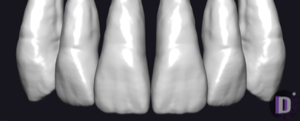
FOBOS exocad anatomy library
4 libraries · exocad DentalCAD — Tooth Anatomy
FOBOS — 4 libraries for exocad DentalCAD — Tooth Anatomy in the catalog.
FOBOS is a tooth anatomy library collection for exocad DentalCAD, providing reference tooth morphologies for crown, bridge and full-anatomy design. The catalog contains 4 FOBOS morphology sets, including FOBOS-Amalthea, FOBOS-Pallada and FOBOS-Proteus, each presenting a distinct character of tooth shape for the CAD workflow.
Loaded in DentalCAD as reference anatomy, a FOBOS set supplies the technician with a consistent starting form that can be refined to match the patient and the planned restoration.
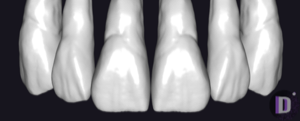
FOBOS
FOBOS-Proteus
Tooth anatomy library with reference morphologies for modeling crowns and bridges in exocad.
FOBOS
FOBOS-Glarus ( PRO )
Tooth morphology library providing initial crown and restoration shapes for exocad.
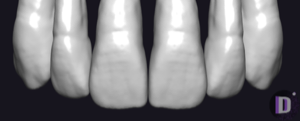
FOBOS
FOBOS-Amalthea
Tooth anatomy library with natural morphologies, reference for crowns, bridges in exocad.
Nothing found
FAQ — FOBOS
How do I install a FOBOS library in exocad DentalCAD?
After signing in, click the Download button next to the chosen FOBOS set to receive the file directly. Unzip the archive and place the library folder into the exocad DentalCAD tooth library directory, or add it via exocad Library Manager, then restart DentalCAD so the morphology set becomes available in the anatomy selection.
How many FOBOS libraries are in the catalog?
The catalog contains 4 FOBOS tooth anatomy sets, including FOBOS-Amalthea, FOBOS-Pallada and FOBOS-Proteus, each offering a distinct reference morphology for the DentalCAD design process.
What are FOBOS libraries used for in the DentalCAD workflow?
FOBOS libraries supply reference tooth shapes that DentalCAD loads as starting anatomy for crowns, bridges and full-anatomy restorations. The designer picks the FOBOS morphology that fits the case and adapts it to the preparation, occlusal scheme and aesthetic goals before finalising the restoration.
What format do FOBOS libraries come in and what are they compatible with?
Each FOBOS library is delivered as a ZIP archive with the files required by exocad DentalCAD. After extraction the set is placed in the DentalCAD tooth library folder and is recognised by DentalCAD as a standard tooth anatomy library.