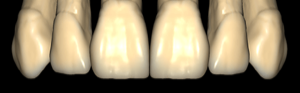
Anatoly
Anatoly-unique
Tooth anatomy library for exocad DentalCAD, reference for modeling crowns and bridges.
4 libraries · exocad DentalCAD — Tooth Anatomy
Anatoly — 4 libraries for exocad DentalCAD — Tooth Anatomy in the catalog.
The Anatoly tooth-anatomy collection for exocad DentalCAD presents four morphology variants designed to match different facial and arch shapes. The catalog includes Anatoly-oval, Anatoly-square, Anatoly-triangular and Anatoly-unique, giving CAD designers a choice of reference forms for crowns, bridges and full-anatomy restorations.
Loaded as a reference shape inside DentalCAD, each set adapts to the case and supports a predictable, reproducible digital design workflow.
Tooth anatomy library for exocad DentalCAD, reference for modeling crowns and bridges.
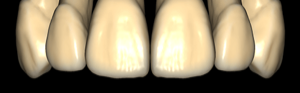
Anatomical tooth library with oval shapes, reference for crowns and restorations, exocad.
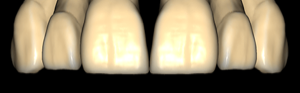
Square-shaped tooth anatomy library for modeling crowns and restorations in exocad.
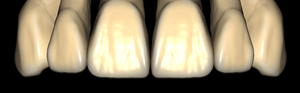
Tooth anatomy library with triangular morphologies for modeling crowns in exocad DentalCAD.
This library is part of PRO. Access opens downloads for all 2,983 libraries.