
Nucleoss exocad library
4 libraries · exocad exoplan
Nucleoss — 4 libraries for exocad exoplan in the catalog.
NucleOSS is a manufacturer of bone-level dental implants designed for a wide range of clinical protocols, from standard to complex cases. The T6 Standard line is FDA-registered and intended for classic implantation protocols, complemented by fixation components, surgical kits and sleeves.
The brand actively develops its digital workflow with CAD/CAM solutions and libraries for leading planning software.

Nucleoss
T6 Standard
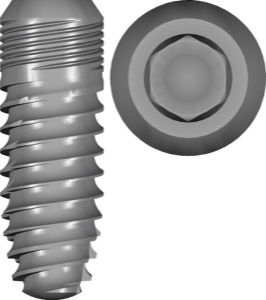
Bone level implant library, conical Morse taper connection, titanium, for exoplan, FDA.
Nothing found
FAQ — Nucleoss
How do I install the Nucle OSS library in exocad exoplan?
Download the archive with the Download button, unpack it and place the library folder into the exoplan implant libraries directory (usually DentalCADApp/library/implant), then restart the program. Installation help for any version is available via support in your account.
Which exocad exoplan versions are compatible with Nucle OSS libraries?
The libraries are compatible with current exoplan releases, including Galway and newer builds. If adaptation to a specific version is needed, contact us via support in your account.
Are these original Nucle OSS libraries?
Yes, these are the original digital libraries from Nucle OSS with correct implant and component parameters for accurate virtual planning.
How much does the download cost?
Free of charge; after you sign in, the file downloads directly.