
GC exocad library
4 libraries · exocad exoplan
GC — 4 libraries for exocad exoplan in the catalog.
GC is a Japanese corporation with over a century of history, widely recognized in dentistry for its restorative materials, cements and digital solutions. Within implantology, the company develops the GC Aadva Implant System based on the platform switching concept, including the Aadva Tapered, Aadva Standard, GENESiOPlus Straight and SETiOPlus Straight lines.
Aadva implants are bone-level with an internal hex connection and cover most clinical situations, from standard cases to more demanding protocols.
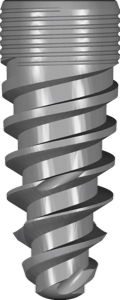
GC
Aadva Tapered
Titanium implant library with internal hex connection for surgical guide planning in exoplan.
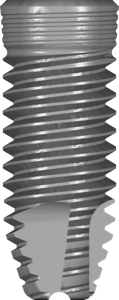
GC
GENESiOPlus Straight
Titanium implant library for exoplan, internal Morse taper connection, digital planning.
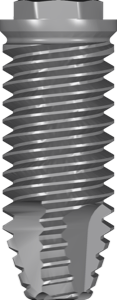
GC
SETiOPlus Straight
Implant library for digital planning in exoplan, conical Morse taper connection, titanium.
Nothing found
FAQ — GC
How do I install a GC library in exocad exoplan?
Download the archive with the Download button, unpack the library folder into the exoplan implant library directory (typically DentalCADApp/library/implant) and restart the software. For help with installation on any version, contact us via support in your account.
Which versions of exocad exoplan are GC libraries compatible with?
The libraries are compatible with current exoplan releases (Galway and newer) as well as earlier versions. If you need a build for a specific version, contact us.
Are these original GC libraries?
Yes, we publish original GC manufacturer libraries without any geometry modifications.
How much does the download cost?
Free of charge; after you sign in, the file downloads directly.